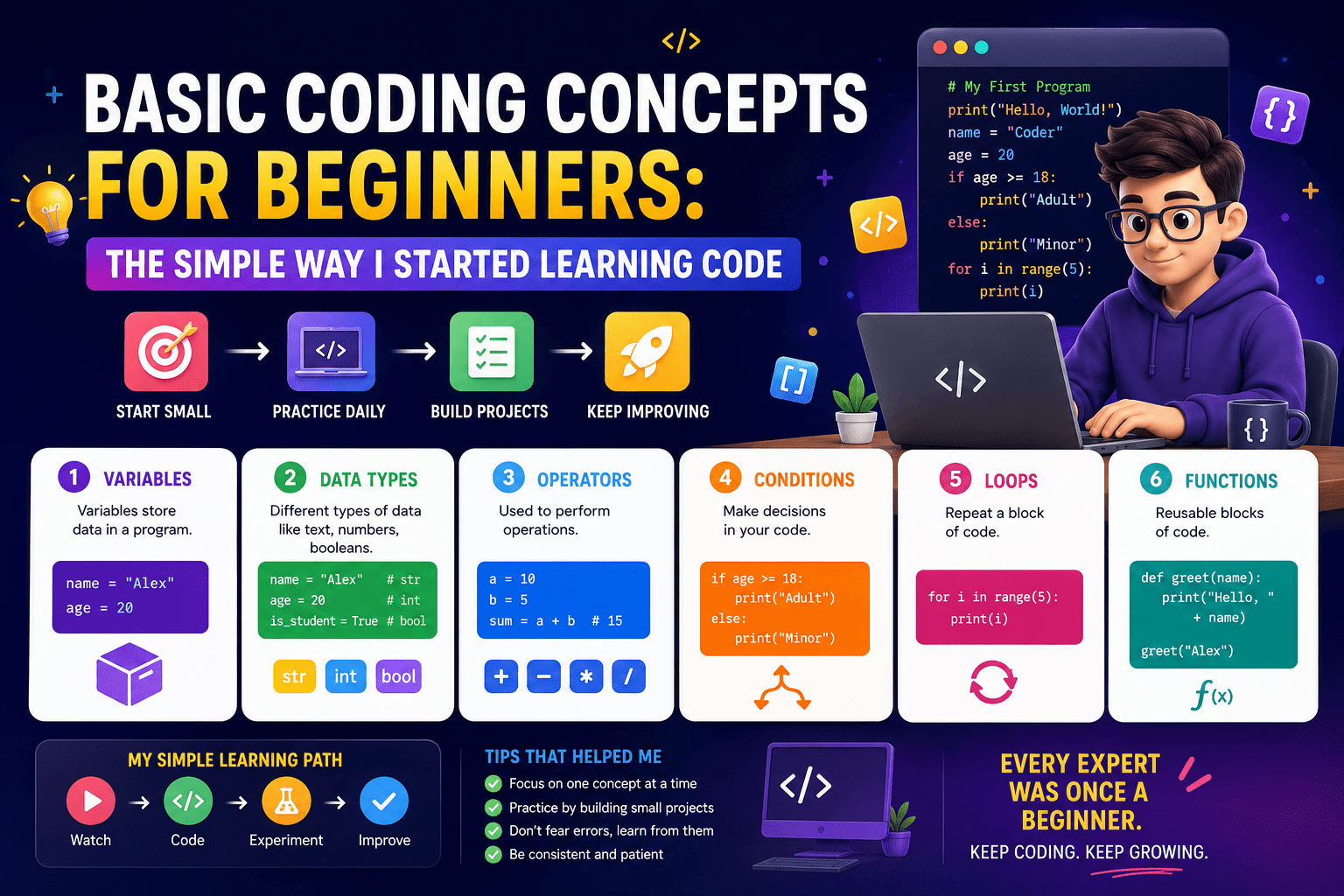
Basic Coding Concepts for Beginners: The Simple Way I Started Learning Code
- 1 What Are Basic Coding Concepts?
- 2 Understanding Data Types
- 2.1 What Are Functions in Programming?
- 2.2 Loops Explained for Beginners
- 2.3 Conditional Statements and Logic
- 2.4 Arrays and Lists Made Simple
- 2.5 What Is Coding Syntax?
- 2.6 Debugging and Why Errors Happen
- 3 Common Mistakes Beginners Make
- 4 Final Thoughts
When I began learning programming, it seemed like I was trying to decipher an alien language. Variables, loops, functions, syntax errors, these words are so casually tossed at you as if everyone understands them. Actually, a major reason why most newbies quit is not that coding itself is difficult, but mostly due to overly technical explanations that scare them off from the very beginning.
What Are Basic Coding Concepts?
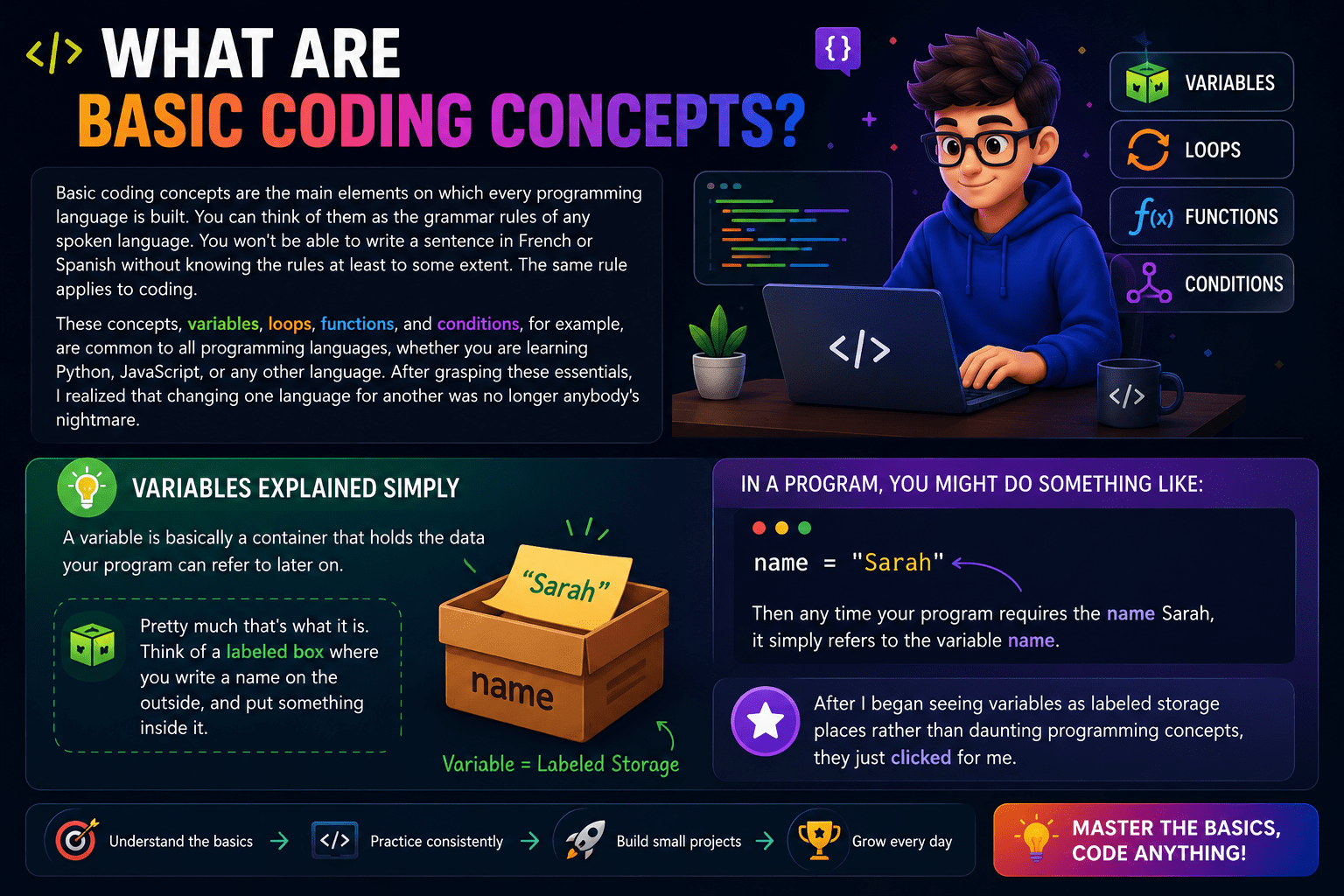
Basic coding concepts are the main elements on which every programming language is built. You can think of them as the grammar rules of any spoken language. You won’t be able to write a sentence in French or Spanish without knowing the rules at least to some extent. The same rule applies to coding.
These concepts, variables, loops, functions, and conditions, for example, are common to all programming languages, whether you are learning Python, JavaScript, or any other language. After grasping these essentials, I realized that changing one language for another was no longer anybody’s nightmare.
Variables Explained Simply
A variable is basically a container that holds the data your program can refer to later on.
Pretty much that’s what it is. Think of a labeled box where you write a name on the outside and put something inside it. In a program, you might do something like:
name = “Sarah”
Then, any time your program requires the name Sarah, it simply refers to the variable name. After I began seeing variables as labeled storage places rather than daunting programming concepts, they just clicked for me.
Understanding Data Types
| Data Type | What It Stores | Example |
| String | Text and characters | “Hello”, “Monday” |
| Integer | Whole numbers | 5, 200, -10 |
| Boolean | True or false only | True, False |
| Float | Decimal numbers | 3.14, 9.99 |
What Are Functions in Programming?
Functions represent codified blocks that perform certain tasks and can be reused. In other words, you avoid duplicating your code, i.e., rewriting the same set of instructions several times. Instead, you write those instructions once inside a function and then call that function whenever you need it.
Consider a function as a recipe: write it once, and use it any number of times. When I started using functions correctly, it was like my code had a complete makeover: it looked cleaner and less repetitive.
Functions in programming, in fact, operate not far from this same metaphor. They help you save time, eliminate the redundancy of writing the same code repeatedly, and facilitate the readability of your code.
Loops Explained for Beginners
A loop is a control flow statement for repeating any action in a program a specified number of times or until a certain condition is met. Let’s say you want to print the numbers from 1 to 100. You certainly won’t write 100 lines for this. Instead, you write a loop to automatically do the counting.
There exist two types of loops that are commonly used:
- For loops are used when you have to do something a fixed number of times
- While loops are used for continuing to do something while a condition remains true
Conditional Statements and Logic
Conditional statements enable your program to change its flow depending on certain conditions. The simplest type is the if-else statement.
Expressed simply, an if-else statement means: “If this condition is true, then perform these actions. Otherwise, perform something else.”
if temperature > 30:
print(“It is hot outside”)
else:
print(“Wear a jacket”)
This was the first coding idea that made me think logically rather than randomly. Your program tests a condition and takes the appropriate action.
Arrays and Lists Made Simple
An array (sometimes called a list) is a variable that holds multiple values at once instead of just one.
Imagine you need to store the names of ten students. You could create ten separate variables, or you could store all ten names in a single array. One container, multiple items.
students = [“Alex”, “Jordan”, “Sam”, “Taylor”]
I remember thinking arrays seemed unnecessary until I tried storing data without them — then it clicked immediately.
What Is Coding Syntax?
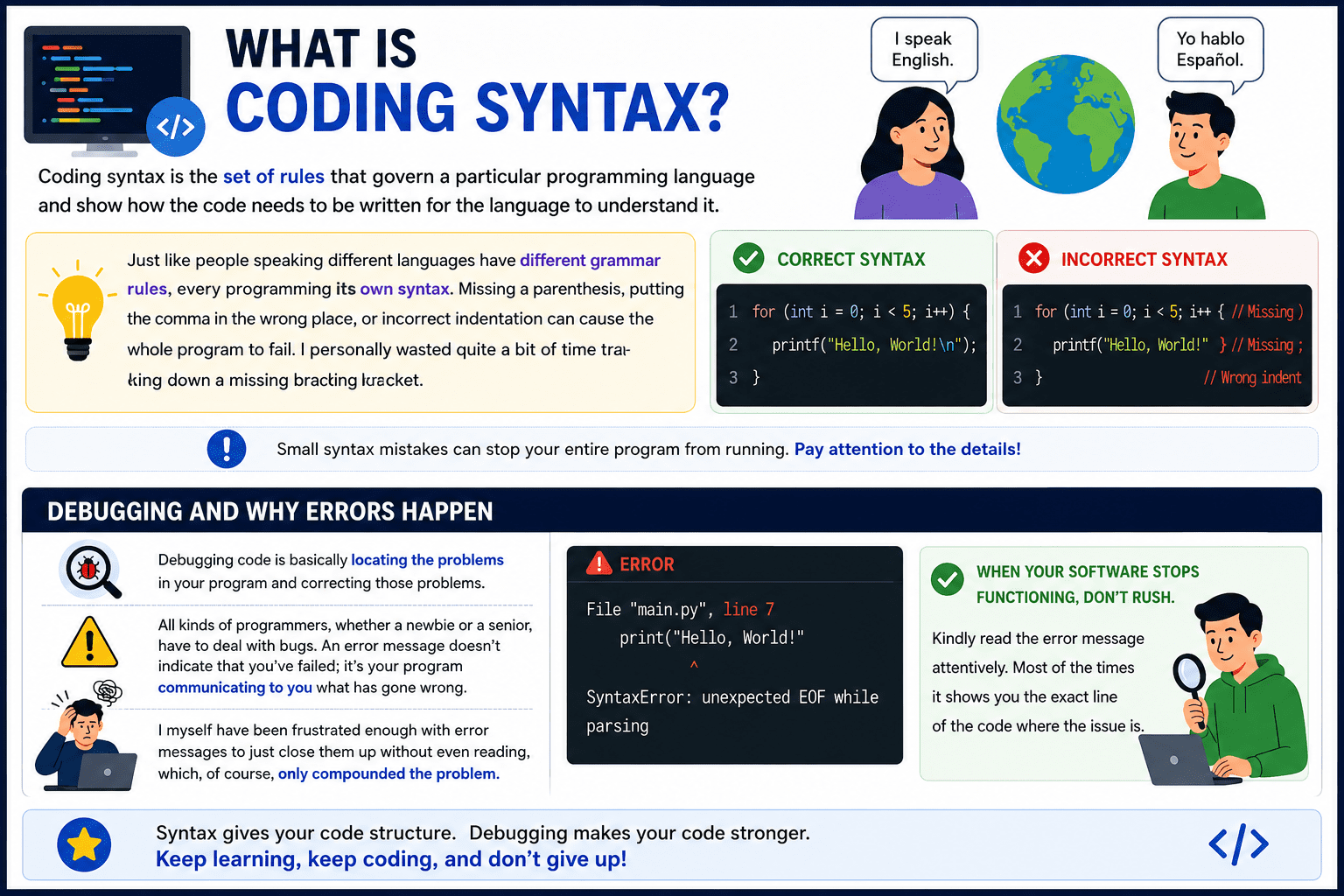
Coding syntax is the set of rules that govern a particular programming language and show how the code needs to be written for the language to understand it.
Just like people speaking different languages have different grammar rules, every programming language has its own syntax. Missing a parenthesis, putting the comma in the wrong place, or incorrect indentation can cause the whole program to fail. I personally wasted quite a bit of time tracking down a missing bracket.
Debugging and Why Errors Happen
Debugging code is basically locating the problems in your program and correcting those problems.
All kinds of programmers, whether a newbie or a senior, have to deal with bugs. An error message doesn’t indicate that you’ve failed; it’s your program communicating to you what has gone wrong.
I myself have been frustrated enough with error messages to just close them up without even reading, which, of course, only compounded the problem.
When your software stops functioning, don’t rush. Kindly read the error message attentively. Most of the times it shows you the exact line of the code where the issue is.
Common Mistakes Beginners Make
A few patterns come up again and again with new learners:
| Mistake | Why It Hurts |
| Copying code without understanding it | You cannot fix it when it breaks |
| Skipping error messages | You miss exactly where and why things failed |
| Building complex projects too early | Gaps in basics become impossible to hide |
| Not practicing regularly | Concepts fade fast without repetition |
| Expecting to understand everything immediately | Frustration leads to quitting too soon |
Learning to code takes time. Being patient with yourself is not optional — it is a requirement.
Also Read- Agentic AI Pindrop Anonybit Review: My Take on AI Fraud Detection and Identity Security
Best Way to Learn Coding Concepts Faster
The best technique by far is to code manually, rather than only reading code. Once you understand a concept, you should try to make a small program based on it alone (without looking at the solution). Even if you make a mistake, the act of correcting it will help you learn much more than reading a flawless example.
Pick one language that is very easy for beginners. I chose Python, and I still think it is a great choice, and sticking with it long enough to actually see my skills developing. Too soon changing the language is a common mistake among beginners.
There are no-cost coding sites such as freeCodeCamp, The Odin Project, and CS50 from Harvard that are excellent places to begin with and actually use a very beginner-friendly approach.
Final Thoughts
Coding essentials aren’t really as scary as they appear on paper.
Don’t overwhelm yourself by trying to grasp every concept at once. Pick only one. Test your small programs frequently. Tolerate confusion. It is the state one passes through before reaching clarity. And finally, think that everything depends on your learning. After all, it will be.
FAQs
What are the most important coding concepts for beginners to learn first?
Start with variables, data types, conditionals, loops, and functions — these five concepts form the foundation of almost every program you will ever write.
How long does it take to understand basic programming concepts?
Most dedicated beginners start feeling comfortable with the core concepts after four to eight weeks of consistent daily practice.
Do I need to learn math to understand coding basics?
Not at the beginner level — basic logical thinking matters far more than advanced mathematics when you are just starting out.