How To Direct Multi Reference Motion Sequences In Studio Pipelines
- 1 Why Pure Text Prompts Fail In Commercial Motion Direction
- 2 Step One Isolating Subject Assets And Clean Environment Reference Plates
- 2.1 Extracting High Contrast Alpha Channels And Turntable Keyframes
- 2.2 Trimming Motion Clips To Match Realistic Physical Momentum
- 3 Step Two Structuring Reference Syntax Directives Inside The Workbench
- 4 Step Three Setting Native Canvas Aspect Ratios And Frame Bounds
- 5 Quality Audit Checklists For Final Deliverable Video Exports
When digital video supervisors translate commercial storyboards into generative video passes, relying on text prompts alone introduces severe delivery risks. Creative briefs requiring an actor to turn smoothly toward a camera while holding a branded container frequently fail when passed through basic text decoders, as unanchored attention heads struggle to keep hand anatomy intact or maintain consistent studio key lighting across consecutive frames. Implementing seedance 3 inside active agency pipelines resolves this uncertainty by grounding generative motion in tangible asset files rather than unpredictable adjective chains.
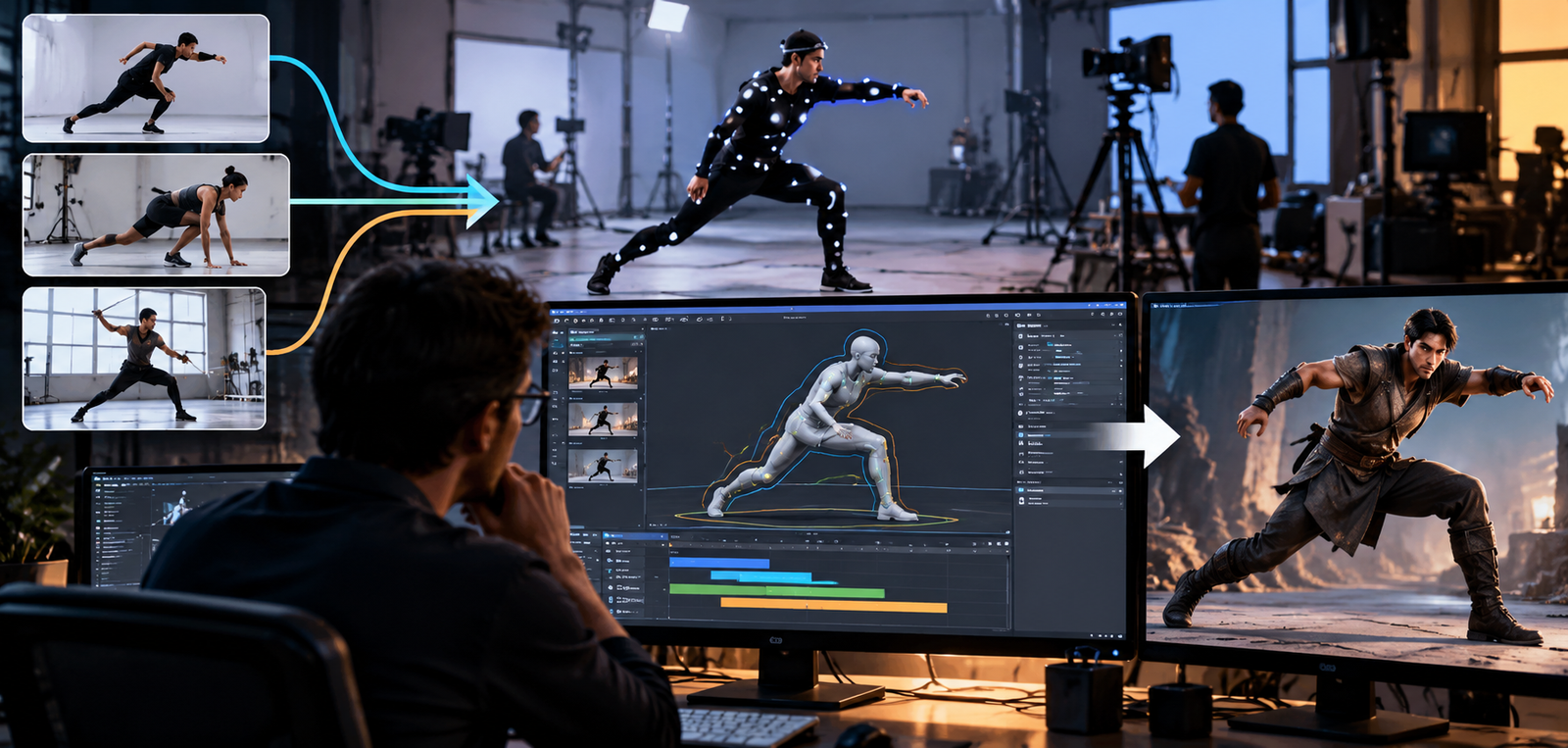
The primary advantage of multi-modal reference synthesis is structural predictability under tight production deadlines. In typical commercial workflows, discovering that an avatar facial structure altered between frame zero and second three often forces an entire afternoon of prompt trial and error, burning hundreds of rendering credits without guaranteeing a fix. By isolating subject stills, environment background plates, and motion reference footage before generating in SeedVideo, creative teams turn video synthesis into an orderly assembly process where visual attributes remain locked to source files.
Why Pure Text Prompts Fail In Commercial Motion Direction
Directing motion through descriptive text prompts remains an inherent gamble for client deliverable work. Phrases such as cinematic lighting fail because generative transformers interpret those tokens probabilistically across millions of training images. What the art director envisions as a subtle eighteen-millimeter camera push often synthesizes as an erratic handheld wobble that makes product typography illegible on screen.
Moreover, pure text models lack memory buffers for physical assets across scene cuts. When an editor asks for an alternative camera angle, a text-driven system invents an entirely new actor silhouette and alters background architecture rather than orbiting around the existing stage geometry. This structural drift ruins continuity across storyboard cards, preventing creative teams from assembling multi-shot commercials without jarring visual mismatches.
Step One Isolating Subject Assets And Clean Environment Reference Plates
Effective multi-reference video direction begins on the staging desktop long before opening the browser workspace. Uploading messy production stills with cluttered backgrounds confuses the model cross-attention layers, causing the synthesis engine to blend foreground subjects into wall decor during camera moves. Before launching a production run on SeedVideo, creative teams should prepare an isolated asset folder containing verified source files for each intended scene component.
Extracting High Contrast Alpha Channels And Turntable Keyframes
When staging human talent or product geometry, assemble clean stills photographed against uniform backdrops or extracted with clean alpha channels. Providing front, three-quarter, and profile angles gives the diffusion architecture spatial grounding across full camera rotations. If an actor wardrobe contains intricate textile patterns, ensure high-contrast sharpness across the fabric weave to stop textures from blurring into flat color fills when motion accelerates.
Trimming Motion Clips To Match Realistic Physical Momentum
When using live-action footage to guide camera trajectories, clip duration and velocity must be strictly calibrated. Feeding a fifteen-second drone sweep to direct a four-second commercial bumper forces the generator into unnatural spatial acceleration, causing foreground objects to warp as the algorithm compresses ten seconds of momentum into a brief timeline window. Trimming motion reference clips to match real-world dolly rigs ensures that synthesized camera paths remain fluid.
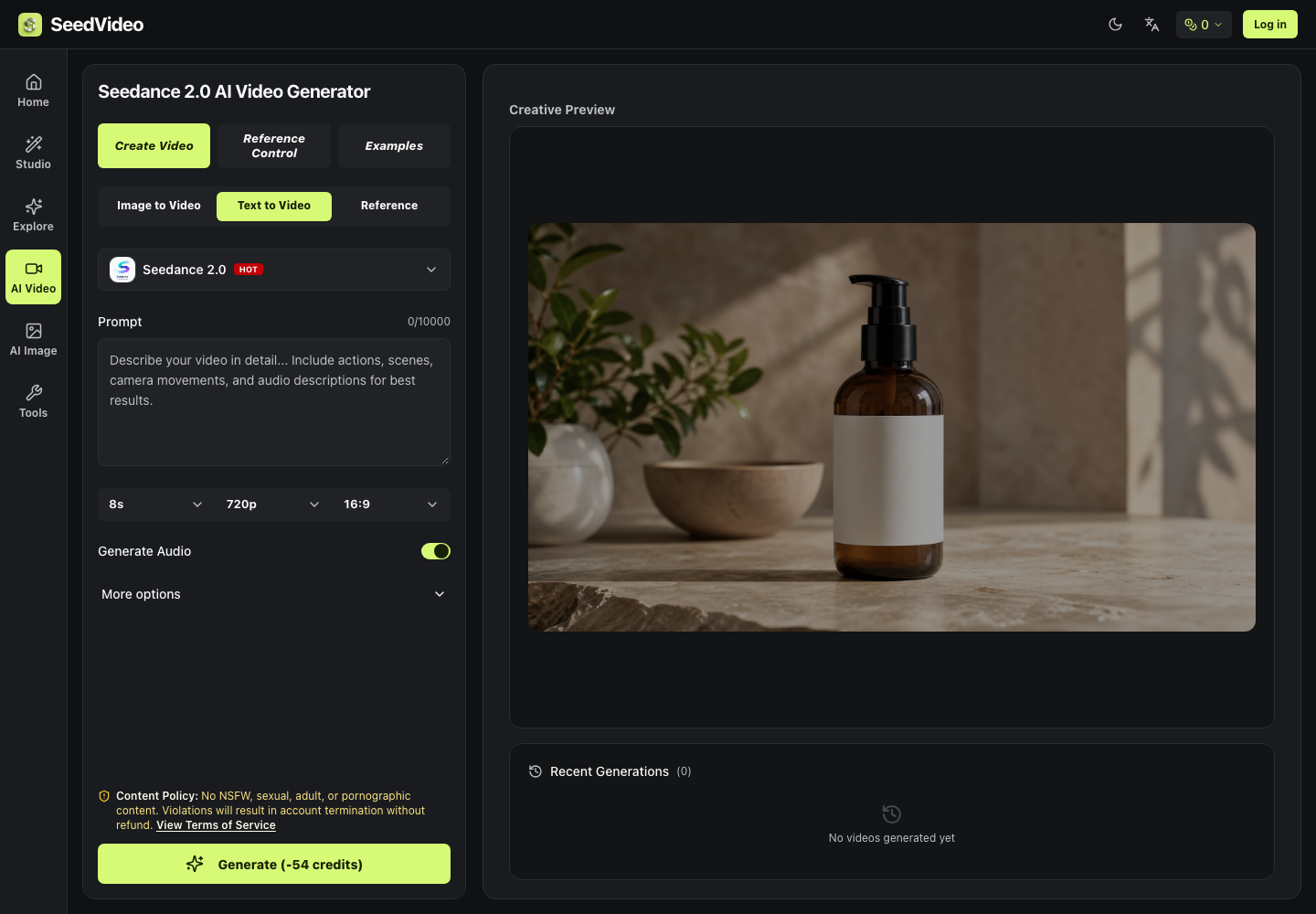
Step Two Structuring Reference Syntax Directives Inside The Workbench
Once reference media are uploaded to the project canvas, the key challenge is establishing explicit relationships between those assets. Simply uploading multiple references without connective syntax leaves the synthesis engine guessing which image governs character wardrobe and which file defines room illumination. In seedance 3, technical directors coordinate multi-modal assets using structured directives that link prompt instructions directly to uploaded cards.
Mapping Specific Reference Tags To Coordinate Attention Layers
The interface supports targeted asset tagging using explicit identifiers, allowing directors to assign roles to individual files within the prompt field. An operator can designate one reference tag for talent identity, a second tag for architectural setting, and a third for camera track trajectory. Writing concise instructions that tell the tagged character to interact within the tagged space keeps attention weights cleanly segregated.
Step Three Setting Native Canvas Aspect Ratios And Frame Bounds
Configuring canvas geometry must occur prior to rendering because generative models calculate composition relative to native raster boundaries. Selecting an arbitrary aspect ratio and attempting to re-crop deliverables later disrupts carefully balanced headroom, cutting off vital product details or pushing limbs outside the visible frame. The SeedVideo workbench includes preset canvas dimensions tailored for commercial distribution, locking ratios to sixteen by nine for widescreen or nine by sixteen for vertical feeds.
Quality Audit Checklists For Final Deliverable Video Exports
Before delivering synthesized clips to editorial conform or client review, motion supervisors should execute a standardized quality assurance protocol. Even advanced multi-modal models can exhibit micro-motion glitches during rapid focal changes that escape a casual initial glance.
In our studio pipeline, every generated clip must satisfy four verification checks before entering final post-production:
- Facial And Silhouette Identity Check: Compare the opening, middle, and closing frames directly beside the original subject still to verify that facial proportions and costume details remained consistent without morphing.
- Edge Separation And Parallax Audit: Scrub through camera tracking moves at half speed to confirm that foreground talent edges separate cleanly from background surfaces without shimmering or artifact haloing.
- Directional Lighting Coherence: Verify that dynamic shadows cast across floors or furniture track consistently with the primary directional light source established in the reference plate.
- Dynamic Credit Quote Verification: Verify that the upfront credit quote displayed on the trigger button accurately reflects output resolution and sequence duration before submitting high-priority jobs.
Adopting this disciplined reference-driven workflow transforms generative AI from a chaotic lottery into a dependable production instrument. By combining careful asset staging, explicit reference syntax in SeedVideo, and rigorous quality verification, creative teams consistently deliver polished video sequences that meet demanding client standards.