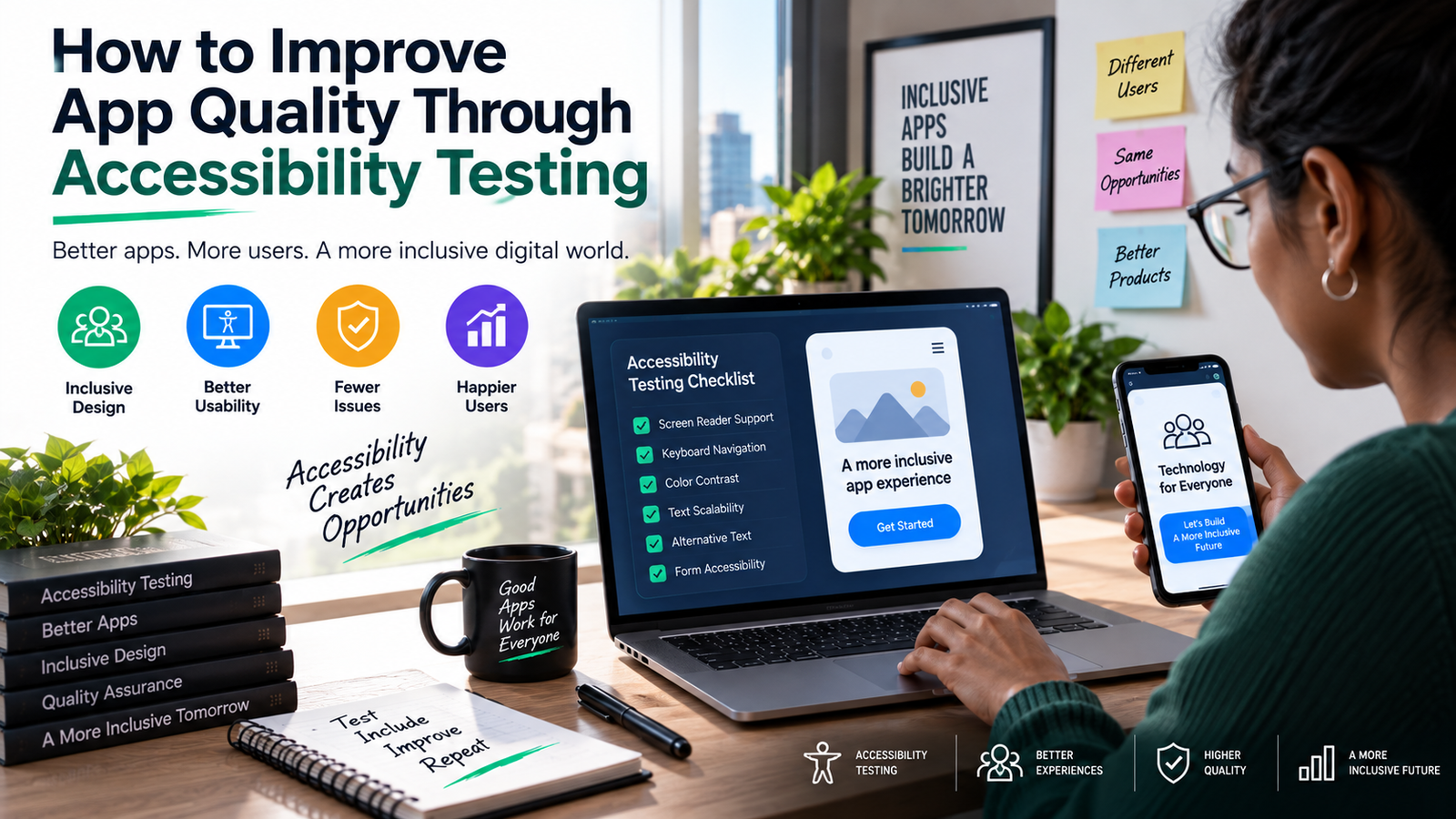
How to Improve App Quality Through Accessibility Testing
Accessibility is often treated as a checkbox: something to address near the end of a project, if there’s time, usually in response to a compliance requirement rather than a genuine product goal. That approach misses something important. Mobile accessibility testing, done properly, doesn’t just make an app usable for people with disabilities. It makes the app better for everyone, and it tends to surface exactly the kind of quality issues that good QA practices are supposed to catch in the first place.
A button that’s too small to tap reliably is a problem for someone with limited motor control, and it’s also just a badly sized button. Text that’s hard to read against its background is a screen reader dependency for some users, and a squint-inducing annoyance for everyone else. Accessibility testing, in other words, is quality testing with a sharper lens.
Here’s how to actually build it into the way an app gets developed and maintained, rather than bolting it on at the end.
Why Accessibility Testing Belongs in the Core QA Process
More than a billion people worldwide live with some form of disability, and mobile devices are often their primary way of accessing information, services, and communication. An app that isn’t accessible isn’t just excluding a niche audience; it’s cutting off a meaningful share of potential users, and in many regions and industries, doing so carries real legal risk under accessibility regulations.
But the business and legal reasons, while real, aren’t even the strongest argument. The stronger argument is that accessibility issues are almost always usability issues in disguise. Poor color contrast affects users in bright sunlight, not just users with low vision. Confusing navigation structures trip up screen reader users and first-time users alike. Missing labels on interactive elements make automated testing harder at the same time they make manual navigation harder for someone using assistive technology.
Treating accessibility testing as a separate, optional track means missing this overlap entirely, and missing a lot of real quality problems along with it.
What Accessibility Testing Actually Covers
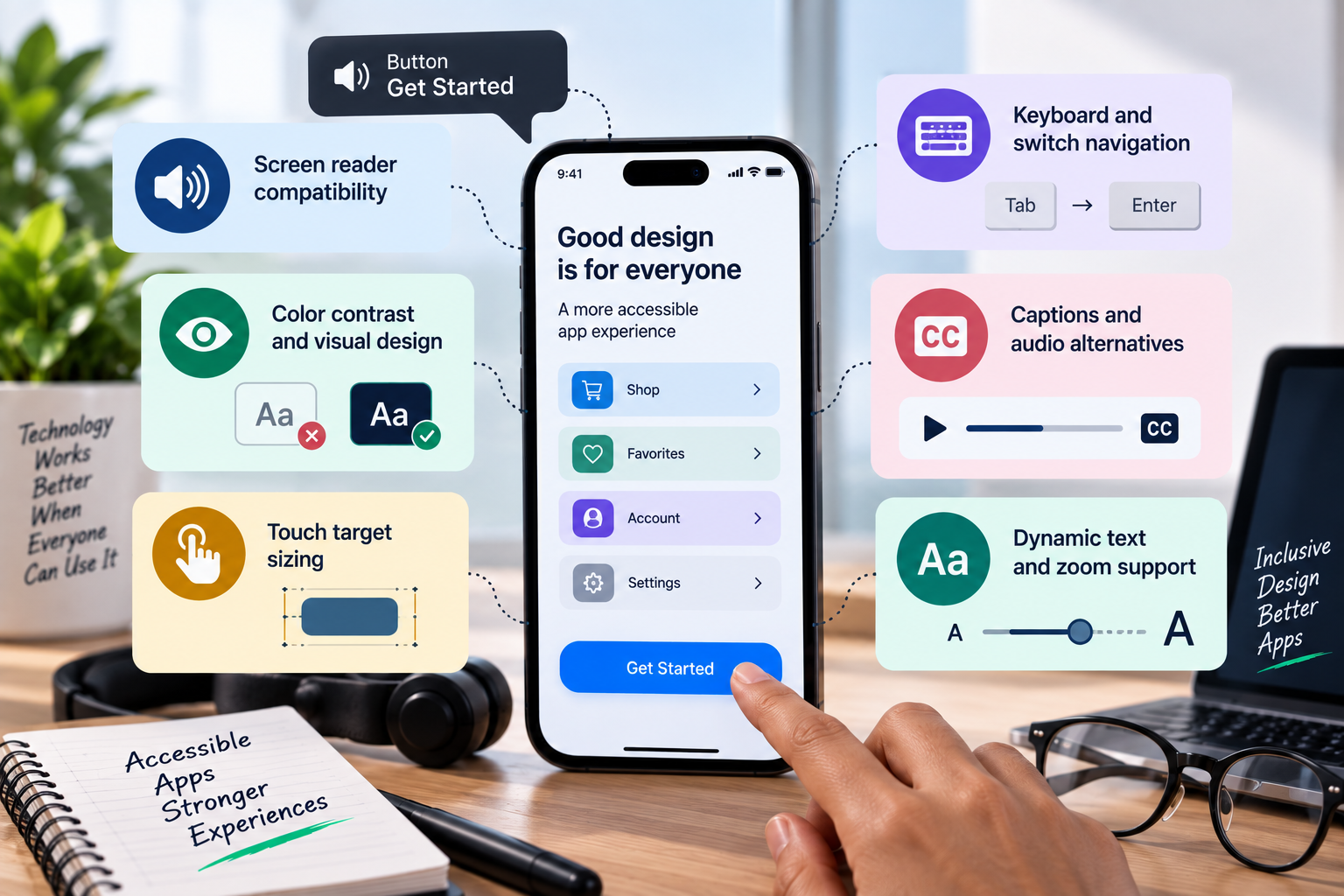
Accessibility testing isn’t one activity; it’s a set of checks across several distinct areas, each catching a different class of problem:
- Screen reader compatibility: Every interactive element needs a meaningful label, and content needs to be structured so that a screen reader announces it in a sensible order. Testing this means actually navigating the app with VoiceOver or TalkBack turned on, not just checking that labels exist in the code.
- Color contrast and visual design: Text and interactive elements need sufficient contrast against their backgrounds to be legible, and the app shouldn’t rely on color alone to convey information like errors or status changes.
- Touch target sizing: Buttons and interactive elements need to be large enough, and spaced far enough apart, for users with limited dexterity to tap accurately and consistently.
- Keyboard and switch navigation: Users who rely on external switches or keyboard-like input devices need every function reachable and operable without relying on precise touch gestures.
- Captions and audio alternatives: Video content needs captions, and any audio-only information needs a text equivalent, for users who are deaf or hard of hearing.
- Dynamic text and zoom support: The app needs to remain usable when users increase system font sizes or zoom in, without text getting cut off or layouts breaking.
Each of these categories requires its own testing approach, and each one, done well, tends to expose UI and UX issues that a purely functional test pass would never catch.
Manual Testing and Automated Tools Together
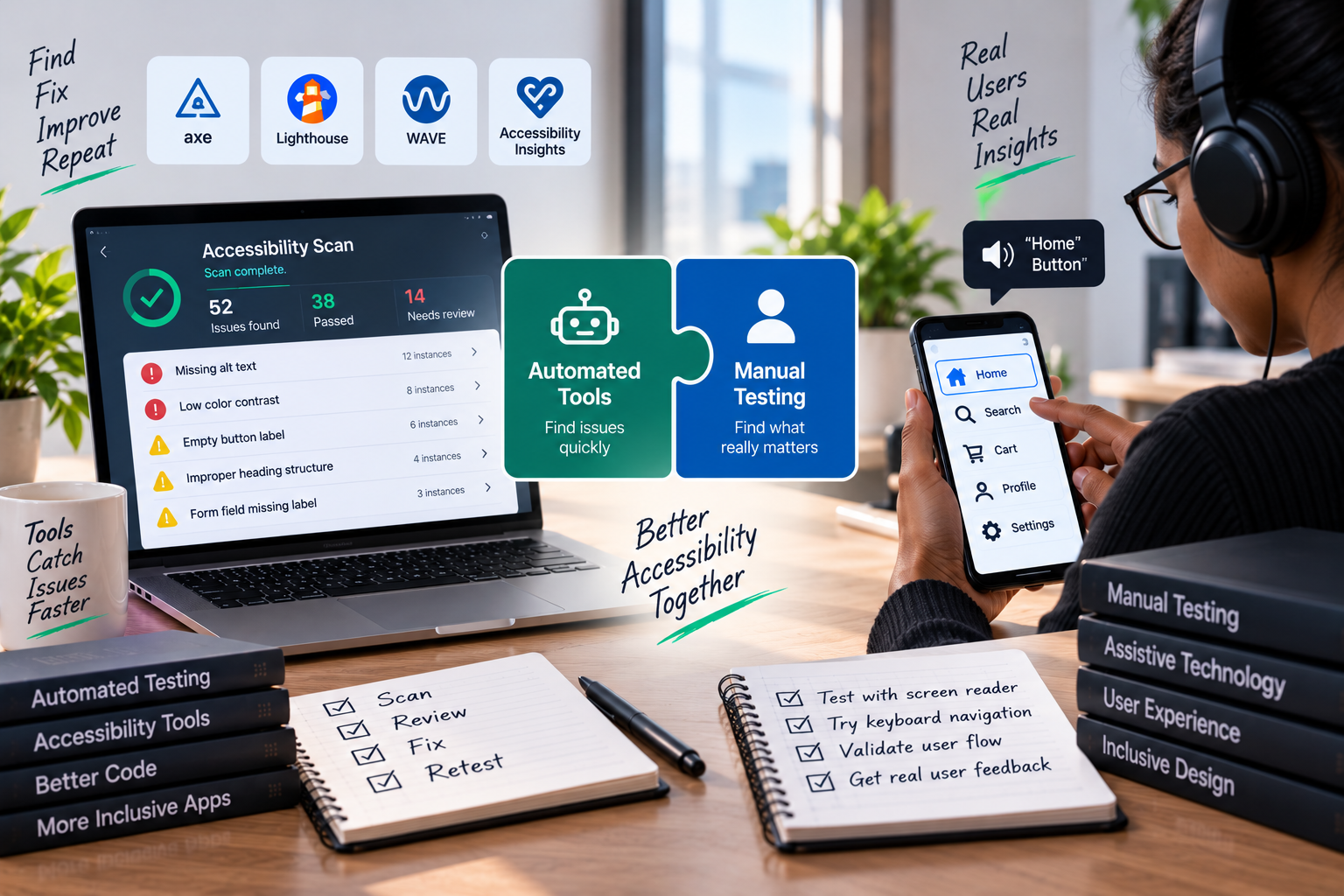
Automated accessibility scanning tools are genuinely useful for catching a meaningful chunk of issues quickly: missing labels, insufficient contrast ratios, and improperly structured elements can all be flagged automatically, and running these checks early and often keeps obvious problems from piling up.
But automated tools have real limits. They can confirm that a label exists; they can’t confirm that the label actually makes sense in context, or that the overall navigation flow is logical for someone using a screen reader. That’s where manual testing, ideally involving people who actually use assistive technology day to day, becomes essential. A tool can tell you a button has a label. Only a real user, or a tester deliberately navigating with a screen reader active, can tell you whether that label helps or confuses.
The strongest accessibility testing processes use automated tools for broad, fast coverage and reserve manual testing for the judgment calls that automation can’t make: does this flow actually make sense, does this experience actually work, not just technically pass a rule.
Making Accessibility Stick: Continuous Monitoring in DevOps
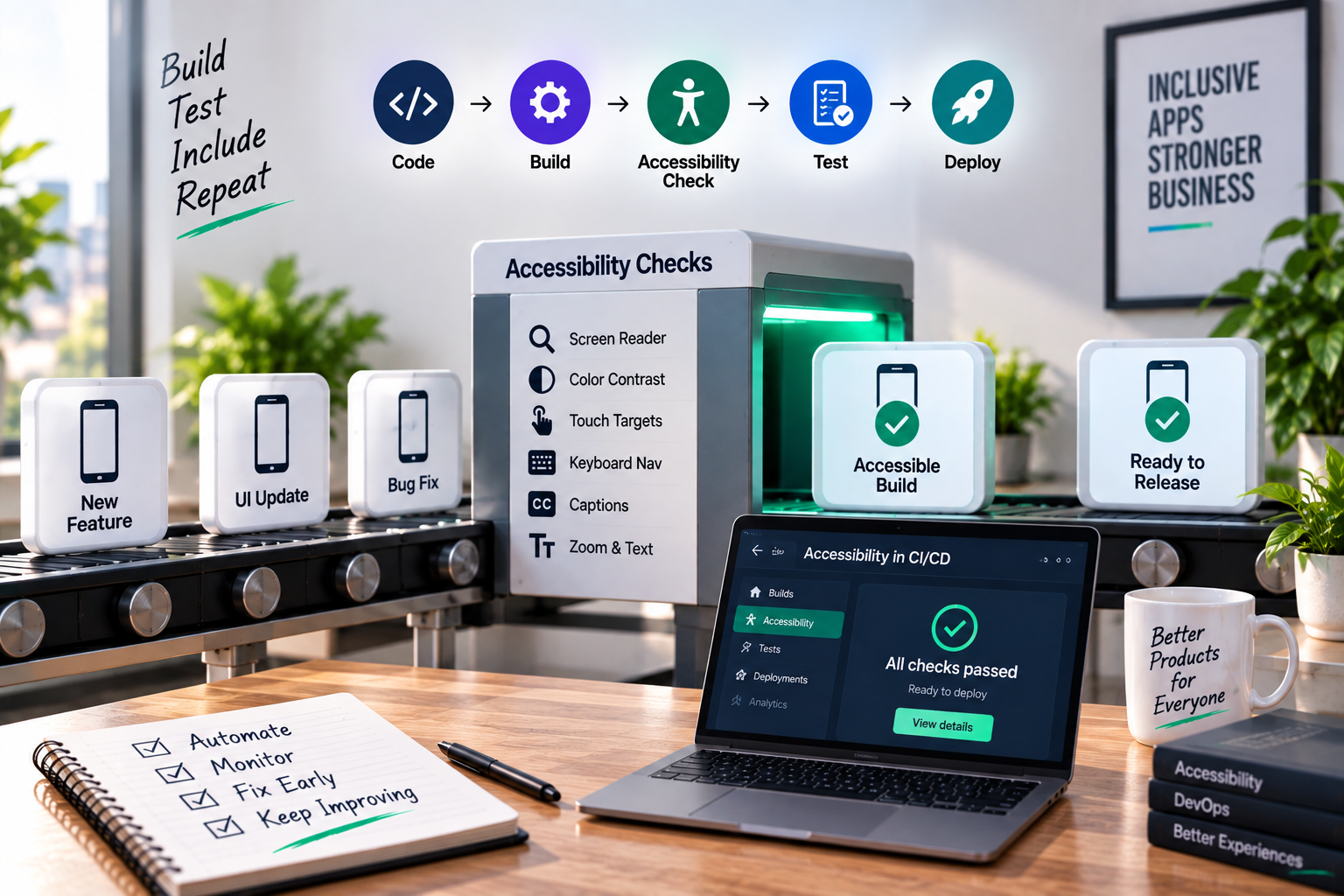
The single biggest reason accessibility testing fails to stick over time isn’t a lack of initial effort; it’s that most teams treat it as a one-time audit rather than an ongoing practice. An app can pass a thorough accessibility review and then quietly regress with the next few feature releases, as new components get added without the same scrutiny applied to the original build.
This is where continuous monitoring in DevOps changes the picture. Instead of treating accessibility as a periodic audit, teams that get this right fold automated accessibility checks directly into their CI/CD pipeline, so every build gets scanned before it ships, not just the ones scheduled for a formal review. A pull request that introduces a contrast violation or an unlabeled interactive element gets flagged the same way a failing unit test would, long before it reaches production.
Continuous monitoring in DevOps also matters after release, not just before it. Real-world usage data, crash reports, and accessibility-specific analytics can reveal issues that never surfaced in testing, particularly around how real assistive technology users actually navigate the app in practice. Feeding that data back into the development process closes the loop, turning accessibility from a static checklist into a practice that keeps improving alongside the app itself.
Practically, this tends to look like a few concrete habits:
- Running automated accessibility scans as part of every build, not as a separate manual step before release
- Setting clear pass/fail thresholds so accessibility regressions block a release the same way broken functionality would
- Scheduling periodic manual audits, especially after major UI changes, to catch what automation can’t
- Monitoring real user behavior and support feedback for signs of accessibility friction after launch
- Treating accessibility bugs with the same priority and visibility as any other quality defect, rather than routing them to a separate, lower-priority backlog
None of this requires a separate team or an entirely new process. It requires treating accessibility as a standing part of quality, monitored continuously, rather than a project that gets finished once and then forgotten.
The Payoff
Teams that build accessibility testing into their core process, and back it with continuous monitoring in DevOps rather than a one-time review, tend to see benefits well beyond compliance. Interfaces get simpler and more consistent. Navigation gets more logical. Error states get clearer. These are the same qualities that make an app easier to use for absolutely everyone, disability or not.
Accessibility testing done right isn’t a separate track running alongside quality assurance. It’s one of the sharpest tools quality assurance has, and treating it that way, continuously and deliberately, is what actually improves app quality over the long run.