Lenovo Idea Tab Pro Review: What I Noticed After Daily Use
- 1 Quick Verdict: My Honest First Impression
- 1.1 My Rating: 4.1 / 5
- 1.1.1 Best For:
- 1.1.2 Not Suitable For:
- 2 Specifications of Lenovo Idea Tab Pro
- 2.1 Quick Note From My Testing
- 2.2 Design and Build quality of Lenovo Idea Tab Pro
- 2.3 Display and Media Experience
- 2.4 Performance and Multitasking
- 2.5 Battery Life of Lenovo Idea Tab Pro
- 2.6 Real World Usage
- 3 Pros and Cons
- 4 Final Verdict
I was looking for a tablet that could perform real work without having me pick up my laptop every 20 minutes. Streaming, light writing, reading long documents, some multitasking, but nothing extreme, and nothing casual either.
One of my colleagues had talked about the Lenovo IdeaTab Pro, and I was skeptical when I entered. I tried many mid-range laptops, but no one had grabbed my attention. Decent specification on the paper, slow in practice.
So I gave it a decent time to test. Daily. Across different situations, morning news, late-night YouTube, work calls, weekend reading.
Some things that really surprised me. Some things didn’t. This is all that I observed that the product page will not tell you.
Quick Verdict: My Honest First Impression
My Rating: 4.1 / 5
I feel it is a genuinely solid tablet. Not perfect, but nearer to impressive than disappointing.
Best For:
- Students who switch between reading, taking notes, and video calls.
- Laptop-lite productivity users.
- Binge watchers who are concerned with screen quality.
- Those who are tired of budget tablets that fall behind after 6 months.
Not Suitable For:
- Multitaskers with heavy applications running.
- Serious gamers demand console-level performance.
- Anyone requires desktop-level productivity daily.
- People who hate battery management in long working hours.
Specifications of Lenovo Idea Tab Pro
| Feature | Details |
| Display | 12.7-inch AMOLED, 2944 x 1840 resolution |
| Refresh Rate | 144Hz |
| Processor | Snapdragon 870 |
| RAM | 8GB |
| Storage | 256GB internal, microSD expandable |
| Battery | 10,200 mAh |
| Charging | 45W fast charging |
| Operating System | Android 13 |
| Audio | JBL tuned quad speakers |
| Front Camera | 13MP |
| Rear Camera | 13MP |
| Connectivity | WiFi 6, Bluetooth 5.1, USB-C |
| Weight | 615g |
| Stylus Support | Yes — Lenovo Precision Pen compatible |
| Keyboard Support | Yes — detachable keyboard compatible |
Quick Note From My Testing
Specs are beautiful on paper, and in the main perform in practice. The first thing that I noticed is the 144Hz display. The weight of 615g is felt during the long reading sessions. I held it for an hour, then felt a heavy wrist.
Design and Build quality of Lenovo Idea Tab Pro
The first time I picked it up, it was high-quality. No cheap plastic anywhere, metal body, clean edges. I was really impressed.
The weight, 615g, is all right until you are reading in bed for forty minutes. Your hand notices. I changed hands more than I expected.
Button placement felt slightly awkward initially. I hit the power button instead of the volume button embarrassingly frequently during the first week.
Overall, the build quality feels honest for the price. Strong without posing as something more costly.
Display and Media Experience
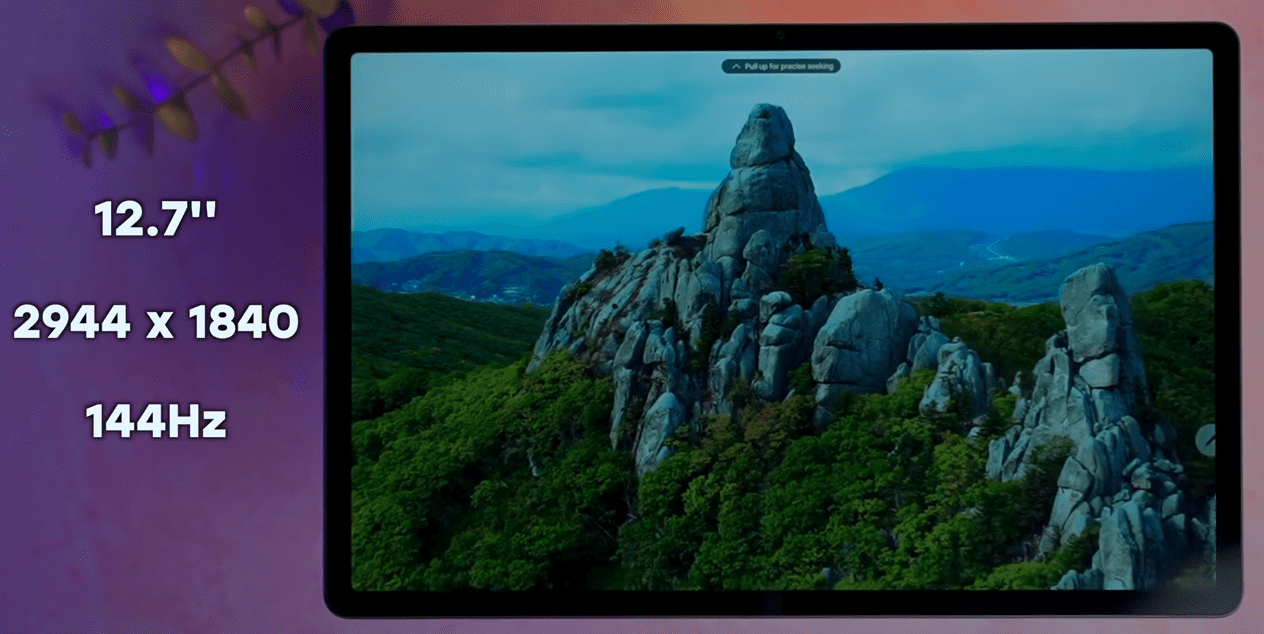
This is where the Lenovo Idea Tab Pro makes its honest money. The 12.7-inch AMOLED screen feels different when you are viewing something with real color depth. One evening, I just watched a nature documentary to test it, and I did not look at my phone at all, watching the whole episode. That says something.
Colors are bright without being oversaturated. The brightness in the outdoors is holding up better than I expected. Readable in the sun, not perfectly, but actually usable.
I was most surprised by the JBL quad speakers. Tablet audio usually disappoints. These didn’t. Stereo separation was real, volume was loud without distortion, and dialogue in movies remained clear.
A weakness I observed was that when I was watching at maximum brightness for a long duration, the battery was depleted sooner than I would prefer. Was forced to dial it down consciously when doing long sessions.
Performance and Multitasking
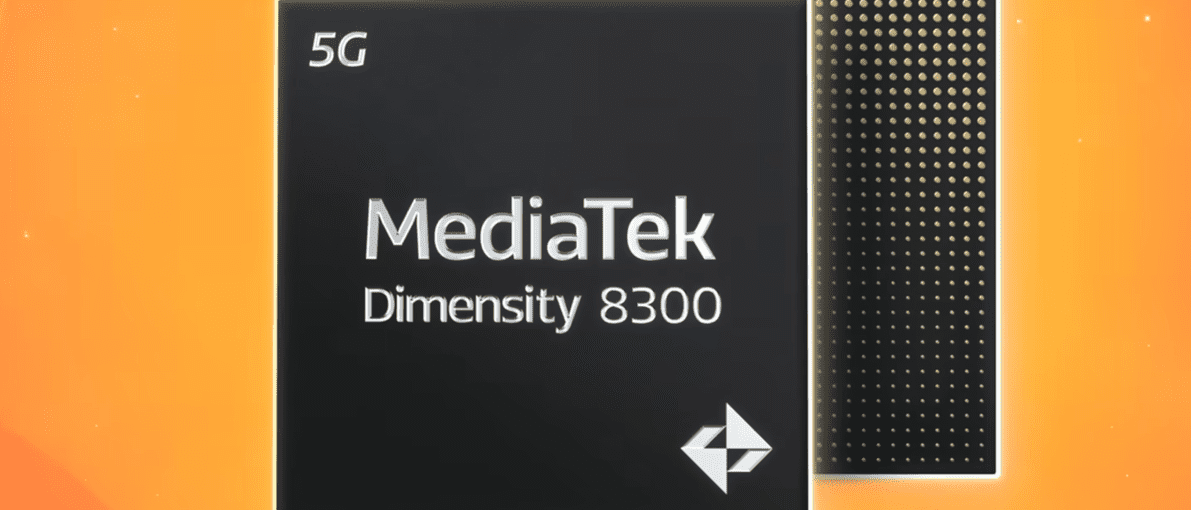
The daily tasks were truly snappy. Switching between Chrome, YouTube, and a document application, with no irritating reload time. I was impressed by that section during a busy work morning, where I had six tabs open and a video on at the same time.
The refresh rate of 144Hz makes scrolling smoother than most tablets in this category. Small detail, noticeable difference.
Light gaming was okay. Informal titles were published without complaints. Pushed it to more serious games, but the cracks showed, frame drops appeared, the device was getting warm, and the experience became less enjoyable fast.
Multitasking three or more demanding apps at a time was slow. Split screen with a video call and document editing was effective. Add a third application and patience was sore.
Solid performer. Only know its ceiling.
Battery Life of Lenovo Idea Tab Pro
You know, 10,200 mAh is an impressive number, and it mostly works. On normal days, surfing, reading, and streaming casually, I easily got through without having to pick up the charger. That was a real freeing.
I had a four-hour movie marathon and some browsing afterward on one weekend with its heavy use. By evening, Still had 30% remaining. This experience made me value it in the right way.
The frustration was experienced when the high brightness streaming was on with WiFi and Bluetooth running simultaneously. The battery was dropping at a rate that was not reasonable. Noticeably faster.
45W fast charging saves the situation somewhat, which will give you a few hours with 30 minutes.
But heavy users will continue to pay on a daily basis. Moderate users are likely to be every other day and a half.
Real World Usage
Watching a Live Cricket Match: Watched a complete T20 match on this tablet and actually enjoyed it. The look of the ground was bright and clear with that AMOLED screen. Quick motion remained crisp and did not ghost. Sound followed the crowd noises naturally. The only issue, two hours of live streaming with maximum brightness, the battery dropped quicker than comfortable.
Morning Work Sessions: Three consecutive mornings in a row, I used it in place of my laptop to respond to emails, edit documents, and make video calls. Surprisingly good at lighter work. As soon as I had to do some serious work with spreadsheets, the limitations showed immediately. Replacement of laptops, not tablets.
Traveling and Reading: Long train journey, downloaded articles, offline reading, and some YouTube. This is where it was most natural, to be honest. Large enough screen, decent battery, personal use audio.
Pros and Cons
What I Genuinely Liked
- AMOLED display ensured that streaming was worth it, and colors remained rich without appearing artificial.
- JBL speakers have never disappointed me, and I can’t say the same about tablet audio.
- The scrolling at 144Hz is smooth in a way that is difficult to revert.
- The battery coped with moderate days without anxiety.
- The quality of the building was high without being weak.
- Quick charging saved some of the low battery cases.
What Actually Annoyed Me
- The weight of 615g is a real issue when reading long handheld texts.
- Heavy gaming revealed thermal and performance limits faster than expected
- High brightness streaming drained the battery uncomfortably quickly
- The arrangement of the buttons used to confuse me regularly in the first week.
- Multitasking with three demanding apps was significantly slow.
- Not a laptop replacement, that I learned the hard way.
Final Verdict
When you are a regular streamer, read long documents, or just desire a good media tablet without spending flagship money, purchase it without hesitation.
If you are looking for a laptop-level performance, serious gaming performance, or dislike the idea of carrying a small amount of additional weight, think twice.
It will not do everything. No tablet in this range, honestly, will.
But the display makes me pick it up over my laptop most evenings. That is not what I went in expecting, and not something I am ready to part with easily now.
FAQs
Is the Lenovo IdeaTab Pro suitable for everyday use?
Yes, moderate daily use of streaming, browsing, reading, and light work. Strains more than that and limitations reveal.
How long does the battery actually last?
A full day of moderate use will get you through. The heavy streaming with full brightness is expected to charge before evening.
Can it replace a laptop?
for light activities such as emails and video calls. Heavy multitasking or serious work in spreadsheets, no, not realistically.