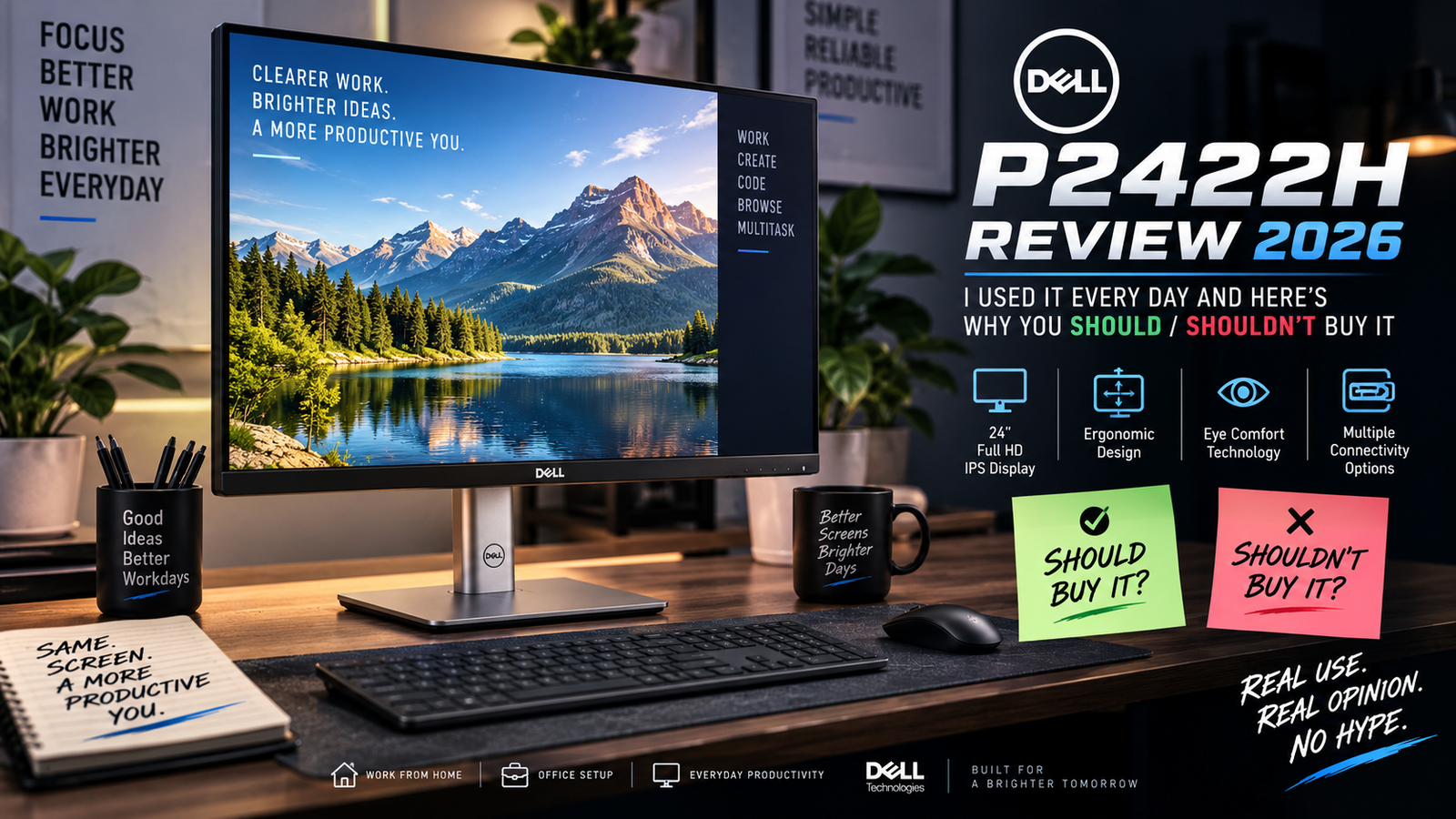
Dell P2422H Review 2026: I Used It Every Day And Here’s Why You Should / Shouldn’t Buy It
I bought a Dell P2422H two years ago for my home office, and so far, I’ve used it every day besides my brand-new 100 Hz panel. That’s why I’m writing this review, to provide some insight into what’s good and bad about this monitor.
Dell stopped producing this model and replaced it with a P2425H, but the P2422H is not gone for good, since it still appears on the websites of various retailers as new old stock at clearance prices, and there’s also a ton of refurbished units listed on places like Amazon and Micro Center.
The bigger question in 2026 is whether you should buy a discontinued 60 Hz monitor instead of spending ten bucks extra on the new 100 Hz one, and I think I have enough experience with both to give you a thorough answer.
Who it’s good for: Budget builds, dual monitor writers, those who want comfort and color accuracy above all else
Who it isn’t good for: Gamers, power users who scroll a lot, or anyone who can find a P2425H for a similar price. Don’t buy this if you can afford the superior 24″ model.
Specifications of Dell P2422H
| Specification | Details |
| Panel Type | 23.8 IPS (In-Plane Switching), matte anti-reflective |
| Resolution | 1920 x 1080 16:9 Native |
| Refresh Rate | 60Hz |
| Brightness / Contrast | 250 cd/m2, 1000:1 Static |
| Response Time | 8ms normal / 5ms GtG in Fast mode |
| Color Coverage | 99% sRGB, 8-bit ComfortView Plus |
| Ports | DisplayPort 1.2, HDMI 1.4, VGA |
| USB Hub | USB 3.0 Upstream, 4x USB 3.2 Gen1 downstream |
| Adjustability | Tilt, Swivel, Pivot, 150mm Height adjustment |
| Mounting | VESA 100×100, Quick release stand |
| Weight | 5.36kg / 11.8 lbs with stand |
| Dimensions (with stand) | 21.17 x 7.28 x 19.53 in (max height) |
| Security | Kensington Slot |
| Base Price (2026) | ~$130-160 new-old-stock; ~$90-120 refurb/open box |
Design / Construction
The P2422H feels better built than you’d expect for a plastic-based display. The stand is made of heavy satin silver plastic, and while it does flex when you try to move the monitor around, the quick-release mounting bracket comes off cleanly if you want to attach it to an alternative stand.
Narrow bezels on three sides give way to a thicker bottom bezel where the Dell logo is displayed. My unit hasn’t shown any signs of deterioration after dozens of flips between landscape and portrait modes. It won’t win any awards for style, but nothing feels cheap or prone to breakage at this price point.
Display
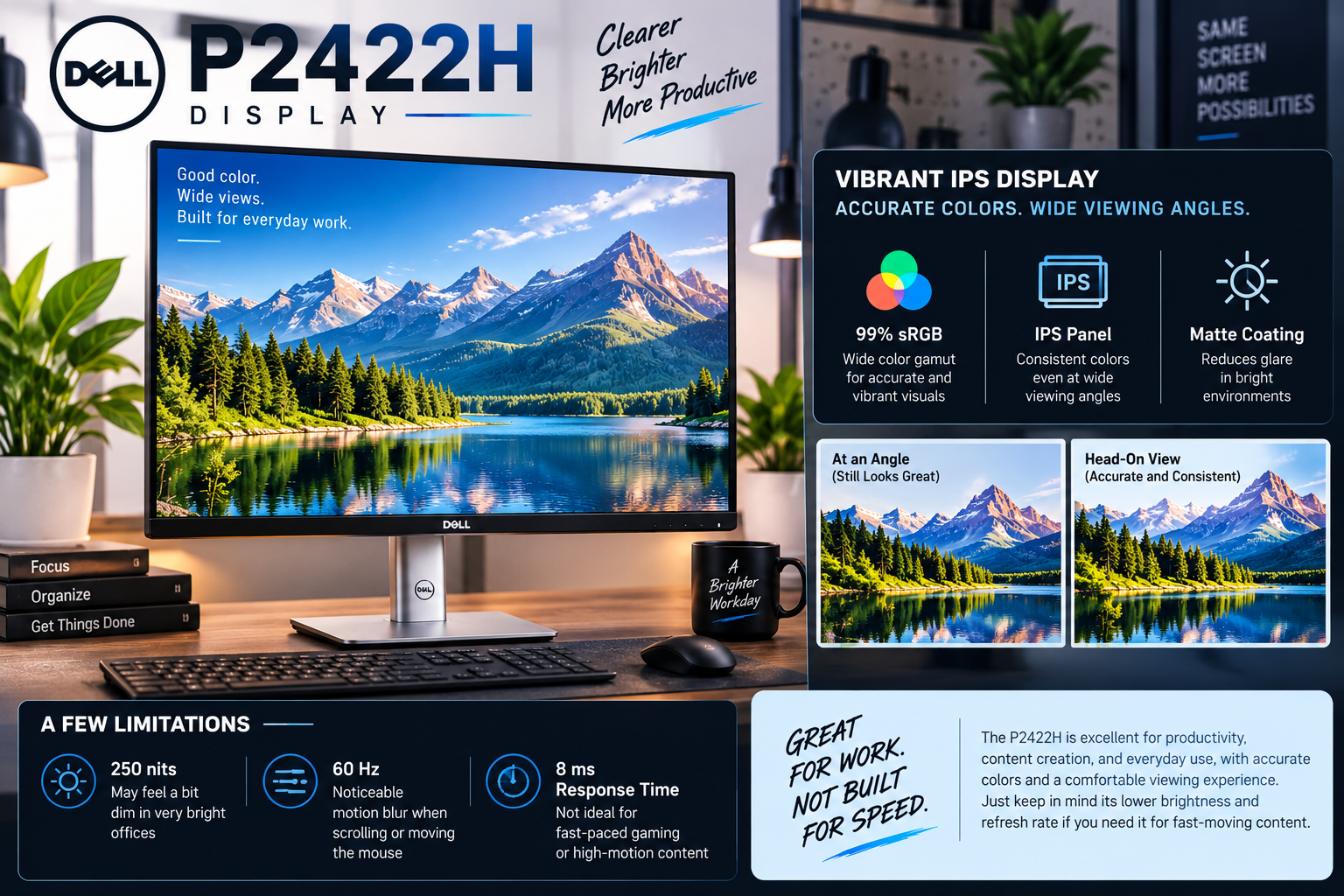
This is where the P2422H truly shines. The IPS panel covers 99% sRGB and maintains colors even at the maximum viewing angles, which is crucial if you’re planning on sharing your screen with someone next to you. The matte coating prevents it from becoming a light reflector in a well-lit room.
But don’t let me fool you into thinking that this is a perfect monitor. 250 nits is not much if your office is full of overhead lights, and 60 Hz plus 8 ms response time makes for a noticeable trail when you move the mouse or scroll down a web page. Video looks good, but everything with a lot of motion looks like it’s been painted on the screen.
Also Read: Dell 14S Review
Performance
There’s no GPU or CPU to speak of, so performance is strictly dictated by how much the panel can handle. Text at 1080p is rendered sharply enough that I’ve never felt the need to tweak the scaling in Windows. It’s the other display settings that hold the P2422H back: quick movements of the mouse cursor leave a noticeable trail when using the monitor’s native resolution and refresh rate. If you do any competitive gaming or video editing, you’ll see the limitations right away. But if you’re just writing some emails and working in Excel, you’ll never notice.
Ergonomics & Adjustability
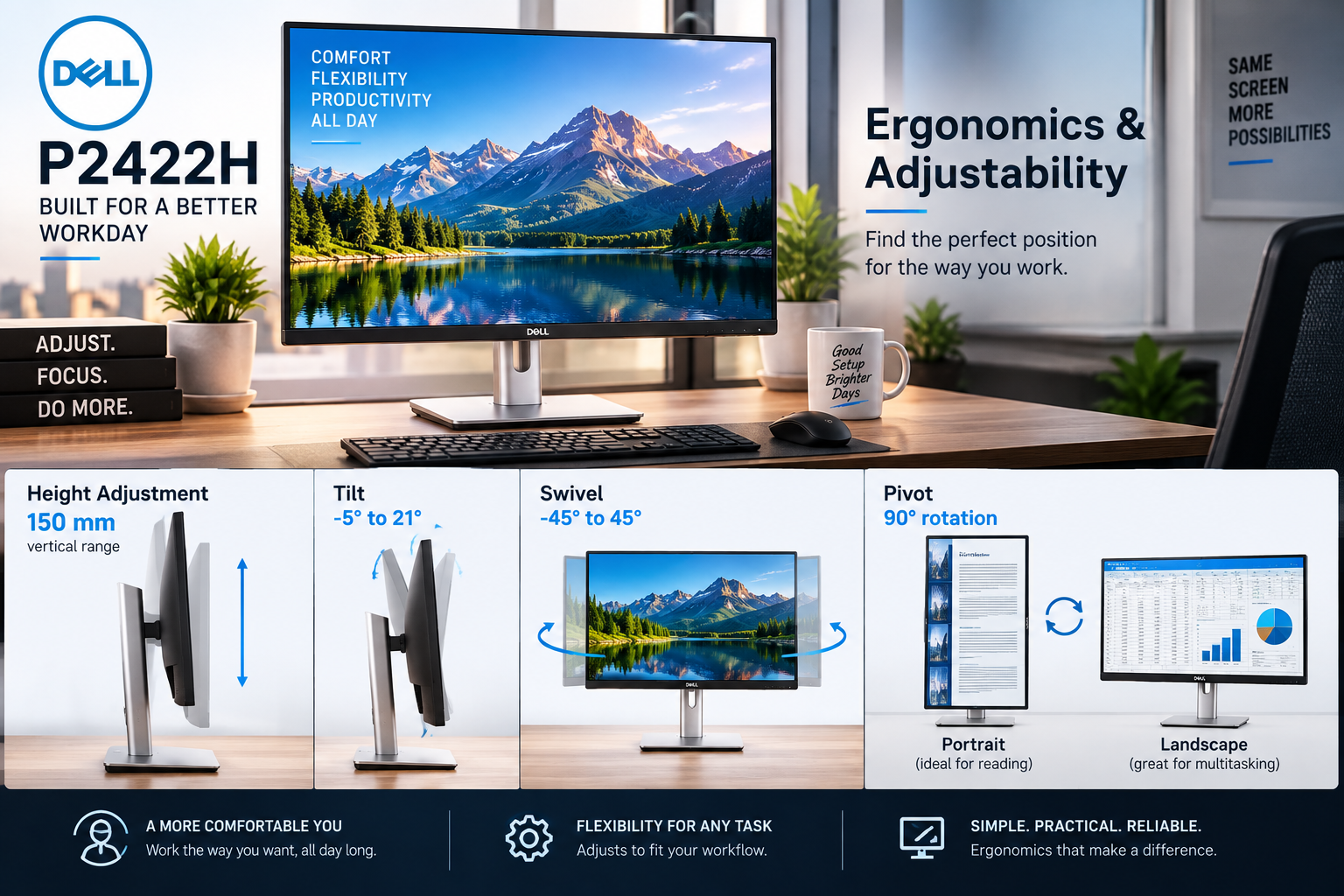
It’s an AC-powered display, so there’s no battery to worry about, but the P2422H covers all the same use cases that a battery would on a laptop: how comfortable it is to use for an entire workday. The stand offers enough flexibility to suit most people: 150 mm of vertical adjustment, tilt, swivel, and a 90-degree rotation to go from portrait to landscape.
That’s more range than most similarly priced monitors, including several laptops. I tend to use mine in portrait mode for reading long documents and switch to landscape for spreadsheet work, and it only takes a moment to change. The height adjustment is enough for most people, but the monitor can feel a little short for those with longer arms.
Ports & Connectivity
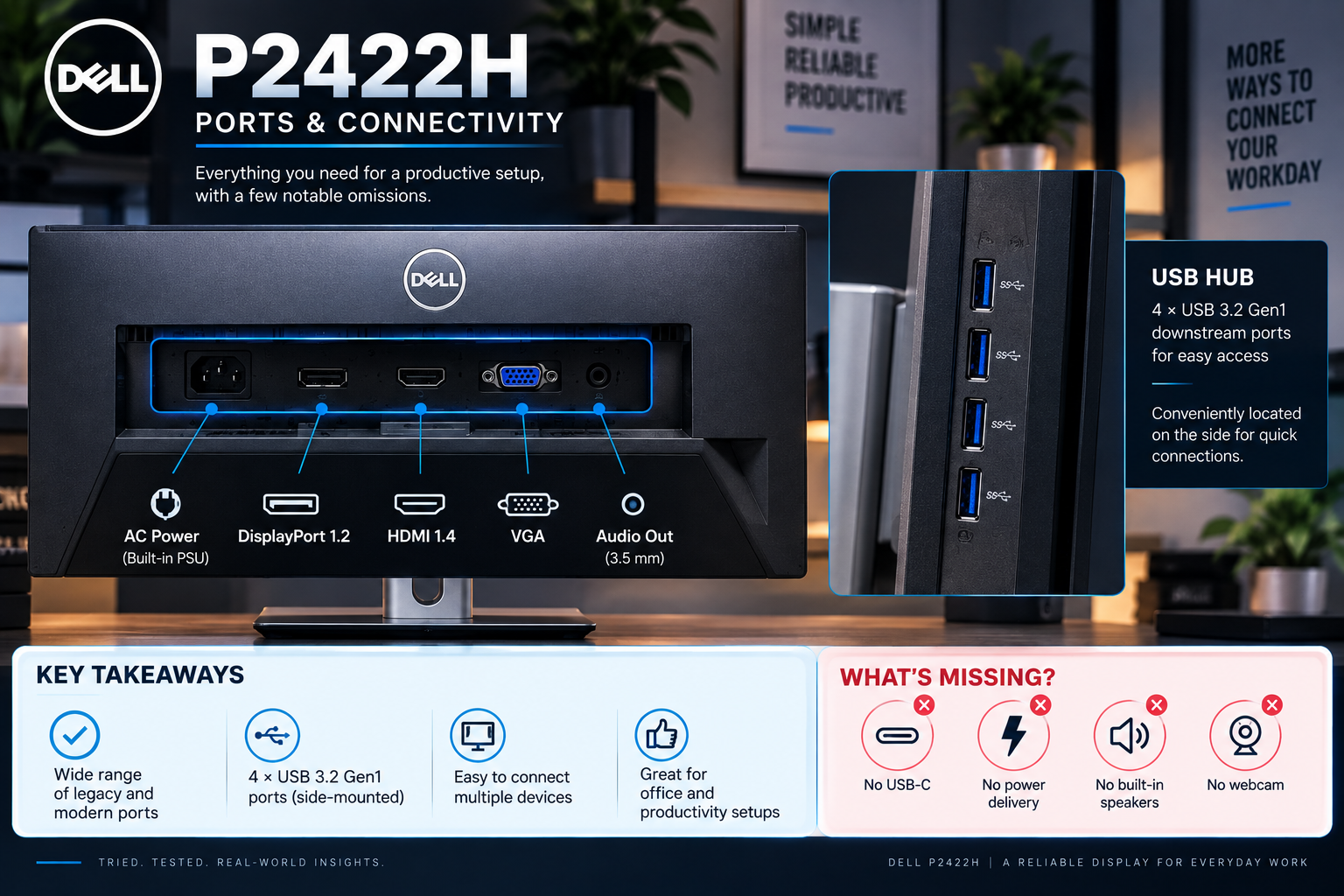
The connectivity options are outdated but comprehensive, providing DisplayPort 1.2, HDMI 1.4 and a VGA port that Dell sensibly abandoned several years earlier. The USB hub is a welcome feature, as four 3.2 Gen1 downstream ports appear on the monitor’s side, which is significantly more convenient than using the PC’s four USB 2.0 ports.
The P2422H’s omissions include USB-C, power delivery, built-in speakers, and a webcam, so the P2425H or the P2422HE would be a better choice if any of these features are necessary.
Pros & Cons of Dell P2422H
| Pros | Cons |
| Good color accuracy for the price category below $160 | 8ms response time allows the cursor to move smoothly |
| Limited to 60Hz – the same cheaper monitor has 100Hz | Solid construction to reduce eye fatigue after eight hours of use |
| Ergonomic stand rivals monitors costing twice as much | Discontinued, so the supply depends on Dell’s inventory |
| No speakers, webcam, USB-C in the modern monitor | USB hub with four downstream ports is a useful addition |
| The matte finish reduces glare in an office environment | The VGA port is an unwanted legacy that Dell should have abandoned |
Final Verdict
The Dell P2422H is a discontinued monitor that is a good value in the current market landscape. If the display can be found at a sufficient price below $140, the color accuracy and build quality still beat most budget monitors made today, and the ergonomics remain better than what most $200 monitors offer compared to its competitors offering similar resolutions.
However, one should be aware that the 60Hz refresh rate and 8ms response time are outdated next to the 100Hz and 4ms specs of its cheaper sibling, which is priced virtually the same. Thus, I would buy the P2422H as a budget option if a cheaper stock is unavailable, and there is little need to move towards graphic-intensive tasks. Otherwise, there is no significant difference to justify the nearly ten-dollar price difference, and I would rather buy the P2425H.