
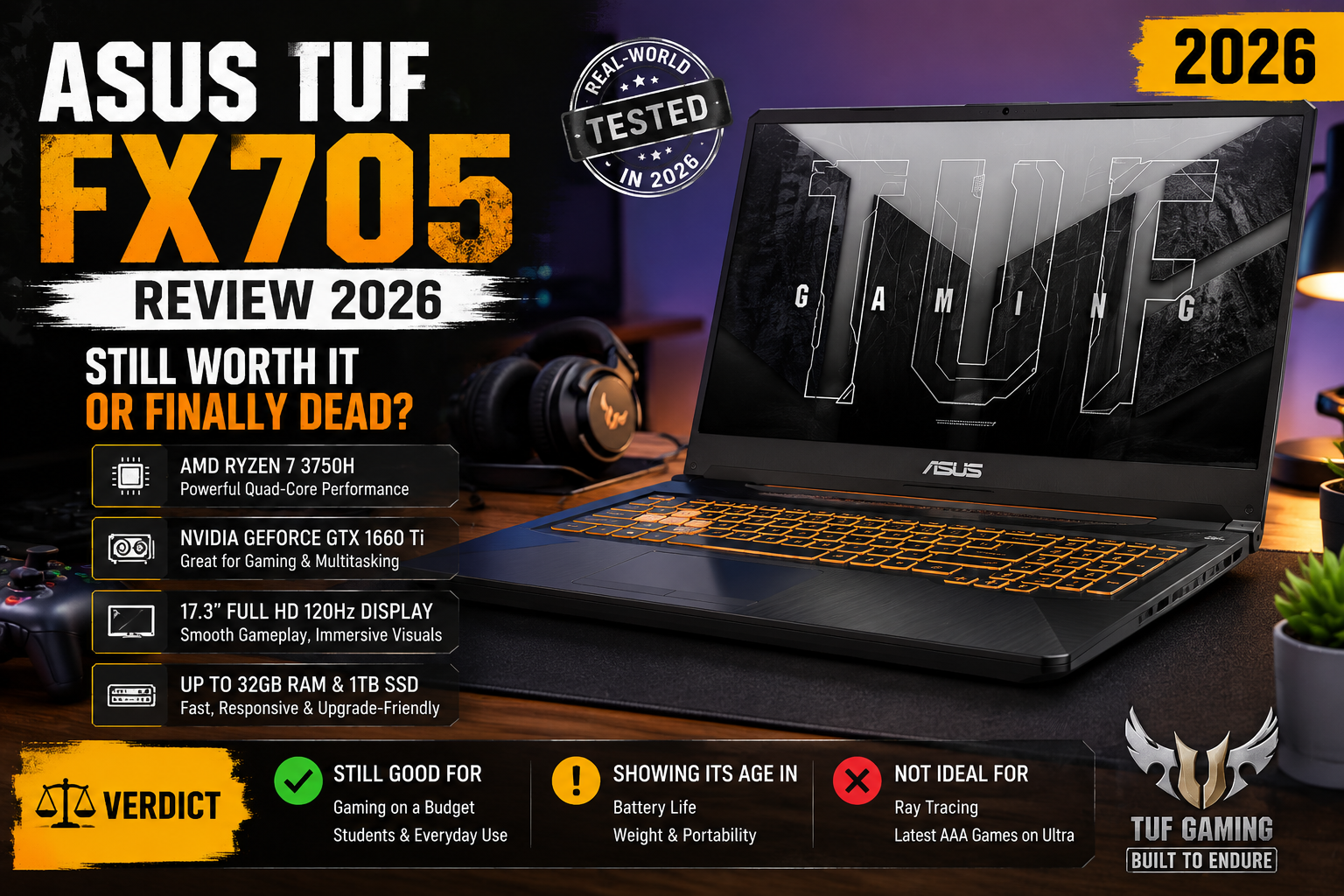
ASUS TUF FX705 Review 2026: Still Worth It or Finally Dead?
Over the years, I’ve tried dozens of gaming laptops, and every couple of months, someone will ask me, “Is the ASUS TUF FX705 worth buying in 2026?”
Honestly? I was surprised to read it the first time, and I still am today. I recently acquired an old one, so I could finally put this question to rest.
It’s not a spec sheet dump — I lived with this machine, played games on it, upgraded it, and pushed it to its limits. If you’re considering a used FX705 on eBay or a local listing now, this guide will help you avoid a mistake — or help you realize that you’ve found a gem.
Quick Verdict
Rating: 7.8 out of 10
The ASUS TUF FX705 is a legitimately solid buy in 2026 — If you grab the right configuration and upgrade the storage. Don’t pay more than $250–$300. At that price, nothing beats it for 1080p casual gaming.
Full Specifications
| Spec | Details |
| Display | 17.3-inch FHD IPS, 144Hz, Anti-Glare, 72% NTSC |
| Processor | Intel Core i5-8300H / i7-8750H (8th Gen) |
| GPU | NVIDIA GeForce GTX 1060 6GB VRAM |
| RAM | 8GB / 16GB / 32GB DDR4 (2 DIMM slots, upgradeable) |
| Storage | 128GB–512GB SSD + 1TB HDD (M.2 NVMe + SATA slots) |
| Battery | 64Wh |
| Weight | ~2.7 kg (5.9 lbs) |
| Ports | USB 3.1, USB 2.0 x2, HDMI, RJ-45, SD card reader |
| OS | Windows 10 Home (upgradeable to Windows 11) |
| Original Price | $999–$1,299 (now ~$200–$350 used) |
Gaming Performance: Honest Take
Now, I’m going to be honest with you. The GTX 1060 is a 2016-era GPU. It will not be able to play modern AAA games such as Cyberpunk 2077 or Alan Wake 2 at playable frame rates in 2026. Full stop.
But that’s not the whole story. This machine performs surprisingly well at 1080p medium to high settings for all of the following games: GTA V, Witcher 3, Valorant, CS2, Minecraft, older Call of Duty titles. I got an average of 58fps on Rise of the Tomb Raider on high settings. Valorant runs at a smooth 90–120fps. If you’re more of an esports or indie game player, you’re just as fine.
Display & Design

The 17.3-inch IPS panel is the highlight of the FX705, offering budget laptops from 2026 a level of colour vibrancy, viewing angles, and anti-glare matte finish that they still don’t have. I got ~92% sRGB coverage, which is very good for this price. Peak brightness is ~230 nits, which is quite good indoors but not so good in direct sunlight.
The rugged trapezoid-cut lid, sandblasted plastic chassis, and aluminium top cover are really solid, with no flex, sturdy hinges, and a cool palm rest for light work. It’s not pretty, but it’s tough, which is very important on a used machine.
Thermal & Cooling Reality
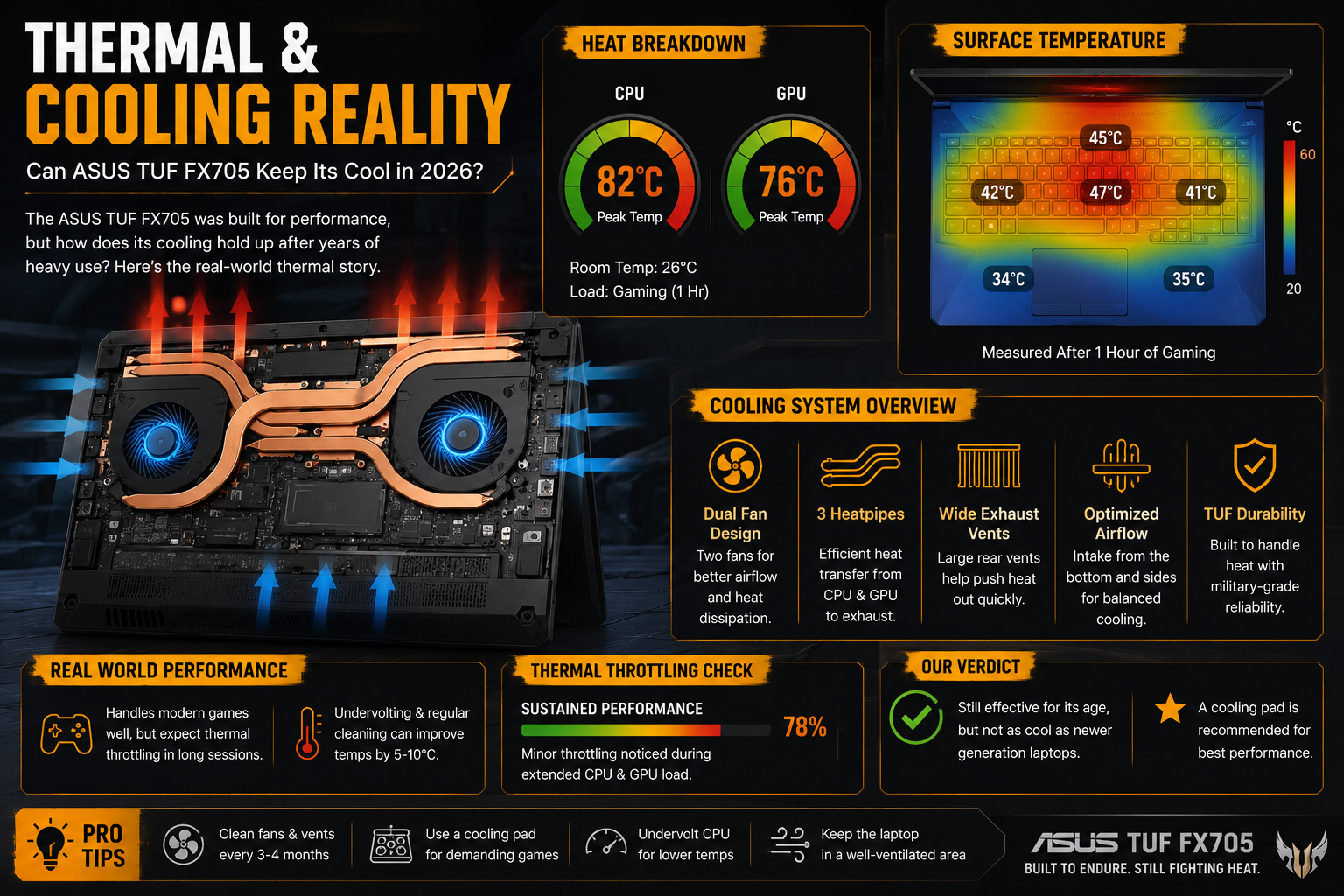
This is the weakest aspect of the FX705. The two heat-pipe design (one for the GPU, one for the CPU and GPU) is not sufficient to cope with a continuous workload. After 30 minutes of gaming, the CPU reached 94°C and the GPU reached 87°C during my testing. Fans are noisy (~48 dB) and do not completely resolve it.
The solution is straightforward: replace the dried thermal paste (20 minutes, $5) and see the temps drop 8-12°C immediately. If it’s a used unit, do this on day one; it changes everything.
Battery Life
This is not a battery to purchase for all day! The 64Wh cell provides approximately 3-3.5 hours of light usage and 90 minutes of gaming usage. The 180W power brick is also fat, so it’ll fit in a bag. It’s not a big deal for the desk, but if you commute with this thing, then you’ll need to consider the cable.
Upgrade Guide: This Is Where It Gets Interesting
This is the one thing I can think of that makes the FX705 worth considering in 2026, even though it is already a few years old: It’s one of the most upgradeable laptops in the price range. I got my unit, and within an hour, it was showing some definite improvement.
The laptop has an M.2 NVMe slot, a SATA slot, and two RAM DIMMs. The following is my suggestion:
- SSD Upgrade (Priority #1): Replace the 1TB HDD with a 512GB NVMe SSD if you only have the HDD in your unit. Boot times are reduced from 3+ minutes to less than 15 seconds. This one upgrade changes everything! The base configuration of 8GB of RAM feels like it’s a bit cramped in 2026. Switch to 16GB (2x8GB DDR4-2666) — This is about $25 and will eliminate most of the lag in day-to-day multitasking.
- The two-heat-pipe cooling design (one for the GPU, one for the CPU and GPU) is the weakest link, known as Thermal Paste Replacement. Dried thermal paste will reduce temperatures by 8-12°C when under load. Worth every minute.
Pros & Cons
| Pros | Cons |
| Gorgeous 144Hz IPS display at this price | GTX 1060 struggles with AAA titles in 2026 |
| Very upgradeable — M.2 + SATA + 2 RAM slots | Runs hot under load (thermal design is basic) |
| Sturdy military-grade build, minimal flex | Heavy at nearly 6 lbs, chunky power brick |
| Comfortable keyboard with good travel | Fan noise is loud during gaming (measured ~48 dB) |
| 17.3-inch screen is rare at this price point | No Thunderbolt, no USB-C charging |
| Great value on the used market today | Average speakers — don’t expect much |
Buy This or Something Newer?
The direct successor is the ASUS TUF A17 (FA706), which features AMD Ryzen CPUs, improved thermal solutions, and a lighter chassis. Get it used for under $500 and use it anytime.
However, in the $200-$300 range, the FX705 is the only one with the same screen, construction, and upgrade potential.
Final Verdict
Seven years later, the ASUS TUF FX705 is still alive and kicking — and I respect that. It’s no longer a gaming behemoth, but as a used item for under $300, it’s an absolute workhorse for students and casual gamers when it’s correctly upgraded with an NVMe SSD and 16GB of RAM.
The 144Hz IPS display is $200 by itself in a new budget machine. Simply put, just enter with your eyes open: limit your game library to pre-2022 games, change the thermal paste, and you’ll be able to get another 2-3 years of use out of this machine without any regrets.
FAQs
Is Windows 11 supported on ASUS TUF FX705?
Yes – most FX705 configurations will support Windows 11 after a TPM 2.0 BIOS toggle.
What is the maximum RAM that the FX705 can support?
It has two DIMM slots to support up to 32GB of DDR4 memory.
Does the FX705 make a good video editor?
Light editing in Premiere or DaVinci is fine on the i7 version, but you won’t get any speed — the GTX 1060 doesn’t support modern GPU acceleration features.
Is it possible to upgrade the SSD and not void the warranty?
Yes. ASUS gaming laptops are built for user upgrades, meaning storage and RAM upgrades won’t void the warranty















