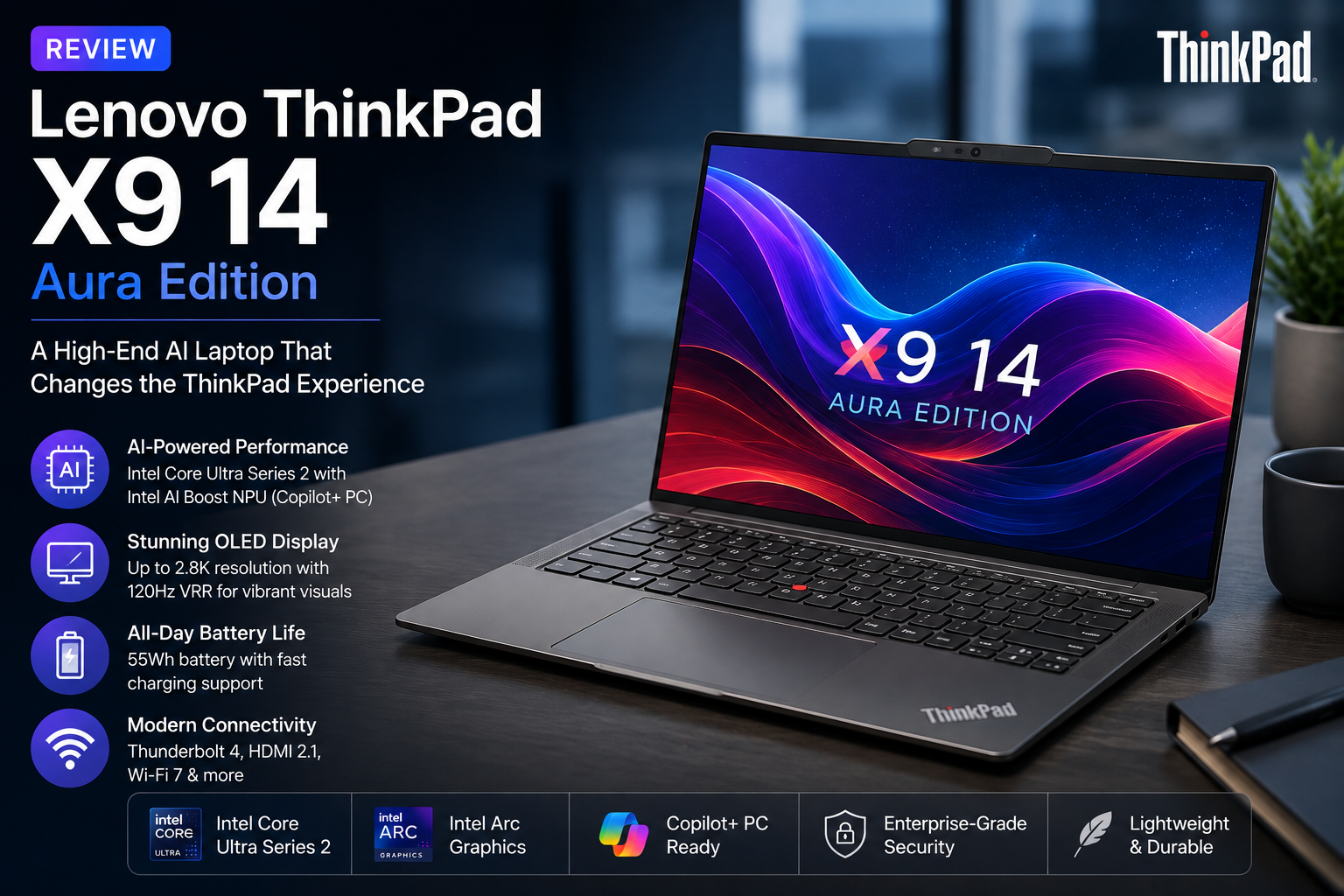
I Tested the Lenovo ThinkPad X9 14 Aura Edition — Here’s What Surprised Me
- 1 Lenovo ThinkPad X9 14 Aura Edition Specifications
- 1.1 A New Look That Breaks the ThinkPad Mold
- 1.2 The OLED Screen Makes Work More Fun Every Day
- 1.3 A Comfortable Keyboard With a New Design
- 1.4 Long Battery Life for Proffessionals
- 1.5 AI-Powered Results to Help You Get Things Done Each Day
- 1.6 Connectivity for Today Without Any Extra Weight
- 2 Pros and Cons Of Lenovo ThinkPad X9 14 Aura Edition
- 3 Should You Use Lenovo ThinkPad X9 14 Aura Edition?
- 4 Final Verdict
- A premium aluminum design gives it a modern look while keeping it lightweight and easy to carry.
- The OLED display delivers sharp details, deep blacks, bright colors, and excellent contrast.
- Intel Core Ultra processors and AI Boost keep everyday multitasking smooth and responsive.
- The battery easily handles web browsing, document editing, streaming, and virtual meetings throughout the day.
- Thunderbolt 4, HDMI 2.1, Wi-Fi 7, and Bluetooth 5.4 provide plenty of connectivity for work and travel.
I have been quite a greate fan of ThinkPad series. It has been known for decades for its legendary keyboards and high level of reliability. But professionals today expect a lot more from their laptops. They want high-quality screens, productivity tools driven by AI, portable devices that are light and easy to carry, and batteries that last all day without sacrificing performance.
With the Lenovo ThinkPad X9 14 Aura Edition, the ThinkPad line gets a new look. Lenovo didn’t just make another business laptop. Instead, they made a device that combines high-end design, AI-powered computing, and daily productivity into a single sleek package. It feels more like a high-end ultrabook, but the ThinkPad name is still on it.
To me, ThinkPad X9 14 Aura Edition is designed for professionals, students, creators, and remote workers who spend most of their day switching between tasks. It has Intel Core Ultra processors, Copilot+ AI, and a bright OLED display.
Longtime ThinkPad users may notice some changes to the way it looks, but this laptop has enough new features to appeal to a new group of Windows users.
Lenovo ThinkPad X9 14 Aura Edition Specifications
| Specification | Details |
| Display | 14-inch OLED screen |
| Resolution | Up to 2.8K (2880 × 1800) |
| Refresh Rate | Up to 120Hz VRR |
| Processor | Intel Core Ultra Series 2 processor |
| Graphics | Intel Arc integrated graphics |
| AI Engine | Intel AI Boost NPU (Copilot+ PC) |
| Memory | Up to 32GB LPDDR5X RAM |
| Storage | PCIe Gen4 NVMe SSD |
| Battery | 55Wh battery |
| Camera | Up to 8MP IR camera with Privacy Shutter |
| Connectivity | Thunderbolt 4, HDMI 2.1, Audio Jack |
| Wireless | Wi-Fi 7, Bluetooth 5.4 |
| Operating System | Windows 11 |
Specifications may be different based on how it is set up.
A New Look That Breaks the ThinkPad Mold
The ThinkPad X9 14 Aura Edition looks very different from older ThinkPad models. This is the first thing I noticed about it.
Lenovo has changed the chassis from the usual black color and industrial look to a premium aluminum one that looks cleaner and more modern. The laptop feels very sturdy without being too big, which makes it easy to carry around the office.
Even though it only weighs about 2.8 pounds, the build quality makes you feel good about buying it. The sturdy hinge makes it easy to open, and the slim design makes it perfect for business trips, commuting, or working from home.
Fans of older ThinkPads might miss the classic design language, but the X9 14 now looks more like today’s high-end ultrabooks, which makes it more competitive.
The OLED Screen Makes Work More Fun Every Day
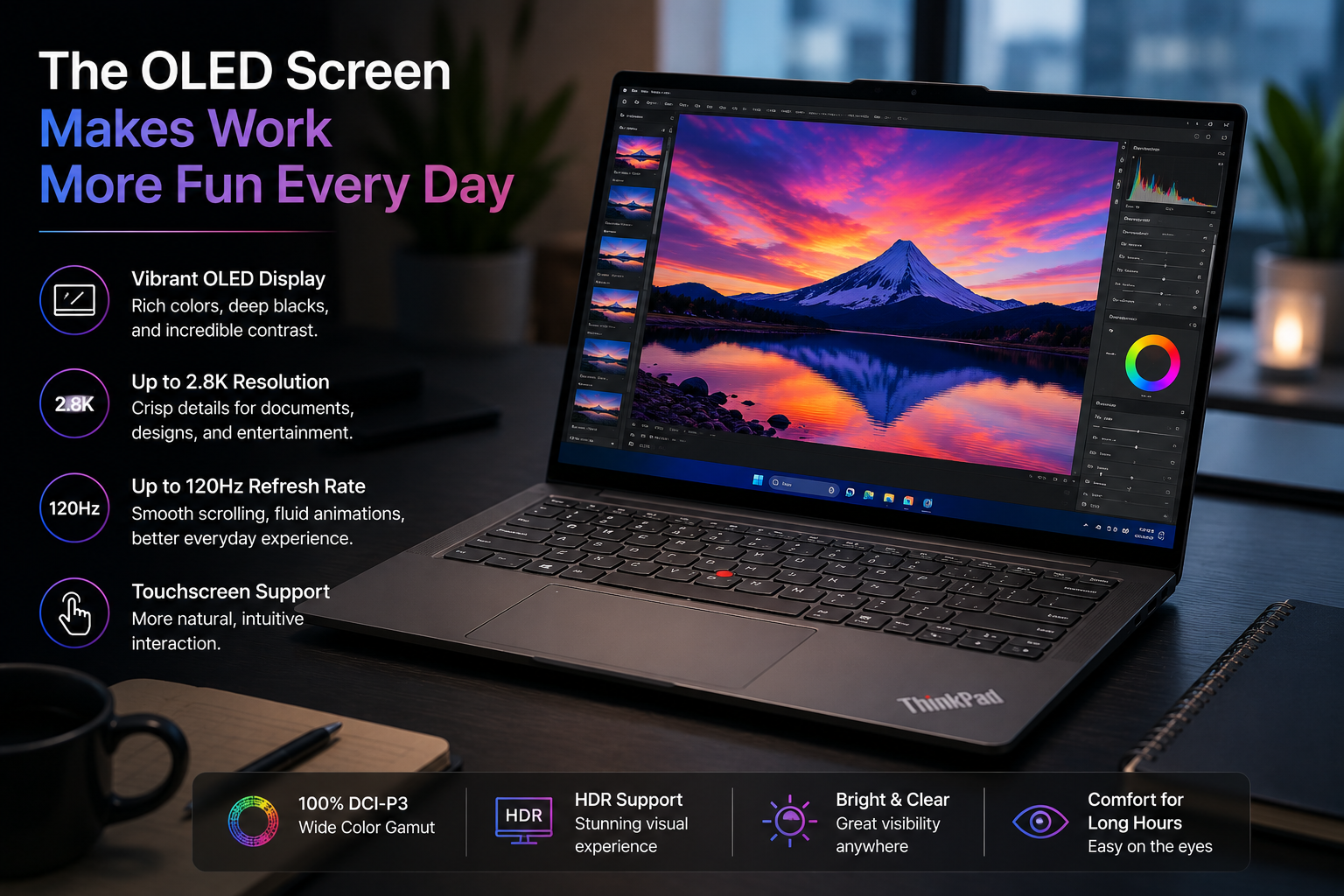
The ThinkPad X9 14 Aura Edition’s OLED screen is one of its best features.
It has great sharpness, deep blacks, bright colors, and great contrast thanks to its high-resolution screen. Everything looks clear and sharp whether you’re editing papers, watching videos, surfing the web, or joining online meetings.
The optional 2.8K OLED touchscreen with a variable refresh rate provides an even smoother viewing experience with more realistic colours. Creative workers working with photography, presentations or graphic design will love the wide colour gamut and support for HDR.
Also Read: Lenovo Yoga Tab Plus Review
A Comfortable Keyboard With a New Design
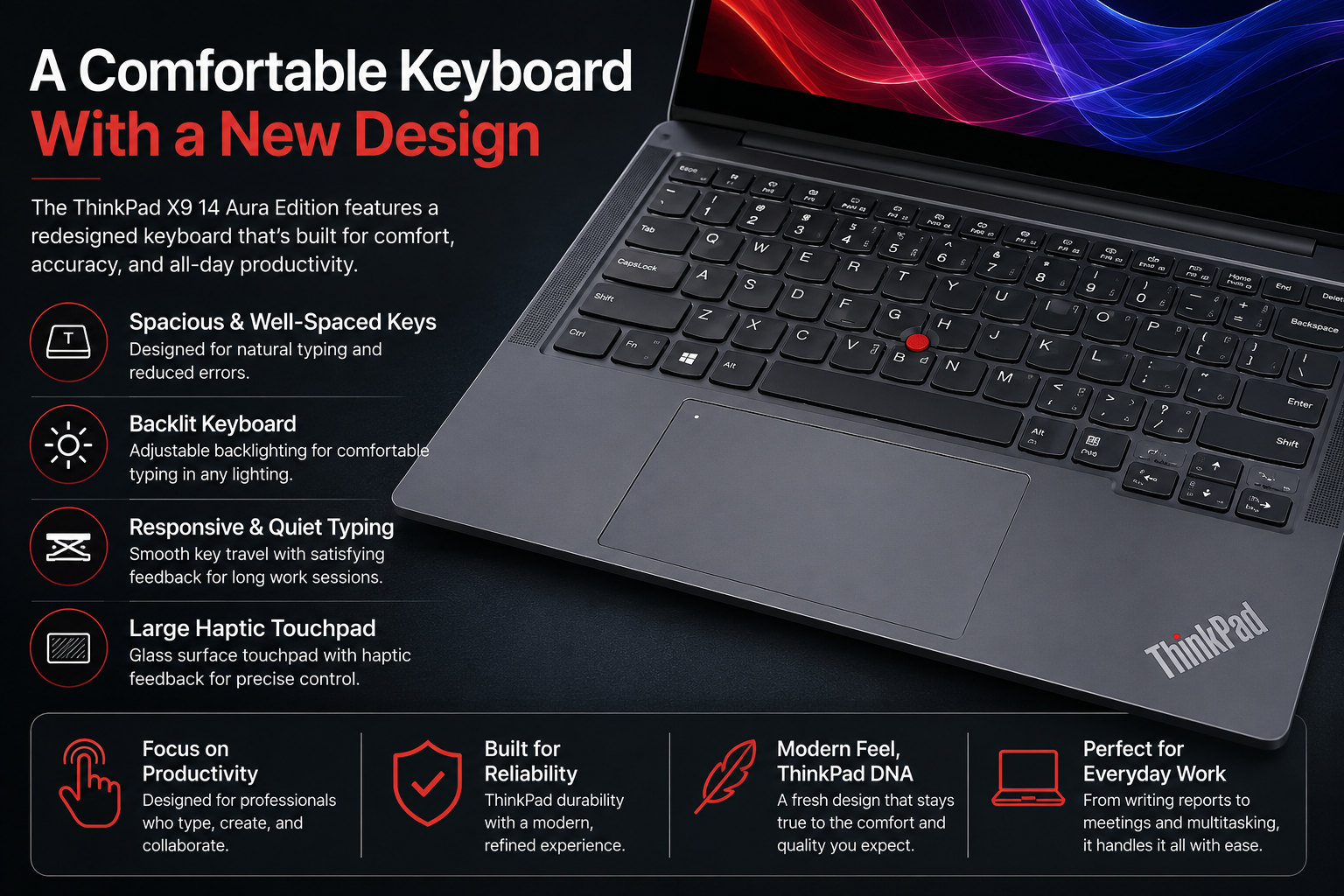
Lenovo has altered the keyboard behaviour on the ThinkPad X9 14 Aura Edition. It might be to some people’s liking, while others may not.
Changeable backlighting, responsive keys, and a comfortable keyboard for extended working periods. However, those who utilise prior ThinkPads will find the layout to be different and several typical design aspects are absent.
The large glass haptic touchpad is accurate and smooth to use, working in conjunction with Windows Precision motions to make navigation effortless. It ditches the usual click technique yet is nonetheless snappy and easy to use for everyday chores.
Long Battery Life for Proffessionals
The ThinkPad X9 14 Aura Edition also has decent battery life.
The robust Intel Core Ultra platform with Windows power management, tuned for optimal battery performance, allows you to power thru a full day of web browsing, document editing, streaming and virtual meetings on a single charge.
And with fast charging support , it becomes easy to swiftly top up the battery when you’re in a hurry.
AI-Powered Results to Help You Get Things Done Each Day
The ThinkPad X9 14 Aura Edition is powered by Intel’s newest Core Ultra Series 2 processors, including Intel AI Boost technology.
This is snappy and responsive for everyday use. It won’t slow down even if you have Microsoft Office, many tabs on a web browser, videoconferencing programs, cloud services and creative tools all running at once.
The Intel Arc integrated graphics are a big improvement over prior integrated GPUs as well. They make light photo editing, casual video editing and creative work with AI simple.
As a Copilot+ PC, the laptop is ready for Windows AI capabilities that make work easier, improve video conversations and speed up compatible AI apps.
Connectivity for Today Without Any Extra Weight
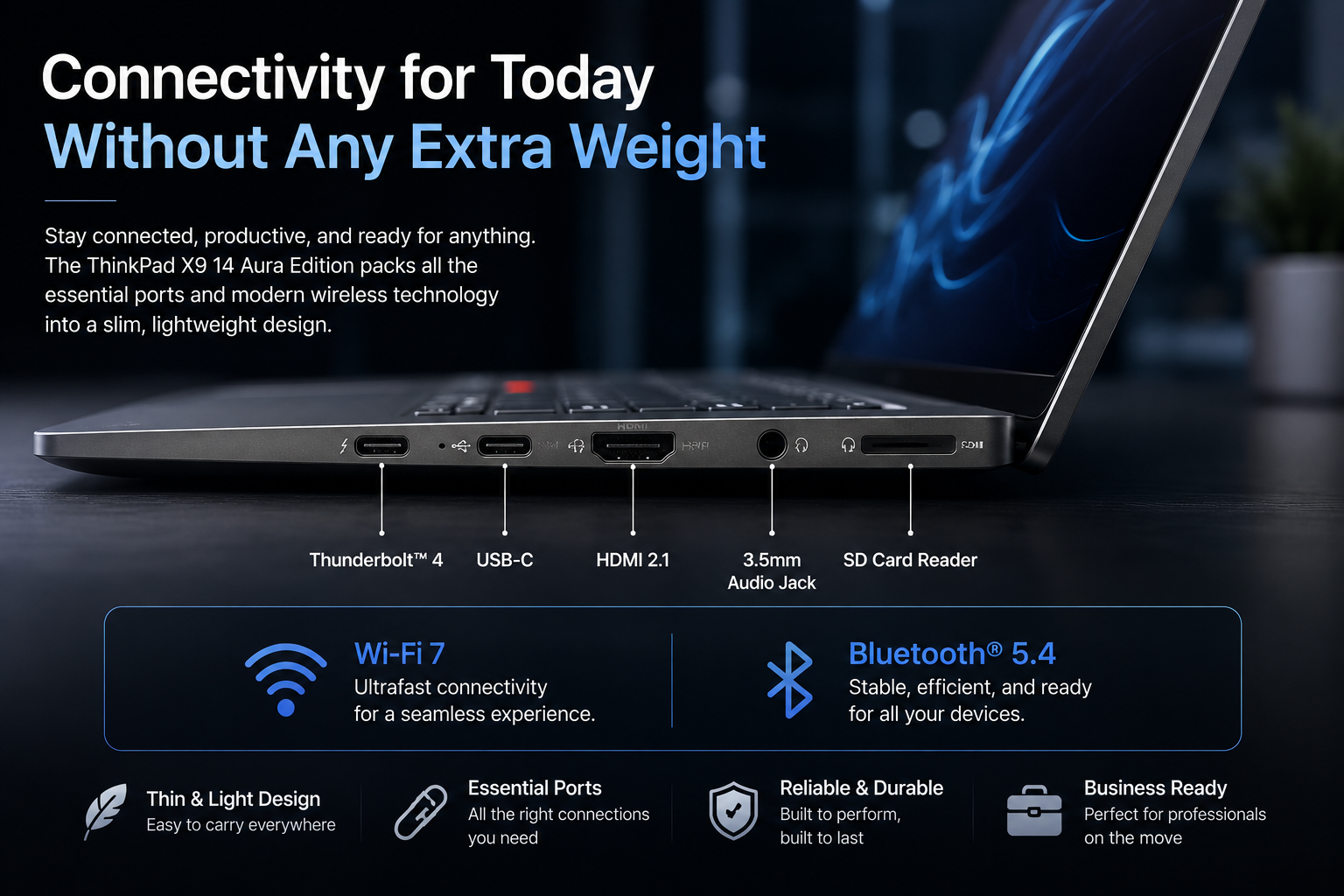
Even though it’s thin, Lenovo’s laptop has all the important connectivity features that pros need.
The ThinkPad X9 14 Aura Edition has:
- Thunderbolt 4 ports
- HDMI 2.1
- 3.5mm headphone jack
- Wi-Fi 7
- Bluetooth 5.4
It’s easy to connect external displays, storage devices, headphones, and other accessories with these ports, and the design stays clean and simple.
Pros and Cons Of Lenovo ThinkPad X9 14 Aura Edition
| Pros | Cons |
| High-quality metal build | Not all the usual ThinkPad features are there |
| Beautiful OLED screen | Some plans don’t have a USB-A port |
| Strong performance every day | You can’t add more memory |
| Very long battery life | Few features that are geared toward businesses |
| Windows experience powered by AI | Some high-end types cost a lot |
| Lightweight and easy to carry | People who have used ThinkPads in the past may like the traditional keyboard setup |
Should You Use Lenovo ThinkPad X9 14 Aura Edition?
Lightweight, premium features, and AI-boosted performance make the Lenovo ThinkPad X9 14 Aura Edition a great choice for professionals, remote employes, students, and content creators who need a Windows notebook.
It’s powered by an Intel Core Ultra processor, with a vivid OLED display, prolonged battery life and Copilot+ capabilities. It’s perfect for multitasking, office work, video conferencing, web surfing, presentations, light creative projects and everyday productivity.
It’s neither a gaming laptop or a heavy 3D machine but it’s excellent for those who seek portability, new AI features and a premium business laptop experience.
Final Verdict
The Lenovo ThinkPad X9 14 Aura Edition takes one of Lenovo’s most well-known laptop lines in a new way, and after using it, I found the experience quite different from the traditional ThinkPad feel. Instead of just focusing on business users, it combines high-end design, AI-powered computing, a great OLED screen, and reliable daily performance into a small, light package.
Its modern style, Intel Core Ultra processors, Copilot+ features, and long battery life make it a great choice for professionals, students, remote workers, and content creators like me who want a high-quality Windows laptop for everyday work and productivity.
Some fans of the original ThinkPad may miss some of the design’s classic features, but in my experience, the overall experience feels polished, quick, and ready for the future. After using the Lenovo ThinkPad X9 14 Aura Edition, I’d say it is one of the best premium ultrabooks on the market right now if you care more about portability, productivity, AI features, and a high-quality screen than about enterprise-specific features.