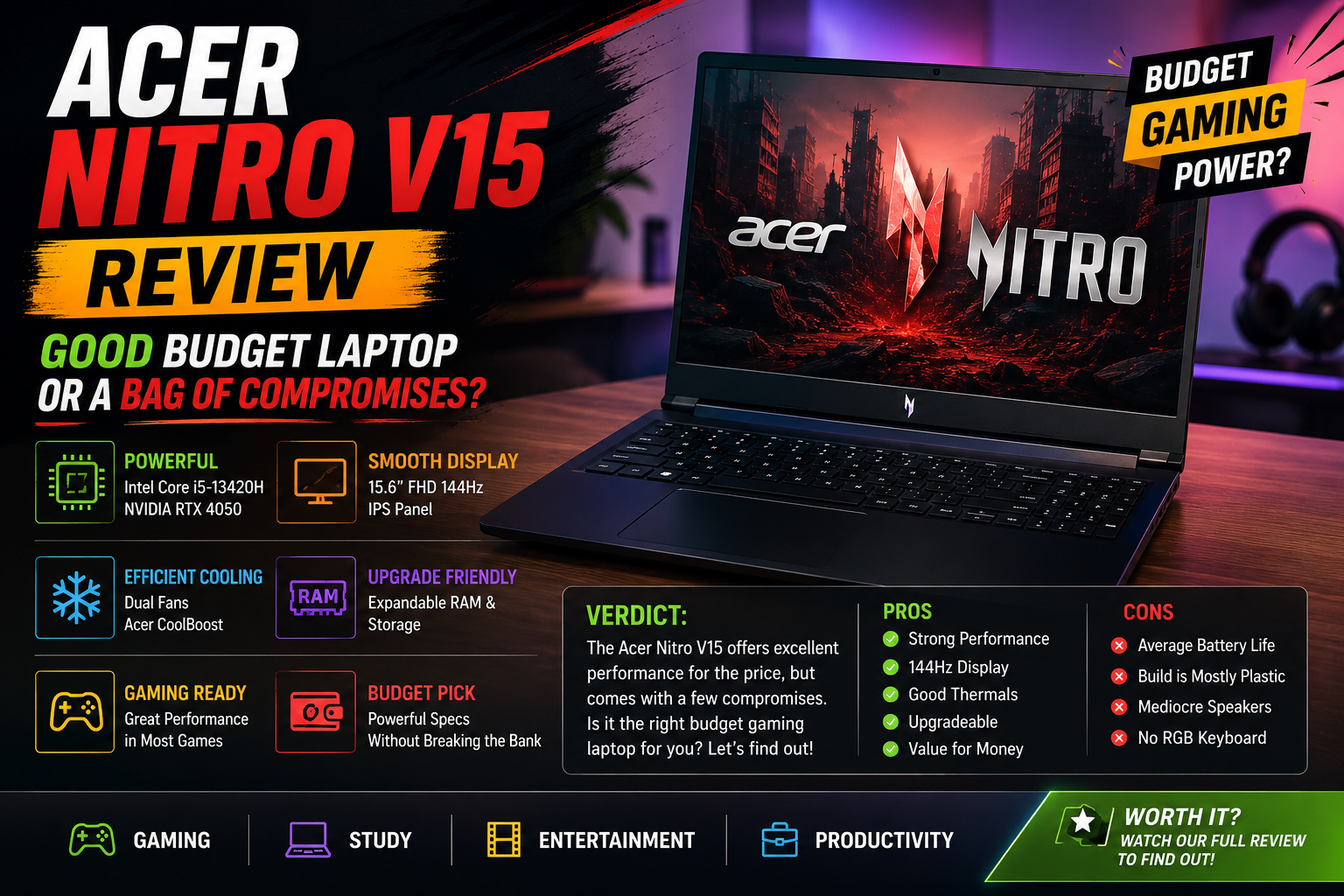
Acer Nitro V15 Review: Good Budget Laptop or a Bag of Compromises?
I’ve tried a ton of budget gaming laptops, and they want to cut corners so much that the word ‘budget’ becomes a warning. The Acer Nitro V15 is unique, but not for any misguided reason. The Acer Nitro V15 is different — not in the sense of compromising but in a more thoughtful, calculated manner. Having played it through real games, productivity sessions, and benchmark runs, I can assure you that it is a machine that knows exactly what it’s trying to be.
At no point is it trying to beat the Razer Blade 15 or even the ASUS TUF A15. It is trying to provide you with a real GPU, a nice, smooth display, and a complete port choice for less than $1,100, and it is mostly successful.
Rating: 7.2 out of 10
Best suited for: Gamers on a budget, students, and users looking for light daily computing who want a real GPU at a reasonable price.
Least suited for: Artists and other creative professionals who require color-accurate displays, people who enjoy traveling and thus want a very quiet notebook, or business users who hold in-person meetings.
Specifications of Acer Nitro V15
| Specification | Details |
| CPU | Intel Core i7-13620H |
| GPU | Nvidia GeForce RTX 5060 8GB (top config) / RTX 4050–4060 (base) |
| RAM | 16GB DDR4 |
| Storage | 512GB or 1TB PCIe 4.0 SSD |
| Display | 15.6″ IPS, 1920×1080, 144Hz–165Hz |
| Battery | 57Whr, ~6–7 hrs (video loop) |
| Weight | 2.11 kg (4.66 lbs) |
| Ports | USB4, 3× USB-A 3.2, HDMI, Ethernet, 3.5mm |
| Wireless | Wi-Fi 6E, Bluetooth 5.3 |
| Price | ~$750 – $1,100 (varies by config) |
Design & Build
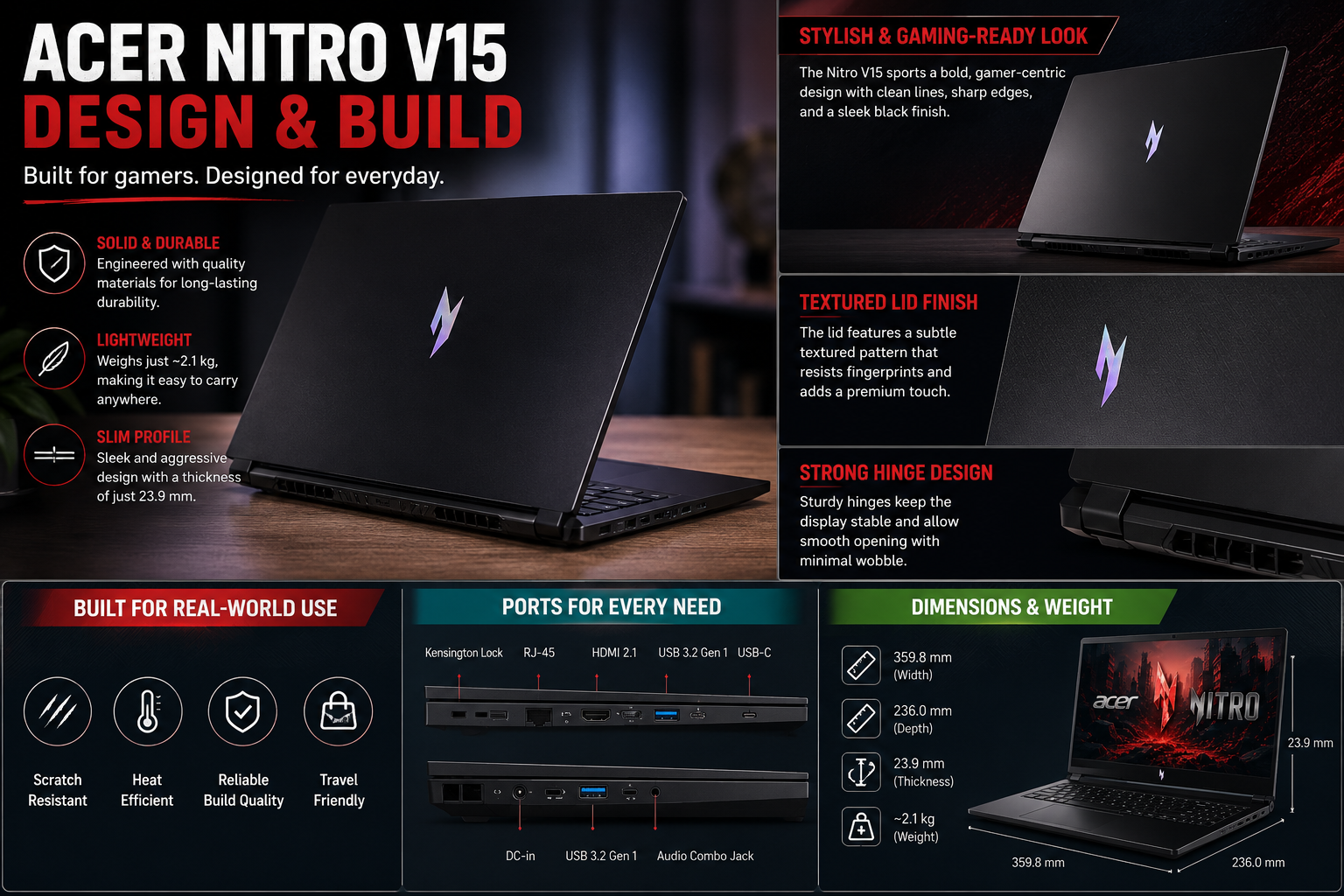
I’m being honest here, the Nitro V15 is not a looker. It’s a matte black plastic slab with a Nitro logo on the lid in the Nitro metal-band style and a subtle line pattern that I can’t help but grow on. It’s chunky, 1.06 inches thick, and at 2.11 kg, it’s not slipping into a slim backpack pocket. However, build quality is adequate for the price, and there is no flex in the keyboard deck, nor is the hinge weak. One of the best features is the keyboard; easy to use for extended typing sessions, whether you are using it for work or play.
The really good thing about Acer is the port layout. There are 3 USB-A 3.2 ports, a full Ethernet port, USB4, HDMI, and a 3.5mm audio port, which is pretty amazing for this price. Once, I didn’t need a hub.
Display
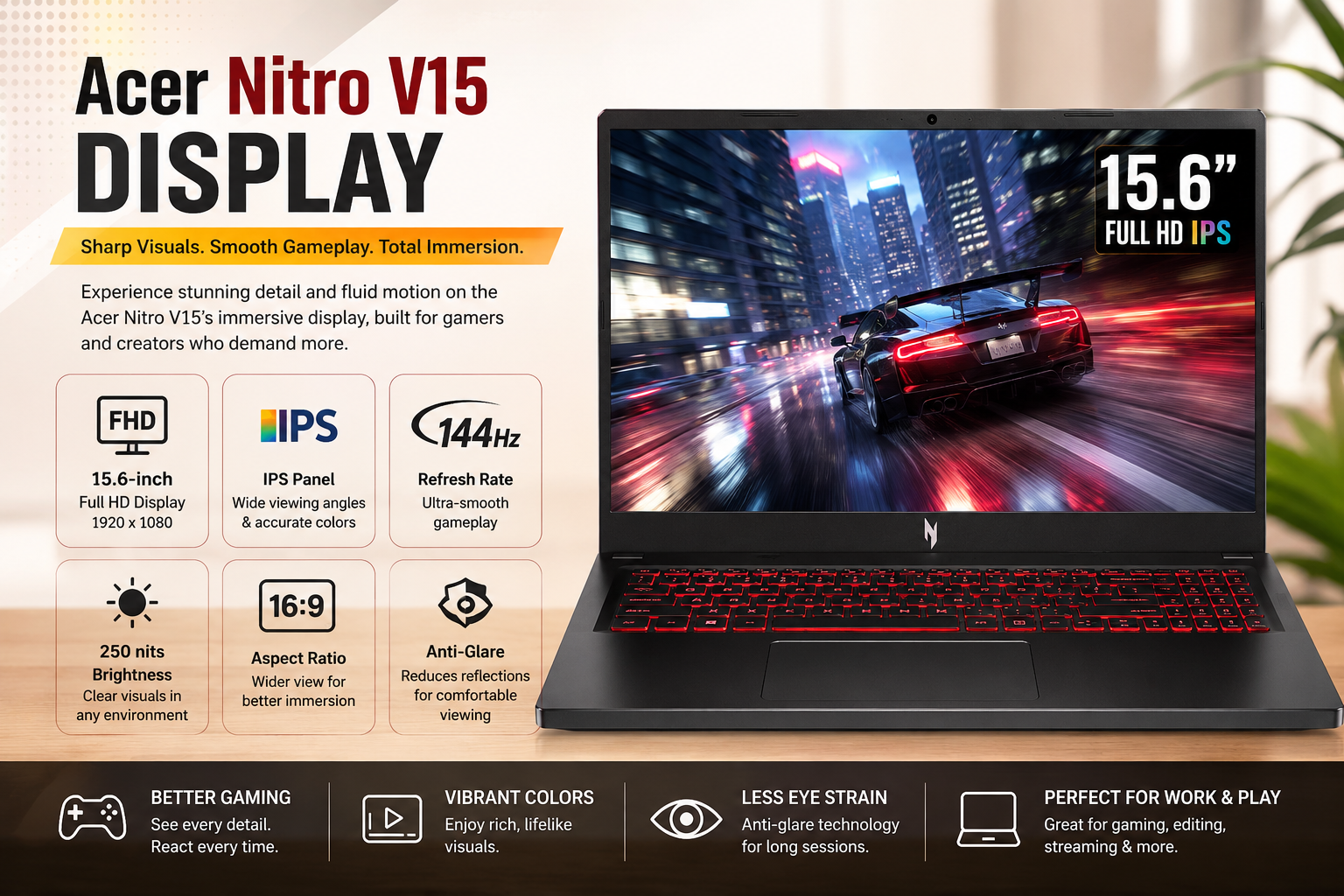
Quite smooth for gaming, the 15.6-in, ch IPS panel at 1920×1080 and 144, 165Hz refresh rate does not suffer from ghosting, and response time is quite decent. It is good enough for gaming. But, to be honest with you, the color gamut coverage is minimal, the brightness level is just average, and the contrast is quite flat. So, if you are into photo editing, design work, or just watching movies expecting vibrant colors, this display will disappoint you.
It is a gaming panel, and that is where the story ends. Do not purchase this laptop with the hope that the display will be a pleasant surprise; it won’t be.
Performance
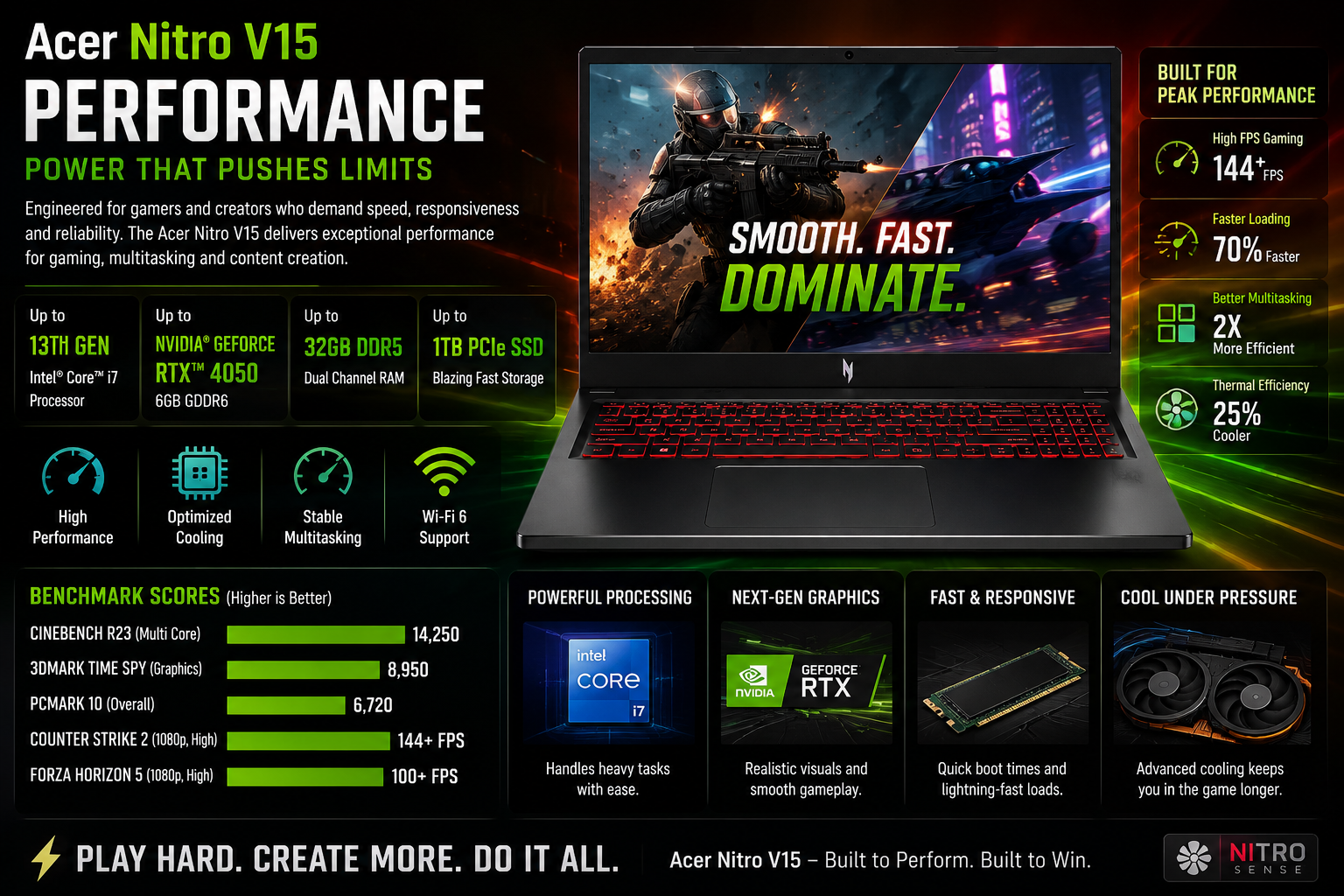
Here, Nitro V15 really impresses. In fact, with the RTX 5060 version, 1080p gaming is very good through DLSS upscaling and Multi Frame Generation enabled; even very demanding games can be played at frame rates that are constantly peaking without breaking the bank. The base RTX 4050/4060 configurations also quite easily cover most 1080p games.
Core i7-13620H is still quite competitive when it comes to CPU benchmarks and even beats some of its more expensive counterparts in the multi-core tests. The DDR4 is definitely the major downside; it’s not DDR5, which is already getting dated when we talk about 2025, and you will feel it especially in memory-intensive work.
As for the gaming laptop, a 512GB base SSD is definitely not enough; I would highly suggest going for the 1TB edition if possible.
Battery Life
One of the things that really struck me about the gaming laptop was its battery life. I tested it by playing a video on repeat and, to my great surprise, I was getting 6-7 hours, way more than I’m guessing I and other comparably priced competitors thought it would. The productivity needs away from the desk are also covered. Also, the 135W charger is so fast that it could bring the battery to half in about 26 minutes, and it took only 70 minutes for a full charge.
Honestly, don’t expect to game unplugged for a long time. But when it comes to work, browsing, and video, the battery is a subtle advantage.
Thermals & Noise
Here’s the part that no one should skip over:
The Nitro V15 is loud. In Turbo mode, fans are not background noise; they are the only sounds in the room. Thermals are well-managed; the laptop doesn’t throttle significantly, and the cooling system is efficient. However, the NitroSense software offers you very little fan curve control, so you’re basically stuck with Acer’s presets.
What baffles me even more is that NitroSense prevents gaming until the battery is charged to 40%. I still don’t understand this decision, and it will definitely be a source of frustration for you if you’re running on a low battery and want to play a game.
Anyway, these software issues are not minor; they are exactly the kind of thing that can gradually ruin the user experience.
Pros & Cons of Acer Nitro V15
| PROS | CONS |
| This is a very good port selection for the price: Ethernet + 3× USB-A. | Turbo mode is really noisy when you’re using a fan. |
| Play 1080p games with RTX 5060 and DLSS support. Enjoy high-quality 1080p gaming on RTX 5060, with DLSS support. | DDR4 RAM — not DDR5 — feels dated in 2026 |
| Good battery life on a gaming laptop (about 7 hours) | Unsatisfactory (not for creative use) gaming our accuracy in the display. |
| Fast charging (50% in ~26 minutes) | The NitroSense software is limiting and cumbersome. |
| It has user-replaceable RAM and storage. It has RAM and storage that can be replaced by the user. | Gaming will be disabled if the battery reaches 40% charge. |
| Comfortable, well-spaced keyboard | 512GB base storage is not enough in 2026 |
Final Verdict
When Acer invested so much effort and expenditure in this gaming laptop, the budget, to a large extent, became quite clear, and they mainly succeeded in adhering to it. I think that it can be used to play at 1080p, is well-equipped for a model in this price range, and I also think that it keeps the charge a lot better than I had thought. The loud fans, the limited NitroSense software, the poor screen, the 4GB, and the outdated DDR4 RAM, however, are on no account minor issues; on the contrary, they are major ones.
If you are very honest with yourself and your wallet, and you know exactly what you want to get, then the Nitro V15 has its raison d’être. On the other hand, if you need something that will handle all your work and that you can use to create in peace and finish meetings or work without any noise, then it is time for you to look for other alternatives.
FAQs
Is the Acer Nitro V15 a good choice for business use?
Doing emails, creating documents, and having video chats are easily supported by the Acer Nitro V15. However, because of its loud fan and game-style looks, it is quite difficult to use this laptop in a formal business environment.
Can the Acer Nitro V15 be used for gaming?
In short, yes. Models fitted with RTX 4050/4060 or RTX 5060 GPUs can play most games smoothly at 1080p. The performance is further enhanced if DLSS is turned on.
Is it possible to update the hardware components of the Acer Nitro V15?
Yes, the model is designed in such a way that RAM and SSD can be upgraded by users, which is a major advantage if you want to keep your laptop for a longer time while managing the budget.
What differentiates the Acer Nitro V15 from the ASUS TUF A15?
In most cases, the TUF A15 has a superior display and operates at a lower noise level, whereas the Nitro V15 scores higher in port variety and battery efficiency. Both laptops are excellent choices for their respective prices.