Asus TUF Gaming F15 Review: The Budget Gaming Laptop That Refuses to Quit
- 1 Quick Verdict
- 1.1 Overall Rating: 7.9/10
- 1.1.1 Ideal For
- 1.1.2 Not Ideal For
- 2 Full Specifications of Asus TUF Gaming F15
- 2.1 Design and Build Quality
- 2.2 Gaming and Everyday Performance
- 2.3 Display
- 2.4 Battery Life
- 2.5 Pros and Cons of Asus TUF Gaming F15
- 2.6 How It Stacks Up Against the Competition
- 3 Final Verdict
I’ve gone through a bunch of gaming laptops priced under $900. Usually, there is a painful compromise somewhere, a small GPU, a dark display, a poorly built chassis, etc.
The Asus TUF Gaming F15 stands alone. I didn’t expect to get this feeling after real gaming, work, and thermal testing done over multiple weeks: a great admiration. The MIL-STD-810H military-grade build, very powerful RTX 3060 delivering excellent 1080p framerates, and a 144Hz IPS-level display feature are also things that laptops twice the price often don’t have.
It’s not without flaws, but it’s very much a serious contender.
Quick Verdict
Overall Rating: 7.9/10
Ideal For
Gamers on a tight budget, students, content creators, and those buying their first laptop who want a machine capable of 1080p gaming for less than $900.
Not Ideal For
People looking for a long-lasting battery, a high-end design, excellent webcam and speakers, or a top-of-the-line CPU.
Full Specifications of Asus TUF Gaming F15
| Category | Specification |
| Processor | Intel Core i5 11400H, i5 12500H, i7 12700H, and i7 13700H options |
| Generation | 11th to 13th Gen Intel processors, depending on model year |
| Screen Size | 15.6-inch display |
| Resolution | 1920 × 1080 Full HD |
| Panel Type | IPS level panel with 144Hz refresh rate, up to 300Hz on select models |
| GPU Options | NVIDIA GeForce RTX 3050, RTX 3060, or RTX 4060 |
| VRAM | 4GB to 8GB GDDR6 |
| MUX Switch | Available on select configurations for higher gaming performance |
| RAM | 8GB, 16GB, or 32GB DDR4 / DDR5 |
| Storage | 512GB, 1TB, or 2TB PCIe NVMe SSD |
| Battery | 48Wh base battery or optional 90Wh battery |
| Battery Life | Around 2 to 3 hours for gaming and 5 to 7 hours for productivity |
| Charger | 150W or 200W AC adapter with DC charging only |
| Wi Fi | Wi Fi 6 with MediaTek MT7921 chipset |
| Bluetooth | Bluetooth 5.0 |
| USB-C Ports | Thunderbolt 4 on select models plus USB-C 3.2 Gen 2 with DisplayPort |
| USB A Ports | 2× USB A 3.2 Gen 1 |
| Video Output | HDMI 2.1 FRL and DisplayPort through USB-C |
| Ethernet | Gigabit RJ 45 Ethernet port |
| Audio Jack | 3.5mm combo headset jack |
| Weight | Around 2.2 kg (4.85 lbs) |
| Dimensions | 354 × 256 × 24.9 mm |
| Durability | MIL STD 810H military grade certification |
| Keyboard | RGB backlit keyboard with highlighted WASD keys and Overstroke technology |
| Operating System | Windows 11 Home or Pro |
| Warranty | 1-year limited warranty |
Design and Build Quality
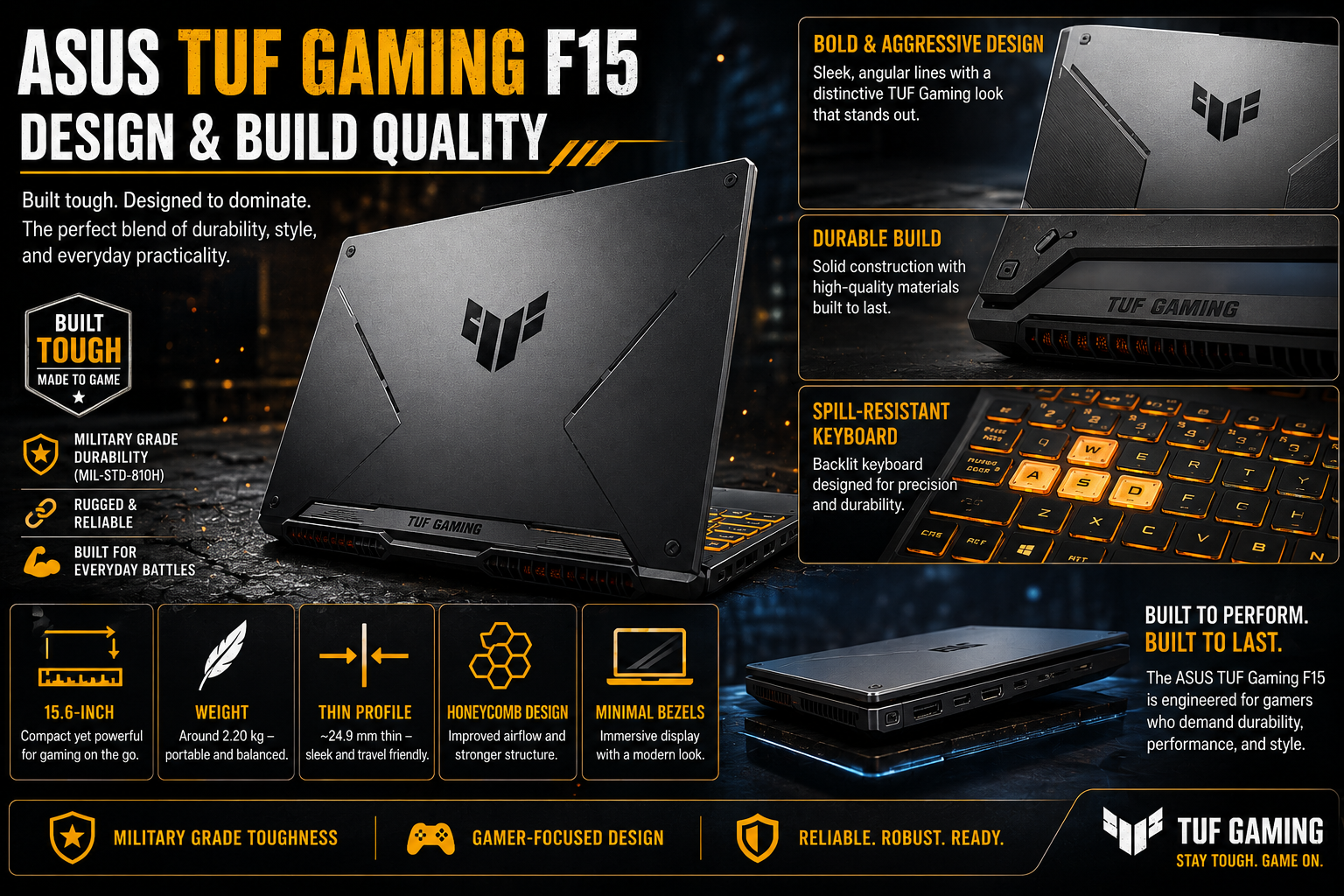
The first thing you will notice is really the weight. At 2.2 kg, the TUF Gaming F15 is certainly not making a case for itself as an ultrabook. The panel is metal. The keyboard area is reinforced plastic. The overall touch is quite pleasantly rugged. It has even passed MIL-STD-810H certification by drops, vibration, humidity, and extreme temperatures. It is this feeling of certainty that you get the instant you pick it up. No bend. No squeak. No theater.
From the design point of view, ASUS has chosen a very low-key approach. Dark grey. Branding to the minimum. A simple TUF shield on the lid. No annoying eye-catching RGB strips that run along the chassis. It is probably the only gaming PC that you can bring into a lecture hall without making everybody stare at you as if you are going to a LAN party.
Gaming and Everyday Performance
The Intel Core i7-12700H combined with the NVIDIA GeForce RTX 3060 is the main selling point of this laptop. Valorant easily achieves over 130 FPS at 1080p standards.
With DLSS Quality turned on, Fortnite can maintain 90-95 FPS on high settings. Running at ultra settings, GTA V gives roughly 68 FPS. Hitman 3 playing at ultra 1080p shows a constant 56 FPS, similar to all other RTX 3060 models at this level.
The MUX switch is a worthy consideration. If you pick the right configuration, it allows the GPU to directly send an image to the display, skipping the integrated GPU completely. Consequently, you will get visibly improved frame rates in GPU-demanding games. It’s a feature that is typically found on high-end computers. Getting it here is a real success.
Display
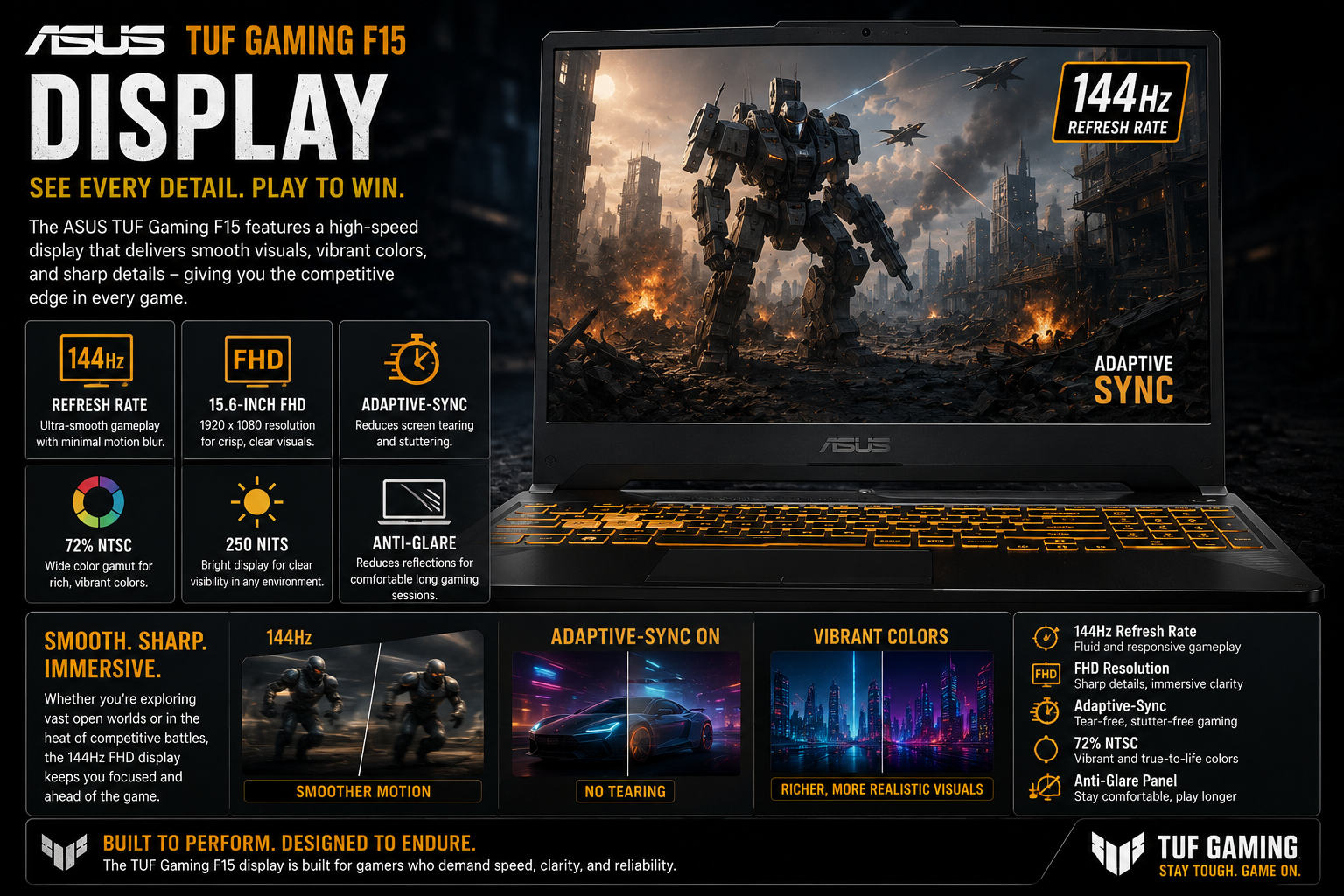
The 15.6″ IPS level FHD panel with 144Hz refresh rate is the best place to play 1080p games at this price range. Motion is clean. Colors are pretty accurate when used casually for creative purposes. One of the 300Hz models is available for gamers who are actively playing competitive games, as most of the buyers are already satisfied with 144Hz. The one display option that is missing in this lineup is the OLED display, which is something to note against the newer 2025 competitors.
Also Read- ASUS Vivobook 13 Slate OLED Review: My Real Experience with Daily Use
Battery Life
Gaming battery life is about 2-3 hours. That’s the ceiling. This 150W charger should be within easy reach when playing, period. You can extend to 5 to 7 hours, reasonable in productivity and balanced mode — documents, browsing, light work.
This is a lot more than the standard 48Wh if you are offered it, and is a feature of the 90Wh configuration.
Pros and Cons of Asus TUF Gaming F15
| Pros | Cons |
| MIL STD 810H military-grade chassis offers strong durability | CPU temperatures can reach 85 to 95°C under heavy turbo load |
| RTX 3060 and RTX 4060 provide solid 1080p gaming performance | Gaming battery life is limited to around 2 to 3 hours |
| 144Hz and 300Hz IPS-level display options available | A 720p webcam feels outdated for modern standards |
| MUX switch improves gaming performance with direct GPU output | Speakers sound flat and lack depth |
| Supports NVIDIA DLSS and Ray Tracing features | The partially plastic chassis feels less premium |
| Includes Thunderbolt 4, HDMI 2.1, and Wi Fi 6 connectivity | Armoury Crate software can sometimes feel unstable |
| Self-cleaning dual fan cooling system helps with airflow | No OLED display option in the lineup |
| Strong value compared to Acer Nitro 5 and Lenovo LOQ | Standard warranty is limited to 1 year |
| The optional 90Wh battery is impressive for this price range | A 150W to 200W charger feels bulky for daily travel |
Also Read – Asus ROG 9 Pro Review: Built for Serious Mobile Gamers
How It Stacks Up Against the Competition
The TUF is superior to Acer Nitro 5 in build quality, 144Hz display refresh rate, and self-cleaning cooling; Nitro 5 just barely wins in battery life. Against MSI Katana 15 and Lenovo LOQ, TUF still leads in GPU performance, MIL-STD durability, but newer 2024-2025 models of those PCs with 13th Gen Intel processors almost match the CPU performance of TUF. For low-budget 1080p gaming, the TUF F15 under $1, 000 is considered the must-have.
Final Verdict
The Asus TUF Gaming F15 is the result of a manufacturer getting the basics right. Strong GPU. Durable chassis. Good display. Honest price. The thermals have to be managed, the gaming battery life is quite limited, and the webcam and speakers are from a different time. Otherwise, it’s still one of the easiest gaming laptops or student or budget upgrades from an older system to make for less than $900. Warts and all. Solid in its places.
FAQs
Q: Does the ASUS TUF Gaming F15 get hot?
Definitely, when playing games in Turbo mode, it’s not unusual for CPU temperatures to reach 85-95 °C. Remember to always keep BIOS updated, switch to Balanced mode for normal work, and also try to limit Armoury Crate processes running at startup if you want to avoid temperature spikes after boot.
Q: What graphics card is inside the Asus TUF Gaming F15?
It depends on the year of release: it may be an RTX 3050, an RTX 3060, or an RTX 4060. Pairing with the RTX 3060 is considered the best at 1080p gaming for the price.
Q: Can a student rely on the Asus TUF Gaming F15?
Yes. The build quality of MIL-STD-810H is good for daily carry. It is a single computer that can be used efficiently for both work and play after lectures. Battery life during Balanced will last for a reasonably long workday.