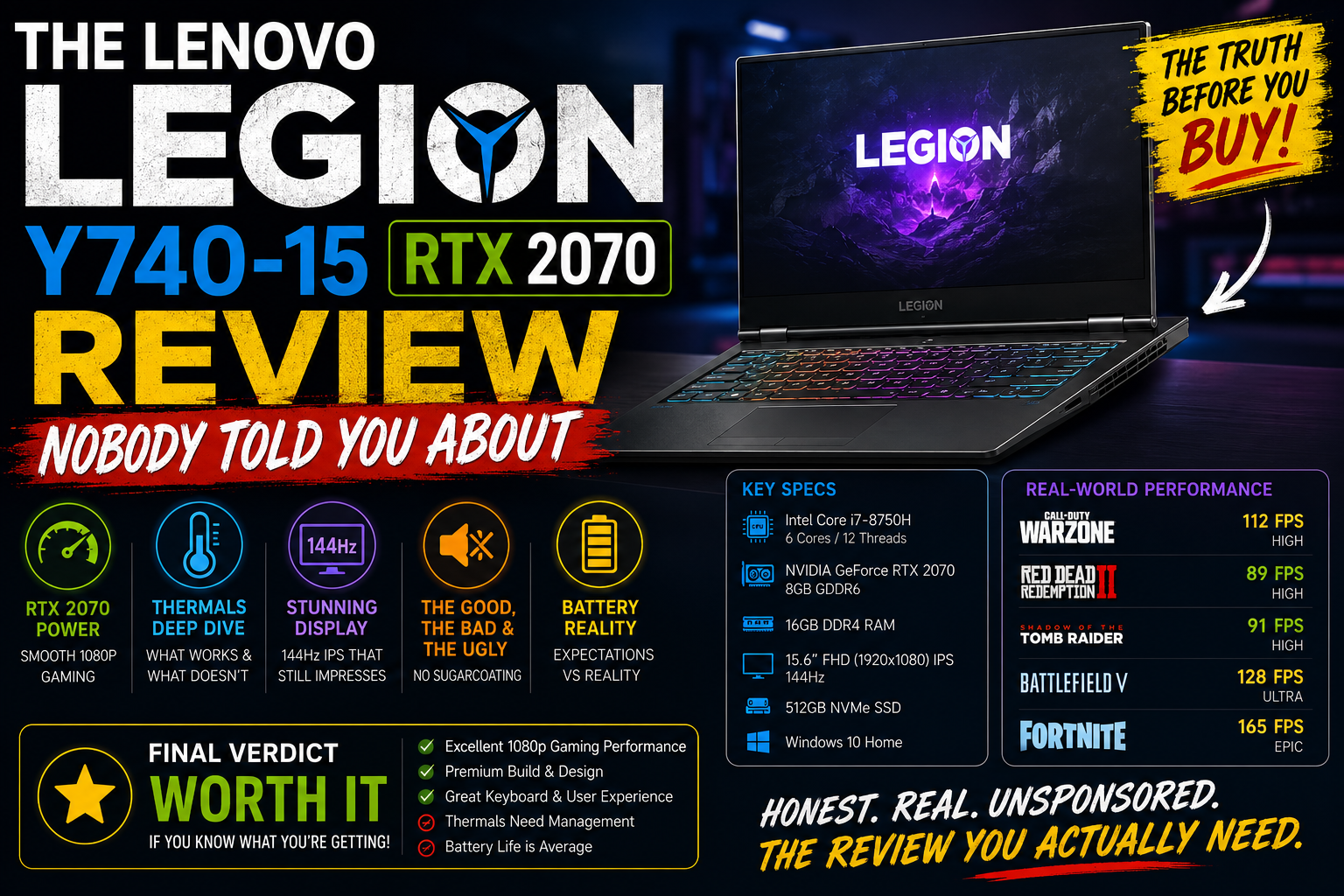
The Lenovo Legion Y740-15 RTX 2070 Review Nobody Told You About
I bought the Lenovo IdeaPad Legion Y740-15 with the RTX 2070 when it was first released. Since then, I’ve put it through a lot of different tests, including long gaming sessions, video editing, daily work, and traveling. It is neither a promotional item nor a press loan for two weeks only. I had to pay for it and live with it as a simple laptop. I will then be able to provide a sincere response to anyone who asks me if this computer continues to perform admirably. In addition to my own experience, benchmark testing, and the opinions of other long-term users, this review is based on benchmark results. Therefore, if you’re looking into new or used purchases, you’ve come to the right place.
Good for: 1080p gamers who want cool, quiet performance without paying Razer prices — and used-market buyers hunting a durable, well-built machine that still handles modern titles.
Not ideal for: Anyone who needs all-day battery life, a decent webcam, or a display that goes beyond 1080p.
Specifications of Lenovo Legion Y740-15 RTX 2070
| Component | Details |
| CPU | Intel Core i7-8750H (8th Gen) / i7-9750H (later configs) |
| GPU | NVIDIA GeForce RTX 2070 Max-Q (8GB GDDR6) |
| RAM | 16GB DDR4 (dual-channel) |
| Storage | 256GB NVMe SSD + 1TB HDD |
| Display | 15.6″ FHD IPS, 144Hz, G-Sync |
| Battery | 57Wh (2-cell) |
| Weight | ~2.2 kg (4.8 lbs) |
| Ports | USB-C (Thunderbolt 3), 2x USB-A 3.1, HDMI 2.0, Mini DisplayPort, 3.5mm combo |
| Wireless | Killer Wi-Fi AC 1550i, Bluetooth 4.1 |
Design & Build Quality
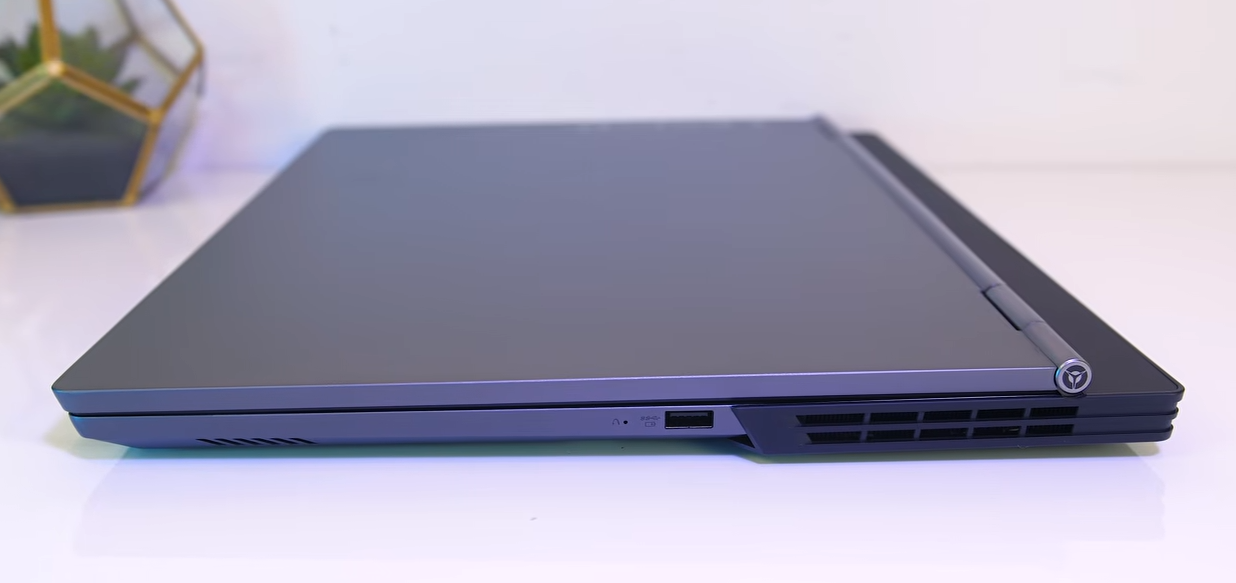
The fact that the device doesn’t look like your typical gaming laptop is the first thing you notice about it. There are no aggressive angles or dragon logos, but simply the clean matte black aluminum that truly gives the feeling of a high-end product. I’ve handled lots of plastic gaming laptops, and the difference in sturdiness is so clear the moment you lift this one.
However, there are unquestionably a few peculiarities to it. For instance, port locations are predominantly at the back. Although it may sound inconvenient, once your cables are plugged in, it really makes sense and prevents a cluttered desk. The per-key RGB keyboard is a joy to type on, and after using other keyboards, I actually miss the curved edges of the Lenovo keys. Until you notice the webcam. It faces downwards under the screen. placed at the very bottom of the bezel, in the middle, so that it basically faces your chin. Poor people are in for a close-up of their nostrils when you talk to them on a video call!
Display: 144Hz, G-Sync, IPS Panel
Without a doubt, this computer’s display is one of its best features. Due to the combination of the 144Hz refresh rate and G-Sync, everyday activities like scrolling through a web page or moving a window are noticeably quicker than on a 60Hz panel, and games run smoother as well. Almost everything has the feeling of – In terms of color accuracy, it is adequate. It’s not the best situation for content creators, but it can edit photos on the fly and is definitely great for gaming. This is the result when one panel allows them to use the screen simultaneously without glare or reflections. You are not completely exposed to direct light, as when walking outdoors, but you can still comfortably see indoor spaces because their brightness level is adequate and balanced. You will have to squint when the sun is in your eyes, though.
Gaming Performance & Benchmarks
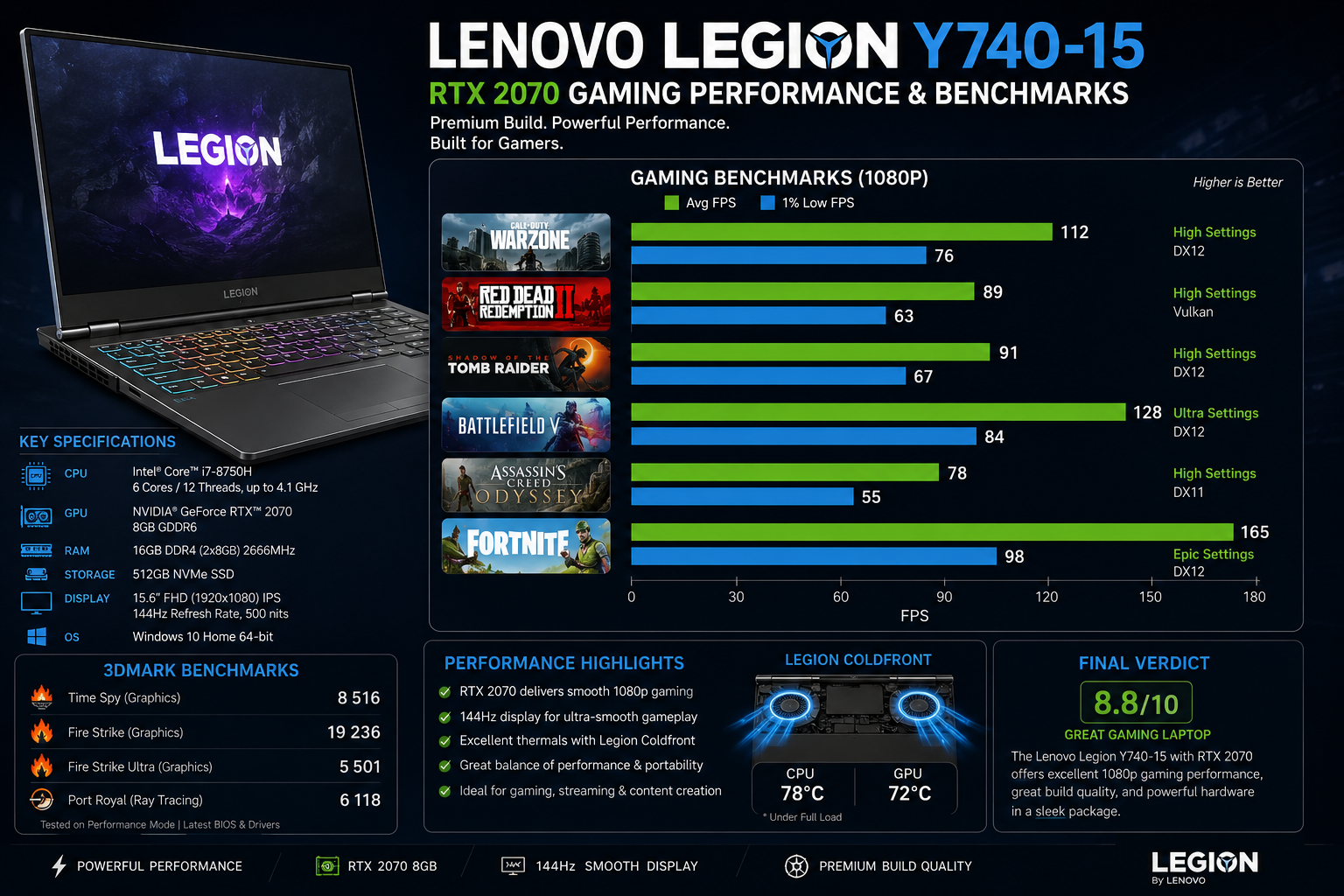
This is the part where things really get exciting, and I want to straighten things out immediately. The Y740-15 is equipped with an RTX 2070 Max-Q, not a complete RTX 2070. The Max-Q version is designed to operate at a lower power limit (about 80W out of the box) to produce less heat in a slimmer body. A full laptop RTX 2070 typically operates at around 115W. So, when it comes to the actual performance, a 10-15% difference is about what you’d expect compared to the full chip.
That means it is still a very good gaming machine. When playing Rise of the Tomb Raider at 1080p Very High, I was almost always above 65, 70fps. Shadow of the Tomb Raider, with the highest settings, came out to around 55fps.
Thermals & Cooling
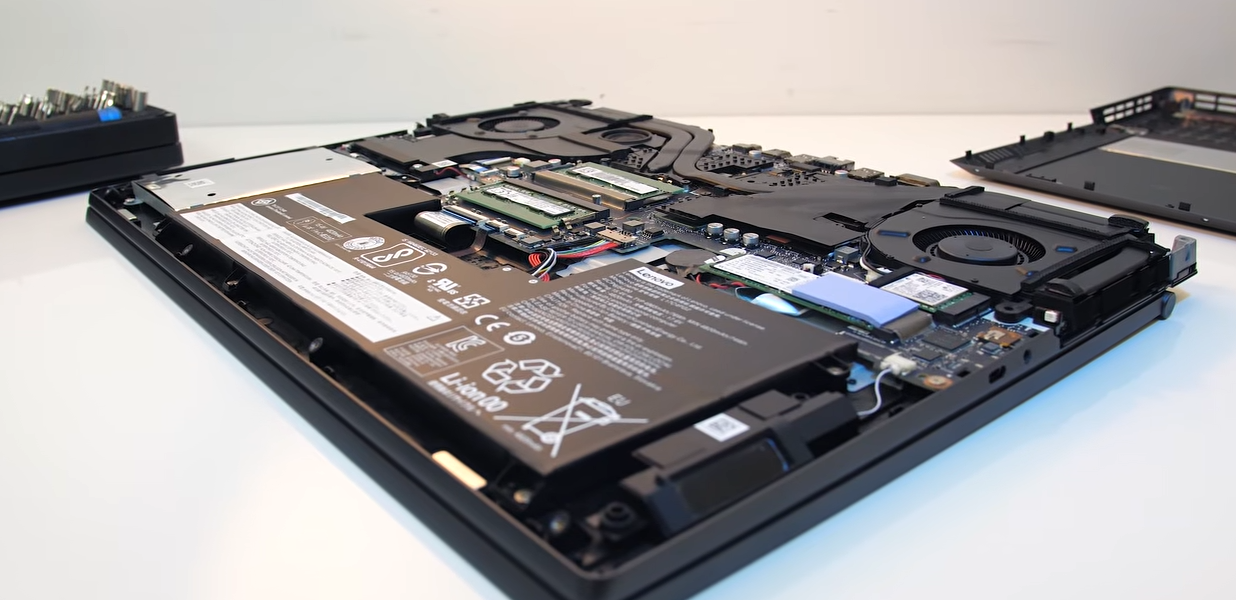
Honestly, this is actually the best feature of the Y740-15 and the thing that I was most amazed by. Lenovo equipped it with its “Legion Coldfront” system, consisting of two fans and two heat sinks, and it does the trick. Even if the game runs are long, like a two-hour Witcher 3 session, the fans do get louder, but then they level off at a steady, comfortable noise level. It’s not like the sudden roaring of a jet engine. No performance drops.
Even when the processor was fully utilized, the temperature only ranged between 80 and 85°C, which is safe. The underside of the laptop does become a bit hot, but it is not unpleasant.
Battery Life
I have to tell you: battery life is probably the least strong feature of this notebook. The 57Wh battery is just not big enough to support such powerful components. When gaming, you can expect to have only 60-90 minutes before having to plug in your adapter. If you just do the basics like browsing the internet, working with documents, and a bit of video watching, you might get about 3 hours.
Hidden Performance Tips
The majority of users who buy this laptop don’t really make full use of its performance potential. To begin, here are a few things that are definitely worth your time:
Switch to Performance Mode with Lenovo Vantage. Usually, an RTX 2070 Max-Q gets capped at 80W. In Performance Mode, the power limit is raised to 90W, which is close to a normal RTX 2070. I even saw my benchmark scores increase by around 8% just after this change.
You can also consider underclocking the CPU with the help of Intel XTU or ThrottleStop. By doing a CPU voltage offset of roughly -100mV, my temps went down by 5 and 7°C; this is exactly what took place in my experiments, and it also opens up the GPU’s potential for more thermal headroom.
Also Read- Is Kaspersky Safe to Use? Here’s What I Found After 3 Weeks
Pros and Cons
| Pros | Cons |
| Excellent thermal management — stays cool and quiet under load | RTX 2070 Max-Q, not full 2070 — ~10–15% less GPU performance |
| Premium aluminum build that doesn’t scream “gamer.” | Battery life is genuinely poor — 60–90 mins gaming, ~3 hrs light use |
| Smooth 144Hz G-Sync IPS display | Webcam sits below the display — terrible angle for video calls |
| Thunderbolt 3 support for eGPU and dual 4K monitors | Massive AC adapter — annoying to carry daily |
| RAM and SSD are user-upgradeable | Locked to 1080p — no higher resolution panel option |
| Performance Mode in Lenovo Vantage unlocks extra GPU wattage | Touchpad placement takes some getting used to |
| Competitive pricing vs Razer and Alienware at launch | GPU is soldered — no upgrade path |
| Per-key RGB keyboard with satisfying key feel | Killer Wi-Fi can be inconsistent on some units |
Y740-15 vs Competitors
Against the Razer Blade 15 (RTX 2070 Max-Q), the Y740-15 is a better deal; it is often $400 to $500 cheaper for almost the same specs, and it also performs better in terms of thermals. The Blade is superior in battery life, build prestige, and display quality.
The Alienware m15 (RTX 2070 Max-Q back then) heated up more and was louder during my testing. It had better GPU power delivery, but the thermal management was less effective under prolonged stress.
The ASUS Zephyrus S was more affordable but had a weaker GPU at similar price levels, and the display isn’t as good. The Y740-15, on the other hand, easily outperforms it when it comes to gaming.
Final Verdict
There were many things that the Lenovo IdeaPad Legion Y740-15 with NVIDIA RTX 2070 Max-Q managed to get right. It had excellent cooling efficiency, a keyboard that felt good to type on, a 144Hz screen that runs very smoothly, and gaming performance that was on par with the competition, all this in a chassis that doesn’t scream “gamer” in your face. Battery life and that ridiculous webcam placement are real downsides. However, they don’t spoil the well-thought-out machine.
If you are considering buying one secondhand, check the battery condition, inquire about the BIOS version, and set aside some money for an SSD upgrade. Most likely, you will feel that this purchase was a good one.
FAQs
Q: Does the Y740-15 feature a full RTX 2070 or Max-Q?
The Y740-15 comes with an RTX 2070 Max-Q, which is a version of the chip that operates at a lower power limit than the full version. So, you can expect a 10- 15% reduction in performance relative to a full RTX 2070 laptop GPU.
Q: Is the RAM on the Lenovo Legion Y740-15 upgradable?
Definitely, it has two SO-DIMM slots and can be upgraded up to 32GB DDR4. It is a simple upgrade process, no soldering needed.
Q: How bad is the battery life actually?
If you consider that it is a pricey laptop, the battery life is quite poor. You can play games for about 60 to 90 minutes and do light use for around 3 hours. It’s best to keep your charger handy.
Q: Would it be reasonable to consider Y740-15 second-hand in 2026?
For around $400, 550 for a well-maintained unit, yes, it can be used for 1080p budget gaming or as a very decent productivity machine. Besides that, you should check battery health and the thermal paste condition before making a purchase.