Proton Pass Review: Real Security and Usability Breakdown
- 1 Quick Verdict for Proton Pass
- 1.1 Rating: 8.5/10
- 1.1.1 Best For:
- 1.1.2 Not Suitable For:
- 2 Proton Pass Key Features at a Glance
- 2.1 Encryption method
- 2.2 Autofill system
- 2.3 Password generator
- 2.4 Cross-device sync
- 2.5 Browser extensions
- 2.6 Free and paid features
- 2.7 Setup & First Impressions
- 2.8 Security & Encryption Experience
- 2.9 Password Management Experience
- 2.10 Browser & Mobile App Experience
- 2.11 Real World Usage
- 2.12 Pros & Cons
- 3 Final Verdict
- 3.1 FAQs
- 3.1.1 Is Proton Pass safe?
- 3.1.2 Is Proton Pass free?
- 3.1.3 Is Proton Pass worth it?
This Proton Pass Review came after I kept struggling with passwords. I continued to forget passwords, get signed out, and use weak passwords to keep work and personal apps going. It made me slow down when doing client work, checking email, and just browsing the web.
I switched to Proton Pass because I wanted something simple, private, and reliable across my devices. I apply it in my daily work dashboards, email accounts, social logins, and online tools without spending time on resets or recovery measures. It minimized the anxiety of handling many accounts. It was like a fresh start to my online existence.
Quick Verdict for Proton Pass
Rating: 8.5/10
Best For:
- Users who want strong privacy protection
- People are already using the Proton ecosystem
- Beginners who need simple password management
- Users who prefer built-in email aliases
Not Suitable For:
- Advanced users needing deep customization
- Teams needing enterprise-level admin control
- Users who want a very mature feature set, like 1Password
- People who avoid new or evolving tools
Proton Pass Key Features at a Glance
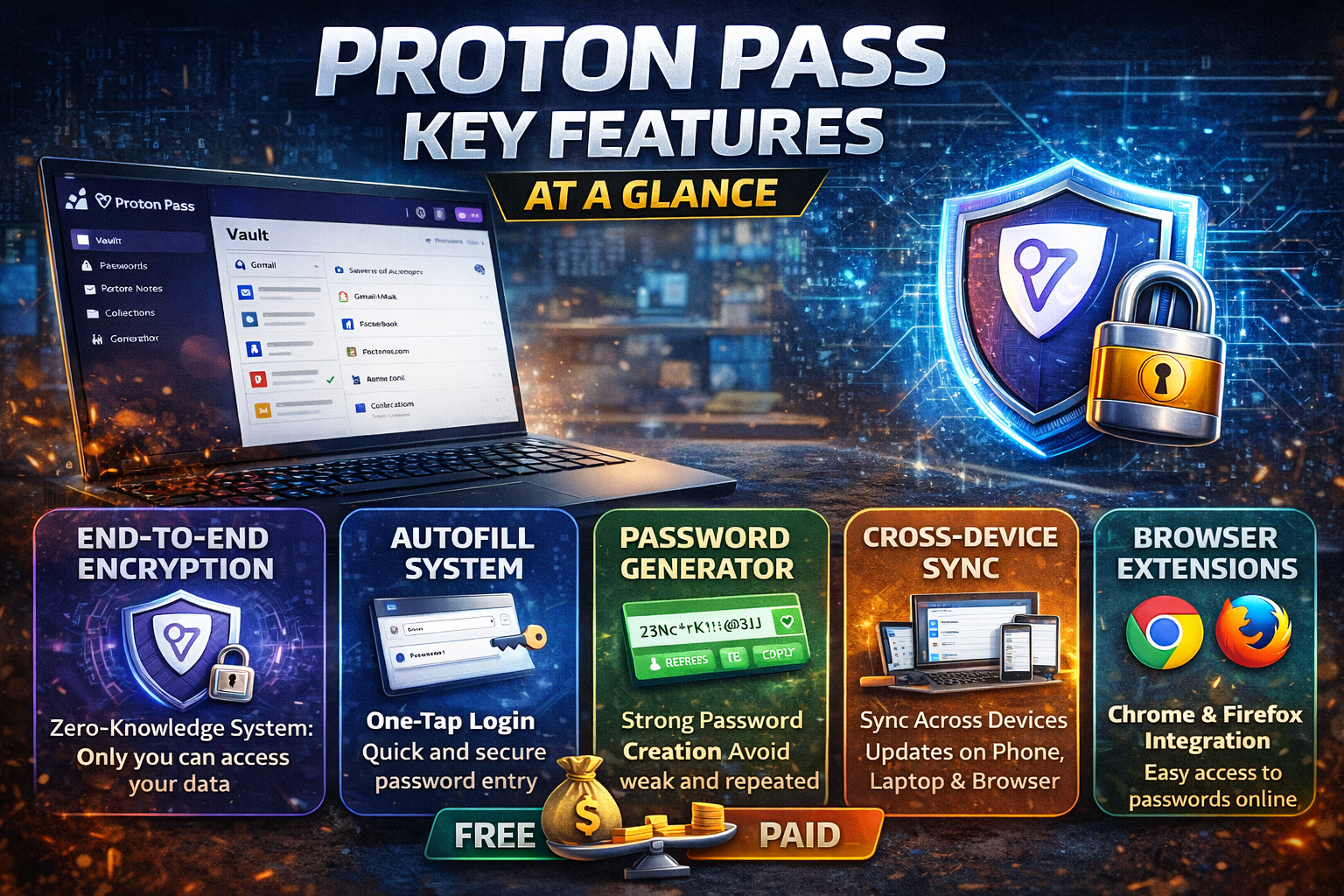
My primary password manager is Proton Pass, and these are the main features that I can observe in my everyday life.
Encryption method
It has end-to-end encryption and a zero-knowledge system. This means that I am the only person who can access my data. Even Proton is not able to reach it.
Autofill system
It automatically completes login information on applications and websites. I simply tap and log in without having to enter passwords again and again.
Password generator
I generate good passwords immediately within the app. It helps me avoid weak or repeated passwords.
Cross-device sync
My passwords are updated on phone, laptop, and browser. I am not concerned with manual transfers.
Browser extensions
I have Chrome and Firefox extensions. It allows me to browse and log in.
Free and paid features
The free version includes simple password storage and autofill. Paid plan will include additional email aliases, advanced features, and control.
I use these features on a daily basis to log in to work, check email, and various online accounts without any stress. It has minimized my password-related distractions at the time of workload and has simplified account management in general. I use it every day on devices without having to think about logins anymore.
Setup & First Impressions
The installation of Proton Pass was fast. The app took me a few minutes to install on my phone and the browser extension on my laptop. It was easier than I thought to import saved passwords into my browser. Initially, the interface was very minimal. I needed to take a few minutes to figure out where everything was, but it was soon apparent. It was my first actual relief when I did not have to search through notes or reset emails and logged into an old account.
Security & Encryption Experience
What made me feel secure was that my data is encrypted, and by design, it is private. I do not perceive complex environments here; it simply functions in the background. I am not concerned about the people who can access my passwords. The only minor inconvenience is that recovery options are limited in case you have forgotten your login details, but this is a part of the privacy setup.
Password Management Experience
It is easy to handle passwords now. I store logins when I need them, and Proton Pass will fill them. The password generator assists me in repairing weak old passwords individually. I still occasionally have to manually update some older entries, but on the whole, it has helped me a lot with my password stress.
Browser & Mobile App Experience
It is compatible with most sites on the browser. Autofill is quick, although some banking pages had to be copied and pasted manually. On the mobile, it is even better. Applications are open, and they log in with a single tap. Such a minor convenience accumulates in everyday use.
Real World Usage
Browsing is easier nowadays. I open websites, and Proton Pass is able to fill most logins without additional work. I no longer spend time changing passwords.
I have several logins in a single location when it comes to work accounts. It allows me to alternate between tools, client dashboards, and email accounts without getting mixed up. All is in place,e and I have it when I require it.
The autofill is even more helpful on mobile. Applications such as email, social media, and tools are one-tap logins. I still have occasional situations when the autofill fails, yet manual copy is fast. All in all, it saves time and eliminates the daily stress of logging in.
Pros & Cons
Pros
- Easy setup and quick password import from browser or other managers
- Clean interface that does not feel confusing in daily use
- Strong autofill on most websites and mobile apps
- Useful email alias feature for reducing spam during signups
Cons
- Autofill fails on some banking and complex login pages
- Limited advanced customization compared to mature password managers
- Recovery options feel strict if you lose access
- Some features still feel early and are improving over time
Final Verdict
I would recommend Proton Pass to users who want simple, private password management without complexity. It works well for everyday browsing, personal accounts, and people already using Proton services. It also fits beginners who just want a safe place for passwords without setup stress.
I would avoid it if you need advanced features, deep customization, or enterprise-level control. Power users may find it limited compared to more mature tools.
From my experience, it delivers solid privacy and ease of use. It is not perfect, but it handles daily password needs in a clean and reliable way.
FAQs
Is Proton Pass safe?
Yes, Proton Pass is safe to use. It uses end-to-end encryption, so only you can access your data. Even Proton cannot read your passwords. This makes it suitable for storing sensitive logins.
Is Proton Pass free?
Yes, there is a free version. It includes unlimited password storage, basic autofill, and secure syncing across devices. Paid plans add extra features like advanced options and more control.
Is Proton Pass worth it?
Yes, it is worth it for users who want privacy, simplicity, and basic password management. It works best for personal use and people already inside the Proton ecosystem.