How to Convert OST to PST Online for Free (Step-by-Step)
OST (Offline Storage Table) and PST (Personal Storage Table) are the two file formats used by Outlook to store mailbox items. The major difference between these files is that the PST file is easily transferable to another Outlook profile/account, whereas the OST file cannot be transferred directly, as it is encrypted with the MAPIEntry GUID key by default. So, if you need to transfer or migrate OST file data to another Outlook account, then the only option is to convert the OST file into PST format.
There are various options and tools available that can help you convert the OST file to PST for free. You can use the Outlook built-in feature (Import/Export wizard) to convert the OST file into PST. But this will only work when the OST file is accessible and the account to which it is linked is working. In this article, we will go through the step-by-step process to convert the OST file using the Import and Export Wizard. We will also see how to convert OST to PST online for free.
Why do you need to convert the OST File to PST?
Let’s understand the reasons why you need to convert the OST file into PST.
- When your Outlook profile is not accessible.
- When you are migrating to a new computer or an Outlook installation.
- When you want to back up your important mailbox data.
- When the mail server crashes or becomes inaccessible.
Convert OST File to PST Online for Free
If you are looking for a quick, secure, and easy way to convert an OST file to PST without installing any software or using Outlook, then you can use an online OST to PST converter tool. This tool is entirely web-based, and there is no need to install Outlook or any other software. It has a very user-friendly interface that allows you to convert even orphaned and inaccessible OST files to PST in just a few simple clicks. You can also track the progress of the conversion process in real-time. It ensures complete data privacy and security as the uploaded OST files and the converted PST files are automatically deleted from the company’s server within 24 hours.
You can convert OST files of up to 500 MB in size absolutely free. For converting larger files, you can go for the premium version of this tool that allows you to convert OST files of up to 5 GB in size.
Below are the steps to convert the OST file to a PST file using the online tool for free:
Step 1: Open a web browser window and enter the following URL:
https://converter.stellarinfo.com/
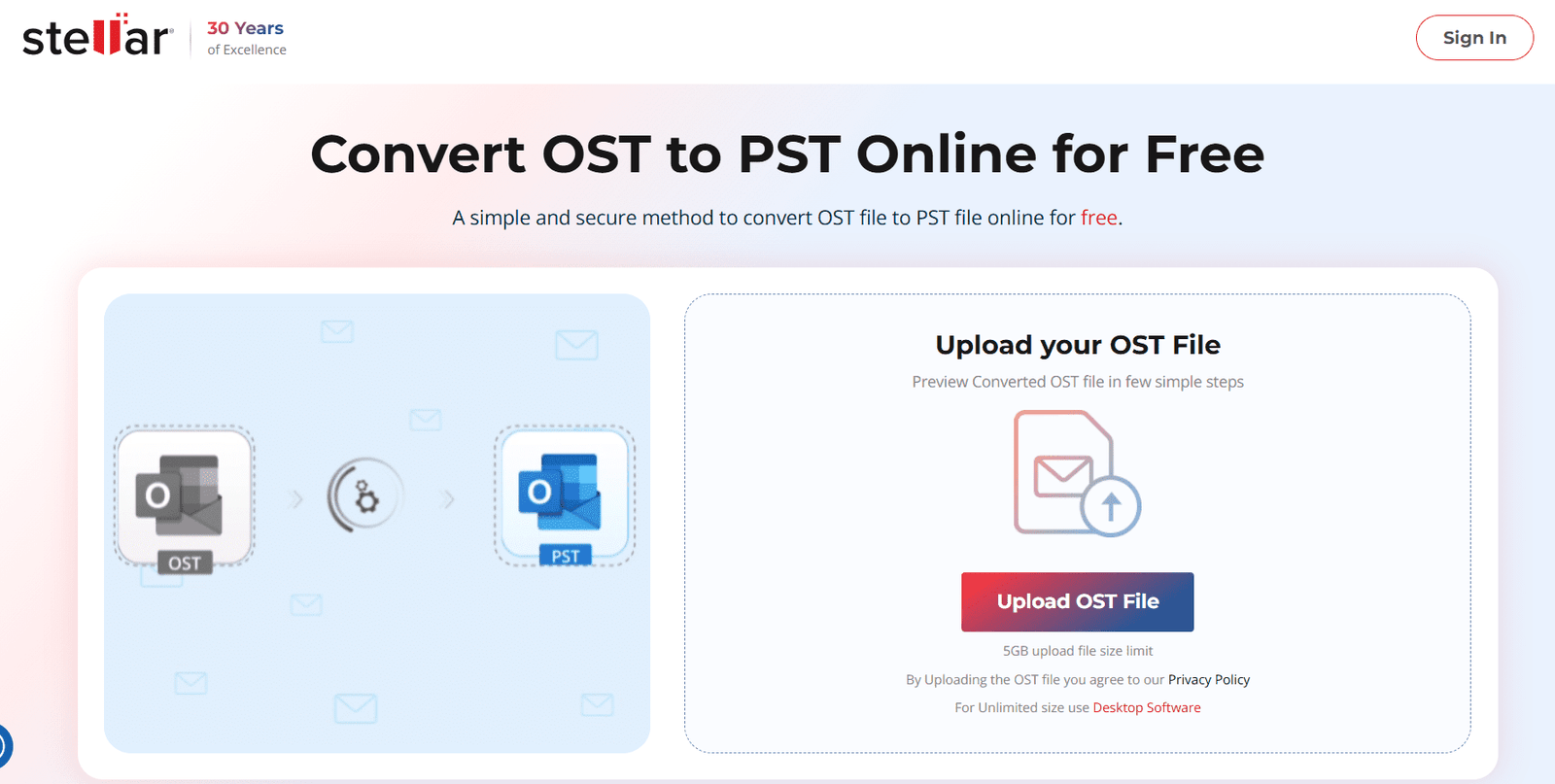
Step 2: Click on Upload OST File to upload the file you need to convert.
Step 3: Locate and select the OST file (<500 MB for free conversion). Then, click on Open. Wait for the file to upload.
Step 4: Once uploading is complete, click Start Conversion.
Step 5: It takes a few minutes to complete the conversion process. Once the process is complete, click Save PST file. You can also preview the converted file before saving it.
Note: You can download your converted PST file within the next three hours of conversion.
Convert OST to PST by using the Import/Export Wizard.
If your Outlook profile (associated with OST) is accessible, you can use the Import/Export Wizard to export the OST file data to a PST file.
Follow the given steps to convert the OST file to a PST file via the Import/Export Wizard:
Step 1: Open Outlook, click on File, and select Import/Export.
Step 2: On the Import and Export Wizard, select Export to a file and click on Next.
Step 3: Click on the Outlook Data File and click on Next.
Step 4: Select the folder you want to export the data from and click on Next.
Step 5: Click on Browse and choose a location to save the PST file. Then, click on Finish.
Outlook will save the converted PST file at the given location.
Conclusion
If you want to access your OST file data in another account or profile, then you need to convert the file into PST format. Though Outlook offers a feature called Import/Export wizard to convert the OST to PST, it only works if your profile is active and the OST file is accessible. However, a quick and reliable alternative is to use an online OST to PST converter tool. It can quickly convert OST files (<500 MB) to PST format for free, ensuring complete data integrity.