Best Ways to Digitally Scan Your Yearbook: DIY vs. Classmates vs. Advantage Archives
- 1 Why Should You Digitally Scan Your Yearbook?
- 2 Digitally Scanning Your Yearbook with Classmates
- 2.1 How the Classmates Digitization Process Works
- 2.2 Advantages of Using Classmates
- 2.3 Limitations to Consider
- 3 Digitally Scanning Your Yearbook with Advantage Archives
- 3.1 Professional Digitization and Archival Preservation
- 3.2 Searchable Digital Archives
- 3.3 Advantages of Advantage Archives
- 3.4 Limitations to Consider
- 4 Digitally Scanning Your Yearbook Yourself
- 4.1 Choosing the Right Scanning Equipment
- 4.2 How to Scan a Yearbook Properly
- 4.3 Selecting the Right Digital File Format
- 4.4 Organizing and Backing Up Your Digital Yearbook
- 4.5 Advantages and Disadvantages of DIY Scanning
- 5 DIY vs. Classmates vs. Advantage Archives: Which Option Is Better?
- 6 Important Things to Check Before Sending Your Yearbook for Scanning
- 7 Final Verdict: What Is the Best Way to Digitally Scan Your Yearbook?
Yearbooks are more than collections of photographs and names. They capture important moments from school life, including friendships, classroom memories, sporting events, extracurricular activities, graduation ceremonies, and experiences that people often remember for decades. However, physical yearbooks can deteriorate over time. Pages may become yellow, photographs can fade, bindings may loosen, and finding a particular classmate or event can become increasingly difficult.
Digitizing a yearbook offers a practical way to preserve these memories while making them easier to access, share, and search. Instead of keeping an old book tucked away in a cupboard, you can create a digital version that can be viewed on computers, tablets, and smartphones. Depending on your goals, you might choose to scan the yearbook yourself, submit it to Classmates, or work with a professional archival digitization service such as Advantage Archives.
Each option has different advantages, limitations, costs, and preservation capabilities. The right choice depends on whether you want a convenient online copy, a professionally preserved historical record, or complete control over your digital files.
This guide explores all three approaches in detail to help you decide which method makes the most sense for your yearbook.
Why Should You Digitally Scan Your Yearbook?
Before choosing a digitization method, it is worth understanding why preserving a yearbook digitally can be valuable. Physical books are vulnerable to environmental conditions and everyday handling. Exposure to sunlight, humidity, dust, and fluctuating temperatures can gradually affect paper quality and printed photographs.
A digital copy provides an additional layer of protection against these problems. Even if the original book eventually becomes damaged, a properly created digital version can preserve its contents for future generations.
Another important advantage is accessibility. A physical yearbook might be available only to the person who owns it or the institution that stores it. A digital version can potentially reach hundreds or thousands of former students, teachers, and family members. People who moved to different cities or countries can revisit their school memories without travelling to access the original publication.
Digital yearbooks also make searching and sharing easier. Depending on the platform and the quality of the digitization process, users may be able to locate particular pages, browse individual photographs, download permitted content, or search for names.
For schools and alumni associations, digitization can also help preserve institutional history. Old yearbooks document changing school facilities, student activities, teaching staff, uniforms, traditions, and community events. These details can become valuable historical resources as the years pass.
Digitally Scanning Your Yearbook with Classmates
Classmates is a platform focused on reconnecting former schoolmates and helping people revisit their school experiences. Its yearbook collection makes it a relevant option for anyone interested in finding or digitizing an older school yearbook.
One of the first things to do is visit the Classmates website and search for your school. You may discover that your yearbook has already been digitized and is available through the platform. This can save you the effort of arranging a separate scanning project.
If the yearbook is not available, you can explore the platform’s yearbook scanning service. Classmates has offered a program through which individuals can submit physical yearbooks for digitization. Under the described program, the company scans the book and makes its digital contents available to its community without charging the contributor for the scanning service.
However, it is important to check the current eligibility requirements, shipping instructions, participation terms, and return arrangements directly with Classmates before sending an original book. Service availability and conditions may change.
How the Classmates Digitization Process Works
The process is relatively straightforward. First, identify your school and determine whether the relevant yearbook already exists in the platform’s collection. If it is missing, check whether Classmates is currently accepting contributions for that school and publication year.
Once your submission is accepted, you can follow the company’s instructions for packaging and shipping the physical yearbook. Proper packaging matters because older books can be fragile, particularly around their bindings and corners.
After receiving the book, the service handles the scanning process and prepares the digital material for its platform. Once the digitization is completed, the yearbook can become accessible to other users according to the platform’s availability and access policies.
This approach is particularly convenient for people who do not have scanning equipment or the technical knowledge required to process hundreds of pages.
Advantages of Using Classmates
The biggest advantage is convenience. You do not need to spend several hours scanning pages, adjusting images, organizing files, or learning image-processing software.
The possibility of free digitization is another significant benefit, subject to the service’s current terms. This makes Classmates an attractive option for individuals who want to contribute their yearbooks without paying for a professional scanning project.
There is also a community benefit. Digitizing a yearbook through an established alumni platform can make it easier for former students to rediscover classmates, revisit school photographs, and reconnect with people they may not have spoken to for years.
Another consideration is the potential availability of reprints. Depending on the yearbook and the platform’s policies, former students may have the opportunity to purchase copies if they no longer own the original.
Limitations to Consider
Although Classmates offers convenience, it may not be suitable for every preservation requirement. You should understand how the platform handles uploaded material, image quality, copyright, and access before submitting your book.
You should also distinguish between having a yearbook digitized and receiving a complete, downloadable archival master file. A platform may provide online access without necessarily giving contributors unrestricted ownership or distribution rights over the resulting scans.
If you want high-resolution TIFF files, multiple backup copies, searchable PDF documents, or complete control over how the digitized material is stored and distributed, confirm these requirements beforehand.
Classmates is therefore most appealing when your primary objective is making a yearbook available to a wider alumni community rather than building a customized archival collection.
Digitally Scanning Your Yearbook with Advantage Archives
Advantage Archives is another option worth considering, particularly when preservation quality and long-term accessibility are important. Unlike a community-oriented platform, Advantage Archives focuses on digitization and archival access solutions for organizations such as libraries, schools, historical societies, and other institutions.
Its services are designed to help organizations convert historical publications and documents into digital resources that can be preserved, organized, and accessed by researchers and members of the public.
This makes the company particularly relevant for schools with extensive historical collections, alumni associations managing multiple decades of publications, and libraries responsible for preserving local educational history.
Professional Digitization and Archival Preservation
Professional digitization involves more than simply photographing or scanning each page. A properly managed archival project considers the physical condition of the original material, image quality, file formats, metadata, storage, and future accessibility.
For example, an older yearbook might contain fragile pages, tightly bound sections, handwritten notes, photographs, and printed illustrations. Handling these materials incorrectly can cause unnecessary damage.
A professional archival provider can evaluate the condition of the publication and determine an appropriate digitization approach. Depending on the project requirements, this may involve specialized scanning equipment and workflows designed to minimize physical stress while capturing detailed images.
Image quality is especially important for historical yearbooks. Small photographs, captions, names, and handwritten annotations can become difficult to read if the scanning resolution is too low. A professional workflow aims to preserve these details as accurately as possible.
Searchable Digital Archives
Another important consideration is how digitized yearbooks are organized after scanning.
A folder containing hundreds of image files may preserve the visual contents, but it does not necessarily make the collection convenient to explore. Users might have to open individual files repeatedly to find a particular class photograph or graduation page.
Archival platforms can provide a more structured browsing experience. Depending on the services selected, digital publications may be organized by school, publication year, collection, or other identifying information.
Some archival solutions also support text searching through OCR (Optical Character Recognition). OCR technology attempts to convert printed text within scanned images into machine-readable information.
For example, a user searching for a particular surname may be able to locate relevant pages without manually opening every section of the yearbook. However, OCR accuracy depends on the original printing quality, image resolution, page condition, and typography. Names and older decorative fonts may require manual correction.
Advantages of Advantage Archives
The strongest reason to consider Advantage Archives is its focus on institutional digitization and preservation. Organizations managing large collections can benefit from a structured approach to scanning, organizing, and providing access to historical materials.
Professional equipment and established workflows can also produce more consistent results than casual smartphone scanning. This is particularly useful when the collection includes oversized publications, fragile books, or yearbooks with hundreds of detailed photographs.
Another advantage is the ability to plan a larger archival project. Rather than digitizing one book for personal use, an institution can work toward preserving an entire collection spanning multiple decades.
Limitations to Consider
Professional archival services may involve higher costs than individual scanning or community-based digitization programs. Pricing generally depends on factors such as the number of pages, condition of the material, scanning specifications, metadata requirements, storage arrangements, and access features.
Advantage Archives may therefore be more than an individual needs if the goal is simply to create a personal digital copy of one yearbook.
Before selecting a provider, request a detailed project proposal covering scanning resolution, image formats, OCR capabilities, file ownership, data storage, backup arrangements, and access permissions.
It is also worth confirming whether the service accepts individual submissions or primarily works with institutional clients. Its suitability depends on the specific project and service package.
Digitally Scanning Your Yearbook Yourself
If you prefer complete control over your yearbook and its digital contents, doing the scanning yourself is another practical option.
DIY digitization requires more time and preparation, but it gives you control over image quality, file organization, storage, editing, and sharing. You can also decide whether to create a searchable PDF, individual page images, or a combination of both.
The approach you choose will largely depend on the equipment available to you and the physical condition of your yearbook.
Choosing the Right Scanning Equipment
A flatbed scanner is one of the most accessible options for scanning individual pages. It can produce detailed images and is suitable for publications that can be opened safely without putting excessive pressure on their bindings.
However, scanning a thick yearbook using a flatbed scanner can be inconvenient. You may need to position each page individually, which makes the process slow.
An overhead book scanner is another option. These devices capture pages from above and are designed to accommodate books without requiring every page to be pressed against a scanning surface.
For someone digitizing multiple yearbooks, an overhead scanner can significantly improve efficiency. It is particularly useful when preserving the original binding is a priority.
A modern smartphone can also work for smaller personal projects. Several scanning applications offer automatic page detection, perspective correction, cropping, and image enhancement. These features can help create reasonably clear digital copies without purchasing dedicated scanning equipment.
Nevertheless, smartphone results depend heavily on lighting, camera quality, positioning, and stability.
How to Scan a Yearbook Properly
Start by examining the physical condition of the yearbook. Check whether the binding is loose, whether pages are brittle, and whether any sections have become detached.
Do not force the book to open completely flat if doing so creates pressure on the spine. Older publications can suffer permanent damage when their bindings are stretched beyond their natural opening angle.
Prepare a clean, stable scanning surface with adequate lighting. If you are using a smartphone, avoid direct flash because it can create reflections, uneven brightness, and unwanted shadows.
Capture every page in sequence, including covers, introductory sections, class photographs, activity pages, advertisements, and the final pages. These sections are part of the publication’s historical context and should not be overlooked.
After scanning, review the images for missing content, blurred photographs, distorted edges, and inconsistent orientation. Re-scan any pages that are difficult to read.
Selecting the Right Digital File Format
File format selection is an important part of DIY digitization because it affects image quality, file size, accessibility, and future editing.
JPEG is suitable for sharing individual page images and keeping file sizes relatively manageable. However, repeated editing and saving can reduce image quality because JPEG uses lossy compression.
PDF is generally more convenient when you want the complete yearbook in a single document. It allows readers to browse pages sequentially and can support text searching when OCR has been applied.
For higher-quality archival preservation, TIFF is worth considering. It can retain detailed image information and is widely used in professional imaging workflows. However, TIFF files are typically larger than JPEG files.
A practical approach is to retain high-quality master scans and create smaller PDF or JPEG versions for everyday access. This gives you a preservation copy while keeping the files convenient to share.
Organizing and Backing Up Your Digital Yearbook
Scanning is only one part of the process. Proper organization ensures that the digitized material remains useful years after the project is completed.
Create a dedicated folder for each school and publication year. Use descriptive filenames that make it easy to identify individual pages. For example, a file could be named using the school name, year, and page number.
Keep the original scans separate from edited or compressed versions. This allows you to return to the untouched files if an edited image becomes damaged or loses important details.
Backup storage is equally important. Keeping the only copy on a laptop or external hard drive creates unnecessary risk. Consider maintaining multiple copies in separate locations, such as an external drive and a reputable cloud storage service.
If you plan to share the yearbook publicly, also consider privacy and copyright. Historical yearbooks may contain personal information, student photographs, handwritten messages, and other material that was originally intended for a limited audience. Check the relevant permissions before uploading or distributing the digital version.
Advantages and Disadvantages of DIY Scanning
The biggest benefit of DIY scanning is control. You decide the resolution, format, storage location, file naming system, and distribution method.
It can also be an affordable solution if you already own a suitable scanner or smartphone. There is no need to pay an external provider for the scanning work.
However, the time commitment can be substantial. A yearbook containing several hundred pages may require hours of scanning, checking, correcting, and organizing.
Maintaining consistent image quality can also be challenging. Uneven lighting, curved pages, shadows near the binding, and incorrect camera positioning can affect the final result.
DIY digitization is therefore best suited to individuals who enjoy hands-on projects, have suitable equipment, and want complete control over their digital collection.
DIY vs. Classmates vs. Advantage Archives: Which Option Is Better?
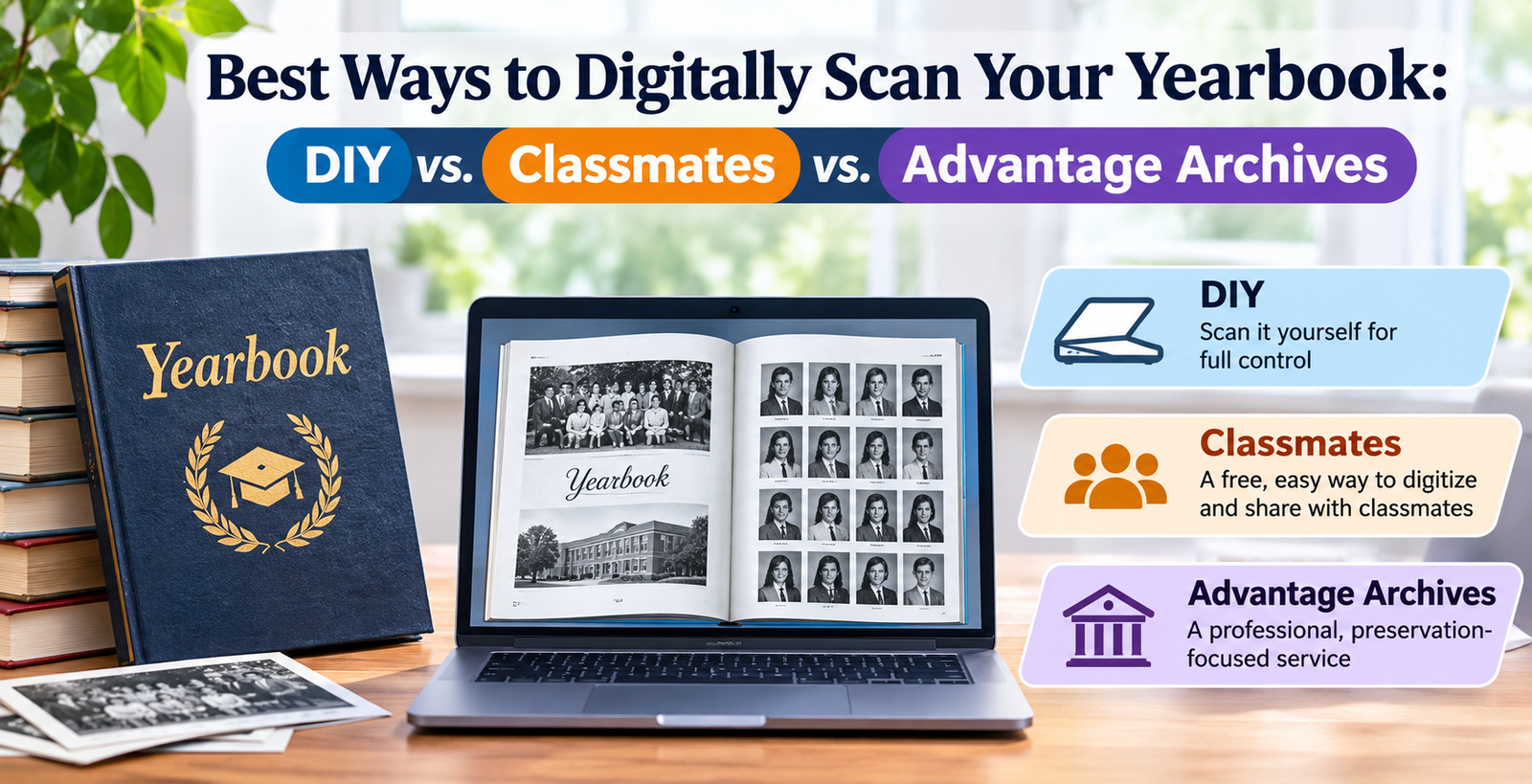
All three approaches can help preserve a yearbook, but they serve different purposes. The most suitable option depends on the size of your collection, your technical requirements, and how you want other people to access the finished material.
| Comparison Factor | Classmates | Advantage Archives | DIY Scanning |
|---|---|---|---|
| Primary purpose | Alumni access and yearbook digitization | Professional archival digitization | Personal digital preservation |
| Convenience | High | High once a project is arranged | Depends on equipment and experience |
| Cost | Potentially free under eligible programs | Usually requires a paid project | Low if equipment is already available |
| Scanning responsibility | Service provider | Professional provider | You handle everything |
| Image quality | Depends on the service workflow | Professional archival workflows | Depends on equipment and technique |
| File ownership and access | Check platform terms | Defined by project agreement | You control your files |
| Search functionality | Depends on platform features | Depends on selected archive solution | Requires OCR or manual organization |
| Best suited for | Individual yearbooks and alumni communities | Schools, libraries, and institutions | Individuals wanting complete control |
Which Option Offers the Best Value?
For someone who owns a single yearbook and wants to make it accessible to former classmates, Classmates is an appealing starting point. The possibility of free digitization makes it particularly attractive, provided the current program accepts the publication and its terms meet your expectations.
For institutions preserving large collections, Advantage Archives is worth considering. Its professional focus makes it more appropriate for projects involving multiple publications, structured digital collections, and long-term historical access.
DIY scanning makes the most sense when you want to retain complete control over the digital files. It is also useful when you have specific requirements that an external platform cannot accommodate.
Important Things to Check Before Sending Your Yearbook for Scanning
Regardless of the method you choose, take a few precautions before handing over an original publication.
First, inspect the book and document its current condition. Take photographs of the front cover, back cover, spine, and any existing damage. This provides a record of its condition before it is handled or transported.
Second, ask about the scanning resolution and output formats. A low-resolution digital copy might be sufficient for casual browsing but may not preserve small photographs and printed details adequately.
Third, clarify what happens to the original yearbook after scanning. Confirm the return process, shipping arrangements, estimated turnaround time, and responsibility for any damage or loss.
Finally, understand the copyright and distribution arrangements. Owning a physical yearbook does not automatically mean you have permission to reproduce and distribute every photograph, article, or other copyrighted element within it. Public sharing should be handled with appropriate consideration for intellectual property and privacy.
Final Verdict: What Is the Best Way to Digitally Scan Your Yearbook?
Choosing between DIY scanning, Classmates, and Advantage Archives ultimately comes down to what you want to achieve.
Classmates is a strong choice for individuals who want to contribute a yearbook to an alumni community without personally managing the scanning process. Its potentially free service and community-oriented approach make it particularly attractive for ordinary yearbook owners.
Advantage Archives is better suited to organizations that need professional digitization and structured archival access. It is worth considering when preservation quality, collection management, and long-term institutional accessibility are priorities.
DIY scanning is ideal for people who want complete control over their files and are comfortable investing time in the process. With the right equipment, careful handling, and proper backups, it can produce an excellent personal digital archive.
Overall, Classmates is the most convenient starting point for an individual yearbook owner, while Advantage Archives is a stronger consideration for institutional preservation projects. DIY remains a practical alternative when ownership and control over the digital files are the main priorities.
Whichever method you choose, digitizing a yearbook is a worthwhile investment in preserving memories. The photographs, names, stories, and experiences recorded in its pages deserve to remain accessible long after the original book has begun to show its age.