
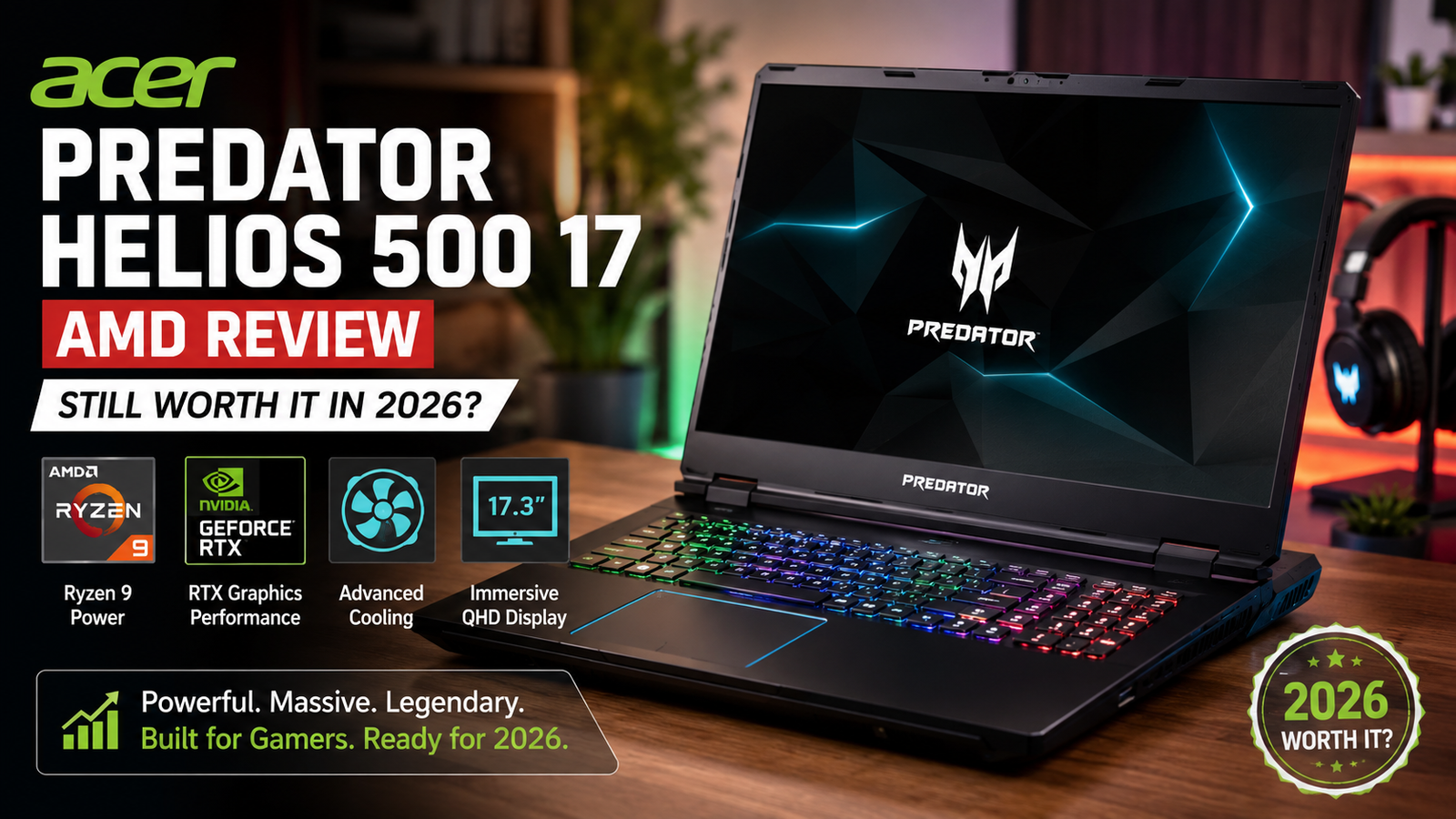
Acer Predator Helios 500 17 AMD Review: Still Worth It in 2026?
I’ve tested a lot of gaming laptops. But the moment I held the Acer Predator Helios 500 17 AMD in my hands, I instantly realized what it was trying to be: a desktop crammed inside a laptop shell, with a bold, no-apologies attitude. It’s heavy, loud at startup (literally the speakers screech when you power it on), and it needs to be plugged into the wall at all times. However, if you really want performance powered by AMD, this computer is quite convincing.
I will explain all the details to you before you decide to buy.
Quick Verdict
Rating: 8 out of 10
Best suited to: Power users and desktop-replacement gamers who demand the utmost in AMD performance and are never far from the power socket.
Not recommended for: Portability, travel, or users who want to use it for more than 2 hours without being plugged in.
Full Specifications
| Specification | Details |
| Processor | AMD Ryzen 7 2700 (8-core, 16-thread, 3.7GHz base / 4.3GHz boost) |
| Graphics | AMD Radeon RX Vega 56 — 8GB HBM2 |
| Display | 17.3-inch FHD IPS, 144Hz, AMD FreeSync |
| RAM | 16GB DDR4 (upgradeable to 32GB) |
| Storage | 256GB NVMe SSD + 1TB HDD |
| Operating System | Windows 10 Home |
| Battery | 76Wh — dual power brick (up to 330W combined) |
| Dimensions | 16.9 x 11.7 x 1.5 inches |
| Weight | 8.3 lbs (3.76 kg) |
| Ports | 3x USB-A 3.0, 1x USB-C, HDMI 2.0, DisplayPort, SD card reader |
| Connectivity | Intel Killer Wi-Fi, Bluetooth 5.0, Gigabit Ethernet |
| Audio | Built-in stereo speakers with Waves MaxxAudio |
| Keyboard | Full-size RGB with dedicated hotkey row, numpad |
| Cooling | AeroBlade 3D fans, 4 exhaust vents, PredatorSense software |
Design & Build Quality
The Helios 500 17 AMD doesn’t try to be minimalistic. It comes with its characteristic blue color scheme, extensive RGB lighting finishing at the touchpad area, and a chassis that screams seriousness just by looking at it for the first time.
The exterior is made of a mix of matte and glossy plastic. It is not luxurious aluminum, but good enough that I couldn’t manage to bend it with my two hands. The hinges are strong, and there was no screen wobble even when the gaming sessions were very long. What really won my heart was the simple way of getting to the inside parts.
As it weighs 8.3 pounds and is 1.5 inches thick, it is definitely not a laptop that you can conveniently throw in your bag. Consider it more like a desktop PC on the go with a handle. If that is your primary use, then it is just right.
Display: Genuinely Impressive
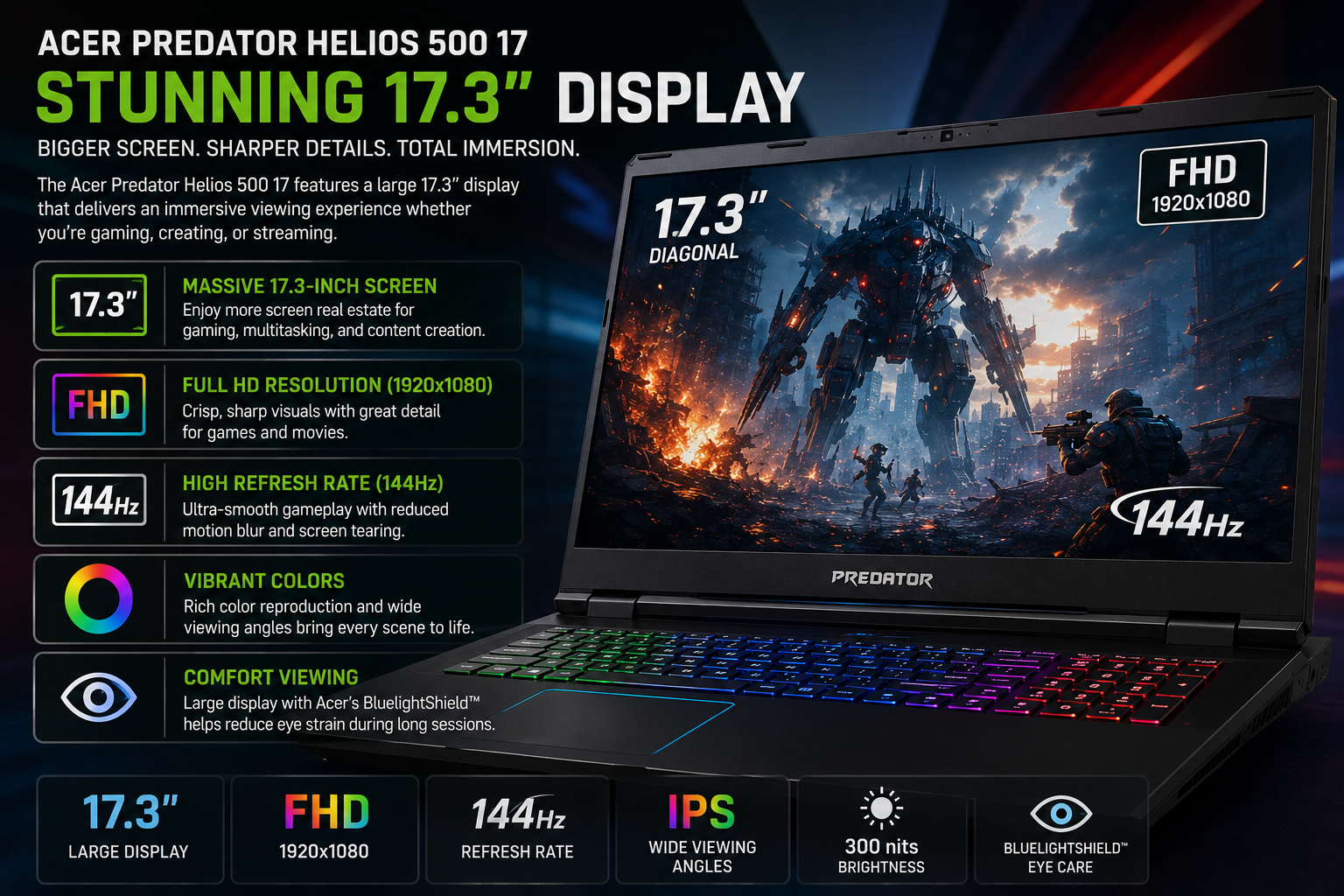
On my review unit, the 17.3-inch IPS panel can refresh at 144Hz with FreeSync, and the effect was clear to me right away. Playing games at 1080p resolution was smooth and free of tearing, even when I was playing shooting games at a very fast pace. The colors were good enough for casual content editing, and the brightness level was still high in rooms with lights without the screen getting washed out.
The higher-spec models went even further in this regard; some variants of the Helios 500 come with a 4K Mini-LED panel running at 120Hz, which is one of the most powerful displays I’ve seen so far on a gaming laptop at this price range. Also, the 360Hz FHD option on the new units is a dream for competitive shooters.
AMD vs. Intel Version
This is probably the most common question I get when I talk about this laptop, and I’ll get to it right away.
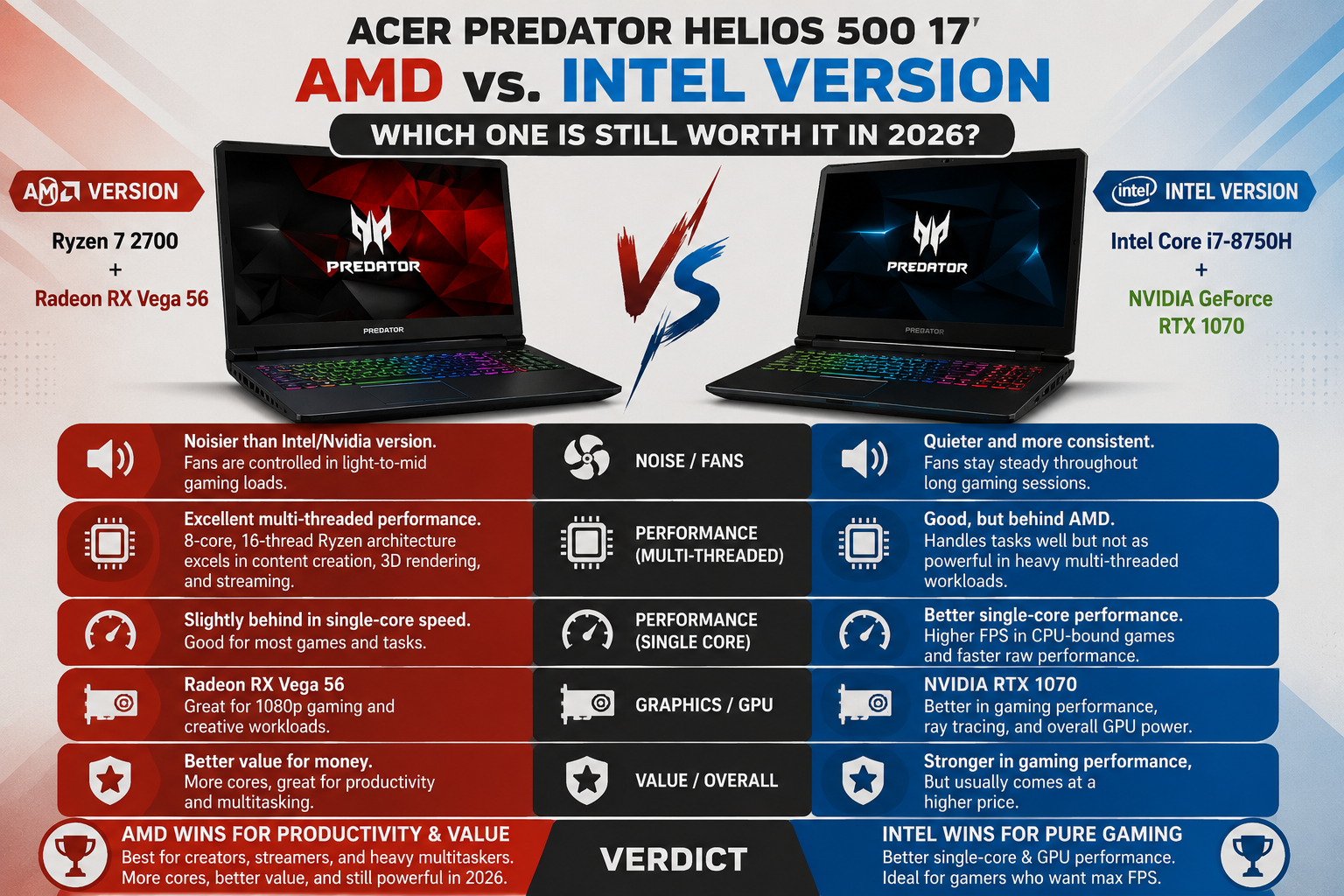
A big disappointment for me with the AMD version (Ryzen 7 2700 + Radeon RX Vega 56) is that it is noisier than the Intel/Nvidia version. I thought that I would get the opposite. The fans, on the other hand, remained impressively controlled during light-to-mid gaming loads. The irony is that the Intel version kept on repeating the same thing all day long during my comparison testing.
The AMD configuration also offers enhanced multi-threaded performance when creating content and working productively, with the 8-core, 16-thread Ryzen architecture. In case you’re editing video, performing 3D rendering, or streaming while gaming, the AMD chip actually takes the lead. The Intel version beats it in single-core performance, raw ceiling performance in the GPU arena — but for value and quiet operation, AMD wins this round hands down.
Performance & Real-World Gaming Benchmarks
AMD Ryzen 7-2700 is a processor designed for desktop computers, and that factor isn’t negligible. With a 3.7GHz base and 4.3GHz boost, it’s not just a lazy mobile chip. I combined it with Radeon RX Vega 56 and 8GB HBM2 graphics memory and ran it in some heavy games:
- Shadow of the Lara Croft (1080p High): 78-84 FPS, very fluid and stable the whole time
- The Witcher 3 (1080p Ultra): 65-72 FPS, no lag even during large open-world exploration
- Cyberpunk 2077 (1080p High, RT off): 55-60 FPS, still very good and quite fun
- CS2 / Valorant (1080p): Easily over 120 FPS, the 144Hz monitor is well worth it
Cooling System: The Quiet Giant
Here I was, really taken aback. It’s not every day you see a laptop with desktop-class components inside a 1.5-inch chassis, and yet the AeroBlade 3D fans and four exhaust vents do a better job of managing thermals than I was expecting.
During a 90-minute stress test, CPU temperatures went up to 89°C, quite hot, but still safe. The GPU temperature was steady at about 82°C. To make things even better, the palm rest was cool, which is actually very rare in a high-performance laptop.
Keyboard, Trackpad & Audio
The keyboard is definitely a highlight for me on this device. The keys have a deep and pleasant travel, and the separate hotkey row at the top allows you to quickly change performance profiles, adjust lighting, or even start auto-overclocking during a game with just one touch. The complete layout, including the number pad, is exactly what a desktop replacement machine should have.
Battery Life
The Helios 500 17 AMD can last about 2-3 hours on light tasks and less than 90 minutes when gaming actively. Actually, it isn’t a flaw; it’s a function of the design. Such a computer needs a lot of electricity to run at desktop-level performance, and the battery life was never considered a feature.
It comes with two power bricks that allow the CPU and GPU to perform above their specifications when both are used. You should leave it plugged in all the time, and also think about where your desk will be located.
Also Read- HP EliteBook 840 G3 Review: Is This Refurbished Business Laptop Still Worth It in 2026?
Pros & Cons
| Pros | Cons |
| Desktop-class AMD Ryzen performance | Battery life is brutal (under 90 mins gaming) |
| Quieter than the Intel/Nvidia variant | Heavy at 8.3 lbs — not truly portable |
| Excellent 1080p gaming frame rates | Thick bezels look dated |
| Upgradeability — easy RAM and SSD access | Built-in speakers lack bass |
| Strong multi-threaded CPU for content creation | All-plastic build feels less premium |
| 144Hz FreeSync display with no tearing | Dual power bricks are bulky to carry |
| Competitive pricing vs. Lenovo Legion and MSI rivals | Runs warm under sustained Turbo load |
Final Verdict
Acer Predator Helios 17 AMD is already a huge figure in its industry. It does not aim to be slim, blended, or capable of being carried around all day. Its goal is to be the most powerful gaming unit that can fit into a backpack, and it is a success in that.
The AMD version of it, in particular, is quiet during operation, delivers professional multi-threaded desktop performance, and offers good value compared to its direct Intel/Nvidia rivals. Of course, the battery life is terrible, and the bezels are 2018 style. Still, if you’re looking for excellent AMD gaming performance at an affordable price, I’m pretty sure you won’t find a better one.
FAQs
Q: Can you upgrade RAM in the Helios 500?
Yes. The bottom panel provides easy access to RAM and M.2 SSD slots. It supports up to 32GB DDR4 on most configurations.
Q: AMD vs. Intel version — which should I buy?
For gaming and content creation balance, go AMD. For raw single-core performance and a slightly higher GPU ceiling, consider Intel. The AMD version also runs noticeably quieter.
Q: Is the Helios 500 17 AMD worth buying used in 2026?
For 1080p gaming, absolutely. At used market prices, the performance-to-cost ratio is difficult to beat across most mainstream titles.
Q: Does the Helios 500 support external monitors?
Yes — HDMI 2.0 and DisplayPort outputs make it well-suited as a desktop replacement with an external display setup.
















I’m still learning from you, as I’m improving myself. I certainly liked reading everything that is posted on your blog.Keep the information coming. I liked it!