Top 5 Collaboration Tools for Architects to Boost Design Efficiency and Teamwork
In this digital transformation era, professionals are undergoing a shift in leveraging recent technology trends. One such professional is the architect, who requires efficient collaboration and a clear communication channel to complete projects on time. Today, the remote work culture is growing rapidly, and this involves the use of high-end tools to streamline collaboration and improve efficiency.
This blog will help you gain insight into the top five collaboration tools for architects, showcasing their key attributes and advantages. Regardless of the project size, whether residential or commercial, these platforms help foster automated workflows, improve teamwork, and ensure timely project delivery.
5 Effective Collaboration Tools to Improve Design Efficiency and Teamwork for Architects:
-
Autodesk BIM 360 tool:

Backed by cloud technology, it is a collaboration tool meticulously designed for professionals such as architects, engineers, and construction (AEC) professionals. This solution enables teams to work collaboratively on projects, transfer documents, and track project tasks.
Key attributes of Autodesk BIM 360:
- Collaborating on project files in real time and transferring files easily
- A unified web-based dashboard for keeping a tab on different project tasks
- Easy to incorporate with Autodesk Revit and other high-functioning design tools
- It allows teams to access the tool using a mobile device for collaborating on projects on-site.
Advantages of Autodesk BIM 360:
- It helps to collaborate with team members to speed up project work and effectively communicate at any stage of the project.
- This tool helps in improving the accuracy and visibility of project details and tracking the progress of project completion.
- Helps boost the productivity of employees and decrease mistakes
- A highly scalable tool for residential projects or larger construction projects.
-
Asana tool:
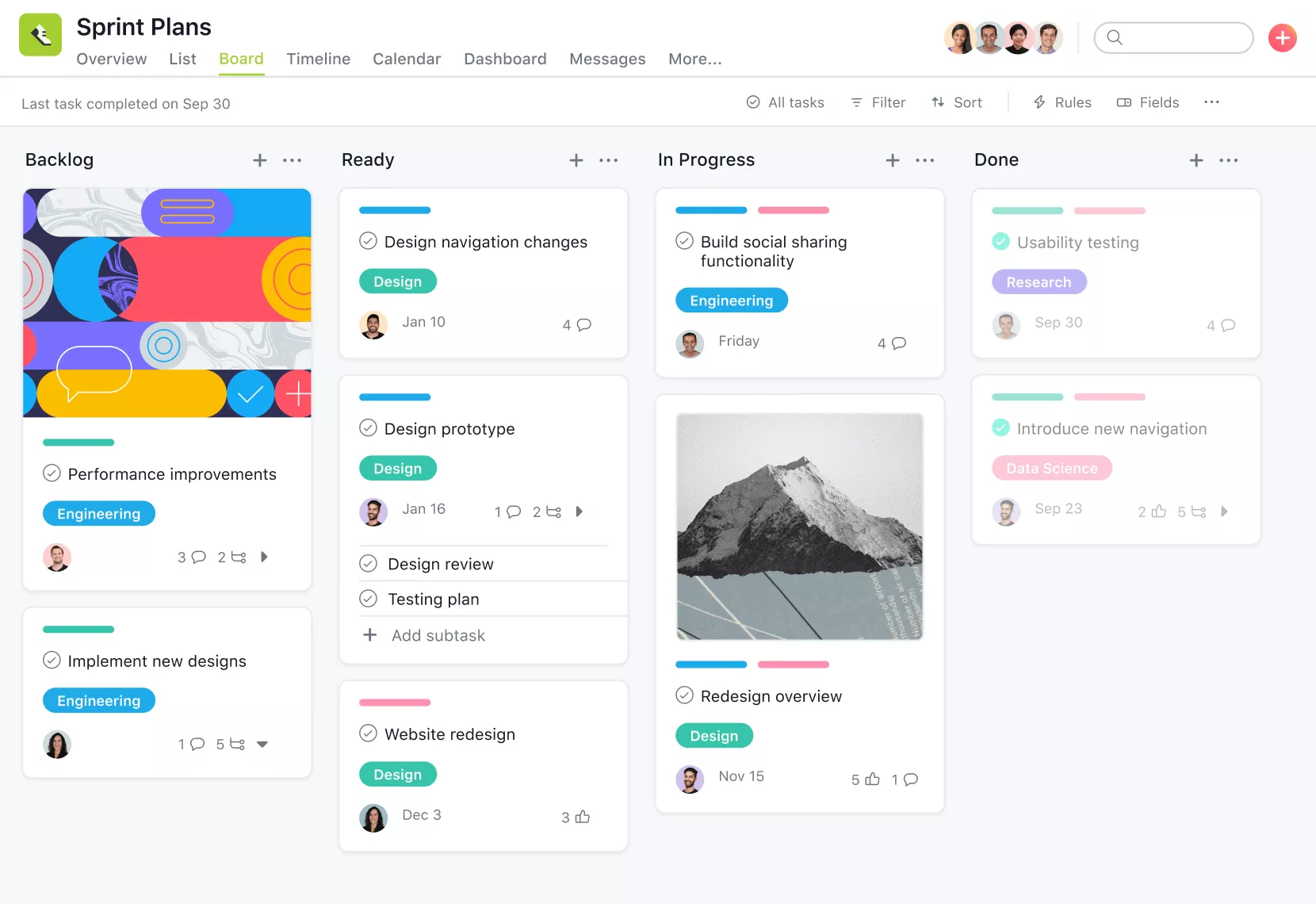
One of the well-known tools, Asana, is a future-ready project management platform that enables architects to properly organise their projects, thereby increasing focus on project tasks. Asana facilitates the seamless creation and allocation of functions, allowing for the assessment of progress on each task and the addition of project deadlines.
Key attributes of the Asana tool:
- It helps architects to create different tasks and allocate them to team members
- Helps architects to monitor the progress of all tasks and complete the projects before the deadline
- Helps the architects to personalize the workflows and dashboards as per their requirements
- Easy to merge with other essential software used by architects to streamline project work
Advantages of using the Asana tool:
- It is designed to manage and organize various tasks efficiently
- It helps improve team productivity and holds team members accountable for their tasks.
- It enables architects to track the progress of each task in real-time and provide feedback to team members while working collaboratively.
- Provides enhanced scalability, making it a sought-after tool for large-scale construction projects.
-
Slack tool:

Powered by cloud technology, it is a widely used tool that facilitates cross-functional teams in performing project tasks collaboratively and maintaining clear communication among team members. Slack offers salient features for architects and designers that help them save and transfer project detail files, discuss various projects, and integrate with numerous design and collaboration software.
Key Attributes of Slack:
- Allows architects to message their team members about different projects and easily transfer files to the team member working on that project
- It helps architects to easily personalize the dashboard, which improves workflows
- It is easy to incorporate with other tools used in designing and team collaboration
- It functions seamlessly on a mobile phone, which helps architects to communicate with team members by sitting anywhere with a few clicks
Advantages of Using Slack:
- Helps to boost the collaborative approach and enhances communication among team members
- Eliminates the need and enhances the efficiency and effectiveness of team members.
- Architects can give critical feedback on any projects to their teams
- Highly scalable option for ever-increasing team members
-
Bluebeam Revu tool:
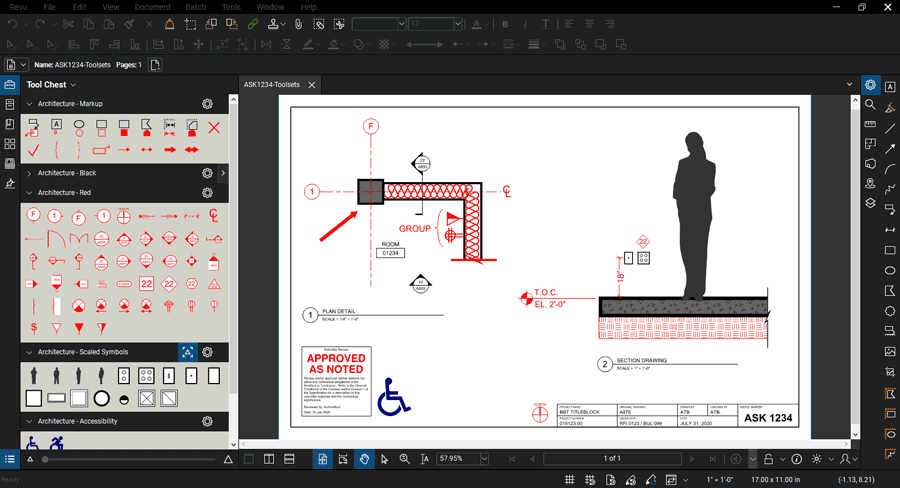
Designed with project collaboration in mind, this tool is advantageous for architects, engineers, and other professionals working in the construction industry. By leveraging the Revu platform, team members can easily add notes, highlights, and markup on various documents. Moreover, Bluebeam Revu enables tracking the progress of each project and working collaboratively on multiple files.
Key Attributes of Bluebeam Revu:
- Allows teams to add highlights and notes on documents
- Helps architects collaborate with team members to deliver projects on time
- Helps to merge with other high-end collaboration and design software
- It is also easy to access through mobile phones for collaborating on different files on-site.
Advantages of Using the Bluebeam Revu Tool:
- It is designed to boost collaboration and bridge the communication gap among different team members working on the same project.
- Helps architects and their teams manage various project documents
- It is created to boost the productivity and efficiency of employees and minimize errors.
- Designed to scale up as the number of projects increases
-
Trello tool:

One of the best visual project management software tools that helps architects and designers in the construction sector to properly organize and manage the project-related tasks. This further helps all architects aim to boost their project work and increase productivity. Trello also includes unparalleled functionalities that make it easier for team members to create easy-to-understand dashboards, lists, and project cards for reviewing project task progress, allocating tasks to team members, and adding project deadlines.
Key Attributes of the Trello tool:
- As a visual project management software, it enables architects and their teams to create visually appealing boards, including lists and various cards.
- It helps architects effortlessly assign and explain project tasks to team members and set deadlines for each project, ultimately enabling the timely delivery of projects without delays.
- Architects can track the project’s progress through the visual project management platform and provide critical feedback to any particular team member regarding the project.
- It easily integrates with different types of collaboration and design tools.
Advantages of Using Trello Tools:
- It helps to manage different types of tasks, thereby fostering workflows
- Allows team members to know about their project accountability, thereby increasing their productivity at work
- Architects can effectively check the status of project work and share their ideas and feedback wherever needed.
- Designed to easily scale up when the number of projects and teams increases
Final Thoughts:
Now that you understand the significance of collaboration tools, it is essential to conduct thorough research when selecting the right tool for your projects and team. There are various tools available in the market, but it’s required to analyze your project needs and accordingly choose the right tool that also fits your budget, without compromising on the quality. It is necessary to include a high-functioning collaboration tool as it helps to increase design efficiency, improve teamwork, and complete projects on time. By leveraging the best collaboration tools, architects can effectively enhance their competency.