WooCommerce Product Recommendations – Detail Guide
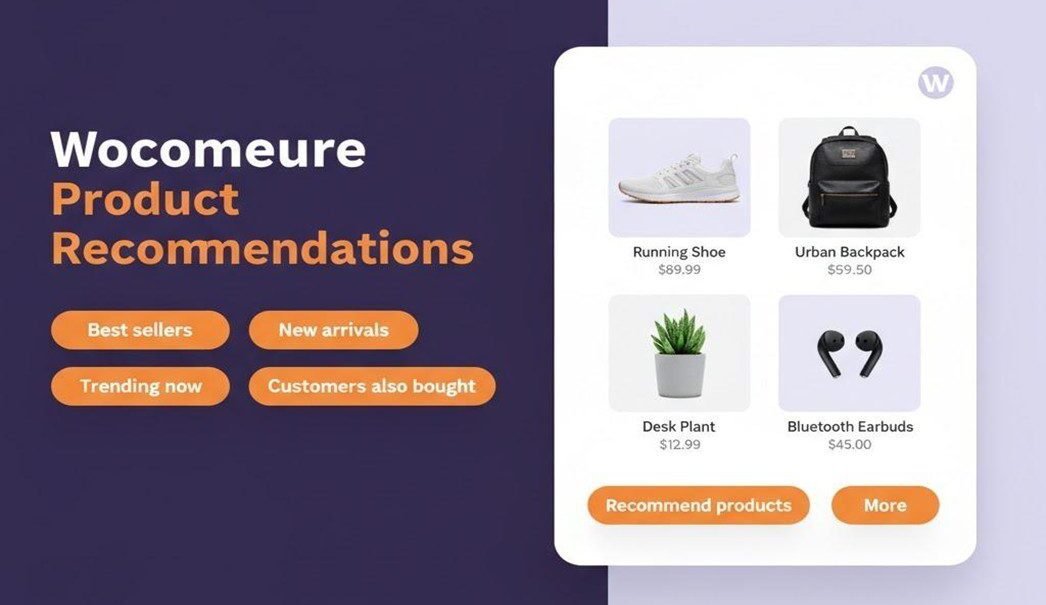
A customer visits your online store. They find a nice shirt, add it to the cart. But then, they pause and do not buy it? What happens next decides if you make a sale or not. This is where the role of WooCommerce product recommendations comes into play.
These recommendations help shoppers discover what fits, matches, or upgrades what they’re already buying. And if you ever plan to grow your eCommerce business faster, it might be time to bring in experts. WooCommerce als, already gives you plenty of built-in tools and plugins to make it happen.
What Product Recommendations Really Do:
Consider WooCommerce suggested products like a friendly store assistant. They don’t push. They gently point.
There are three simple ways this works:
- Upsells – Suppose you are buying a laptop. The website shows a slightly faster, bigger-storage model with better features. That’s an upsell. It is a suggestion to get a better idea/product that you already need.
- Cross-sells – Now, you have added the laptop to the cart. Here, the site suggests a mouse, a laptop bag, or a keyboard. These are cross-sells. These are extra items that go well with your main purchase.
- Related products – While browsing a blue sofa, the site might show similar sofas in different colors or styles. It helps shoppers compare and explore options.
Together, these WooCommerce upsell and cross-sell features help customers buy smarter, plus your sales rise. Even big names do it.
- Amazon shows “Frequently Bought Together.”
- Netflix recommends what to watch next.
How to Use Built-in WooCommerce Tools
WooCommerce already gives you a simple setup for WooCommerce product suggestions. Here’s how you do it:
- Go to your dashboard and open Products → Edit Product.
- Scroll to Linked Products.
- Add items under Upsells or Cross-sells.
Now, your store knows which products to display when a customer views or makes a purchase.
- Upsells are displayed directly on the product page.
- Cross-sells appear in the cart before checkout.
These WooCommerce personalized product suggestions make a small but steady difference. You can pair a coffee machine with coffee beans or a phone with a protective case. Simple ideas that feel natural to shoppers.
To make them work best:
- Keep suggestions relevant.
- Use short, friendly text.
- Refresh them often so they stay current with trends.
When Plugins Take It Further
Once your store grows, you might want something smarter—automated, data-driven, and less manual. That’s where AI product recommendations for WooCommerce come in.
Unlike default features, these tools bring real WooCommerce store personalization. These read consumers’ browsing patterns, past purchases, and timing. This helps in suggesting the right product at the right moment.
Here are a few popular options:
- WooCommerce Recommendation Engine learns from what people view and buy. Based on it, it auto-suggests products people would like.
- YITH WooCommerce Frequently Bought Together – it bundles products and helps increase the cart value to push up sales.
- Beeketing for WooCommerce – It offers pop-ups, upsells, and smart suggestions across the site.
How to start:
- Go to Plugins → Add New and search for one of these.
- Click Install and then Activate.
- Adjust settings—decide where the recommendations appear and how many to show.
That’s it. The plugin begins learning automatically. Soon, you will see new and old shoppers spending more time on your App and site. They would be exploring more pages and adding more to their carts. Credit your installation of intelligent WooCommerce product recommendations.
Best WooCommerce Practices for Strong Recommendations
Smart stores don’t spam. They guide. To make your WooCommerce product recommendations effective, remember a few simple things:
- Suggest items that truly match the consumer’s taste.
- Three to four options are enough; avoid an overload of suggestions.
- Use data, not guesswork. Base your WooCommerce upsell and cross-sell on real buying behavior.
- Keep testing. Move recommendations around your pages. See where they perform best.
- Your suggestions should sound human and not like a robot selling. People are very smart!
- Track how each recommendation performs. Most plugins include analytics.
When Do You Need a Developer’s Touch?
Sometimes, off-the-shelf tools can’t cover it all. For bigger stores or niche needs, you may need to hire WooCommerce developers who can design custom systems.
They are experts who get a deeper level of WooCommerce store personalization for your consumers.
- Create advanced AI product recommendations for WooCommerce using external APIs.
- Add logic like “show products trending in your city.”
- Keep your site fast while handling hundreds of product updates.
- Build dashboards that visualize what’s working best.
CTA: Bringing It All Together
Personalized shopping is no longer a luxury—it’s what customers expect. Product recommendations are not just about selling—they’re about connecting.
Each WooCommerce suggested product is an opportunity to improve the shopper’s experience. Every nudge counts. A small “You might also like…” can lead to an extra purchase and a more satisfied customer. The right WooCommerce product recommendations don’t just sell products; they build trust, loyalty, and a brand people remember.