How to Plan Clear, Flexible Audio for Busy Facilities
- 1 Why Clear Audio Is Difficult in Busy Places
- 2 Start With the Space, Not the Equipment
- 3 Build a Zone-Based Audio Plan
- 3.1 Choose Speech Clarity Over Maximum Loudness
- 3.2 Use Networked Audio for Flexible Control
- 3.3 Support Accessibility From the Start
- 3.4 Protect the Audio Network
- 3.5 Plan for Emergency and Routine Messages
- 3.6 Test the System Under Real Conditions
- 3.7 A Simple Planning Framework
- 4 Conclusion
- Clear facility audio begins with the space, its noise sources, and the people who need to receive messages.
- Zone-based design helps teams deliver the right message at an appropriate level without disrupting every area.
- Speech intelligibility is a more useful goal than simply making announcements louder.
- Accessibility, security, testing, and staff training should be built into the project from the beginning.
- Networked systems can support flexible control, expansion, and monitoring when the underlying network is planned carefully.
In schools, healthcare facilities, offices, transit centers, retail locations, campuses, and public venues, audio serves as a communication medium. Staff need to reach people with routine updates, instructions, and urgent notifications. Well-planned IP speakers can support that goal, but equipment alone cannot overcome a poor design.
Reliable communication depends on how sound behaves in the actual environment. Room shape, ceiling height, hard surfaces, crowd activity, machinery, traffic, and HVAC noise can all affect listeners’ ability to understand a spoken message. A system that sounds acceptable in an empty building may perform very differently during a busy afternoon.
Why Clear Audio Is Difficult in Busy Places
Volume is only one part of the equation. When background noise rises, it can cover the softer parts of speech that help listeners distinguish one word from another. At the same time, reflections from glass, concrete, tile, and other hard surfaces can cause reverberation, making words run together.
Large open areas create another challenge because coverage is rarely uniform by accident. People close to a speaker may experience an uncomfortable level, while people farther away may hear a message that is too weak or unclear. Outdoor spaces add wind, weather, and traffic noise, while connected indoor areas may have very different sound conditions from one room to the next.
Start With the Space, Not the Equipment
A useful audio plan starts with a site assessment. Before selecting speakers, microphones, amplifiers, or network components, identify the areas that need coverage and the type of communication required for each. A quiet waiting room, a noisy loading dock, and a crowded lobby should not automatically receive the same design.
Site Assessment Checklist
- Map every indoor and outdoor area where people must hear announcements.
- Record consistent and intermittent noise sources, including ventilation, equipment, traffic, and crowds.
- Identify reflective surfaces, high ceilings, partitions, doors, and architectural features that affect sound travel.
- Mark high-priority areas, quiet areas, and locations where people may be moving quickly.
- Document available power, cable pathways, network access, and equipment-room capacity.
- Determine whether the facility needs one-way paging, two-way communication, or both.
This early work helps prevent a common mistake: purchasing hardware first and attempting to solve acoustic problems later. It also provides operations teams with a stronger foundation for future expansion, renovation, and maintenance decisions.
Build a Zone-Based Audio Plan
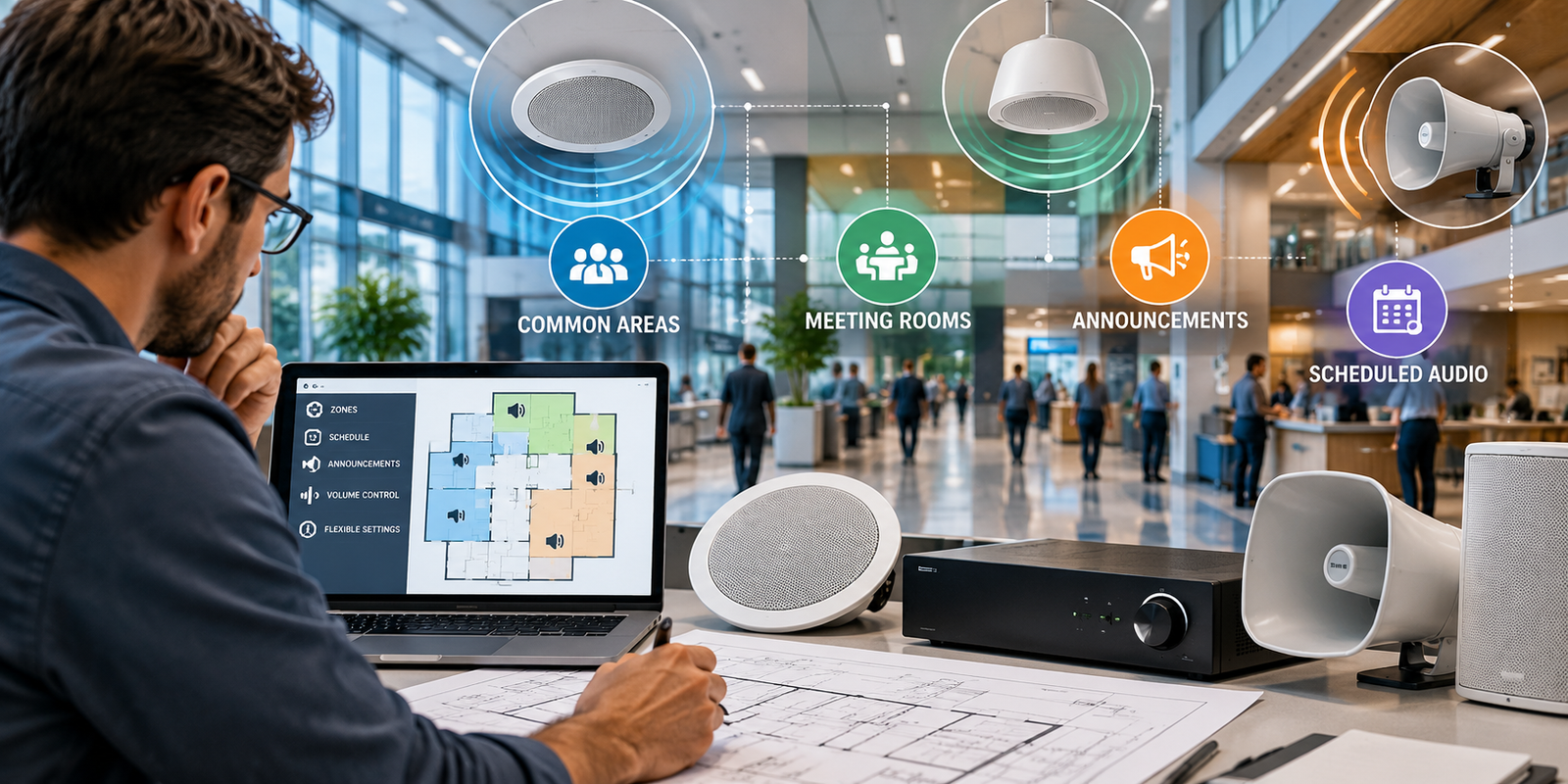
Audio zones divide a facility into controllable areas. Instead of broadcasting every message everywhere, authorized users can direct communication to the locations that need it. For example, a reception area may require general announcements, while a service corridor may need operational instructions, and a classroom may need lower-level communication.
- Assign zones by room, floor, building wing, exterior area, or operational function.
- Keep background audio separate from routine announcements and priority alerts.
- Allow authorized staff to select only the zones relevant to their message.
- Set volume levels appropriate to each location rather than relying on one facility-wide setting.
- Reserve capacity for new rooms, additional buildings, or future outdoor coverage.
Choose Speech Clarity Over Maximum Loudness
The practical objective is understandable speech at the listener’s location. That requires thoughtful speaker placement, coverage overlap where appropriate, microphone quality, speaker direction, level settings, and room acoustics. Raising volume can sometimes improve audibility, but excessive volume may create discomfort, distortion, or additional reflections.
Test messages from the farthest expected listening position and from locations near the speakers. Use realistic announcements with names, numbers, directions, and time-sensitive details. If people cannot understand those details, the system needs adjustment, even if they can tell that someone is speaking.
Use Networked Audio for Flexible Control
Networked audio can move audio and control information across an organization’s data network. In a multi-building facility, this approach can simplify centralized management, support scheduled messages, and make it easier to modify zones without having to rebuild every physical connection.
That flexibility still requires coordination with IT teams. Network capacity, latency, switch configuration, segmentation, power planning, account permissions, and redundancy should be addressed before installation. A design should also identify what happens if a device, network connection, or control interface becomes unavailable.
Support Accessibility From the Start
Accessible communication should be part of the planning process, not a final-stage add-on. The Department of Justice explains that covered state and local government entities, businesses, and nonprofit organizations serving the public must provide effective communication to people with communication disabilities when needed.
For facility announcements, practical measures may include pairing critical spoken information with visual messaging, using plain language, speaking at a steady pace, and repeating key details when circumstances permit. Assistive listening options, captions, visual alerts, and clear procedures for requesting communication assistance can help teams serve a wider range of users.
Protect the Audio Network
Connected audio devices should receive the same basic cybersecurity attention as other networked equipment. Use unique, strong credentials; limit administrative access by role; keep an accurate device inventory; apply supported firmware updates; and restrict management traffic to appropriate network segments.
Planning should also balance protection with performance. NIST notes that voice transmitted across data networks introduces security challenges, so its guidance on security considerations for voice-over-IP systems remains a useful reference for teams evaluating access controls, network protections, and operational risks.
Plan for Emergency and Routine Messages
People respond better when message handling is predictable. Establish clear priorities so emergency notifications can take precedence over routine paging or background audio. Pre-recorded messages can provide consistency for frequently used instructions, while live paging remains important for changing conditions and unusual events.
- Define emergency, urgent operational, routine, and background message categories.
- Specify who can send each category and to which zones.
- Create concise scripts for recurring safety and operational messages.
- Document failover procedures for power, network, and device outages.
- Train staff on both normal operation and exception handling.
Test the System Under Real Conditions
Commissioning should include real operating conditions, not just an empty facility. Walk through every zone during busy periods, with normal equipment running and doors in their usual positions. Check for echoes, dead spots, excessive loudness, delayed messages, and unclear speech. Record findings, correct issues, and repeat tests after significant changes to the space or system.
A Simple Planning Framework
- Define: Identify audiences, spaces, message types, and operating responsibilities.
- Measure: Assess noise, reverberation, coverage, infrastructure, and network conditions.
- Design: Create zones, priorities, control rules, accessibility measures, and failure procedures.
- Test: Verify performance with real messages under realistic conditions.
- Secure: Protect devices, accounts, connections, and administrative functions.
- Maintain: Schedule inspections, updates, drills, and refresher training.
Conclusion
Reliable facility audio is more than a collection of speakers. A strong plan begins with the environment, prioritizes clear speech, gives staff practical zone control, supports accessible communication, and includes security and ongoing testing. When those elements work together, organizations are better prepared to deliver messages people can hear and understand when they matter most.