Intel UHD Graphics 630 Gaming Review: What Works, What Doesn’t
On my i5-8400 model, I’m equipped with the UHD 630. I tried out 10 different games, so you won’t be left wondering which ones work.
For an entire two years, I’ve had an Intel UHD Graphics 630 running on my desktop, features such as an i5-8400 alongside 16GB of DDR4-2666 RAM. It wasn’t a matter of choice but a budget limitation.
More than likely, if you stumbled across this, you are in more or less the same situation. You have a laptop or desktop that comes with the UHD 630 integrated, and you are looking for a simple NO or YES: what kinds of games can it handle, and which ones will totally overwhelm it?
This is all I gathered after playing 10 games under different settings. No frills, no “maybe it’s.” Just plain stats.
What Is the Intel UHD Graphics 630?
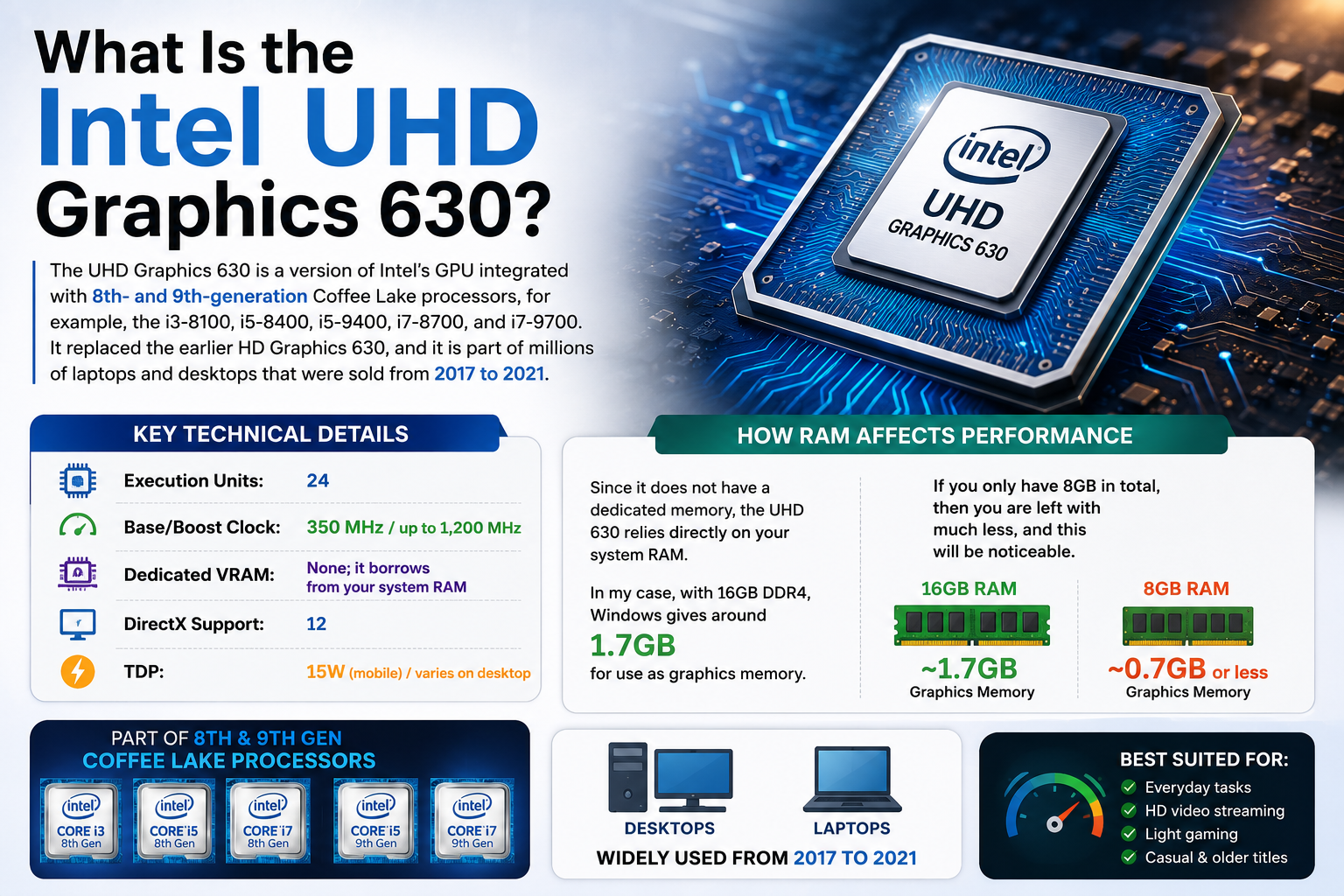
The UHD Graphics 630 is a version of Intel’s GPU integrated with 8th- and 9th-generation Coffee Lake processors, for example, the i3-8100, i5-8400, i5-9400, i7-8700, and i7-9700. It replaced the earlier HD Graphics 630, and it is part of millions of laptops and desktops that were sold from 2017 to 2021.
Some important technical details:
- Execution Units: 24
- Base/Boost Clock: 350 MHz / up to 1, 200 MHz
- Dedicated VRAM: None; it borrows from your system RAM
- DirectX Support: 12
- TDP: 15W (mobile) / varies on desktop
This last point is something that most people actually overlook. Since it does not have a dedicated memory, the UHD 630 relies directly on your system RAM. In my case, with 16GB DDR4, Windows gives around 1.7GB for use as graphics memory. If you only have 8GB in total, then you are left with much less, and this will be noticeable.
The Gaming Benchmarks: My Real Numbers
For my hardware configuration, here was the baseline for all benchmarks:
Intel Core i5-8400, 16GB DDR4-2666, no discrete GPU, Windows 11, the most recent versions of Intel drivers (31.0.101.5084).
Resolution tested: 1366×768 (a real target for this GPU) and 1920×1080 as a frame of reference.
What Works
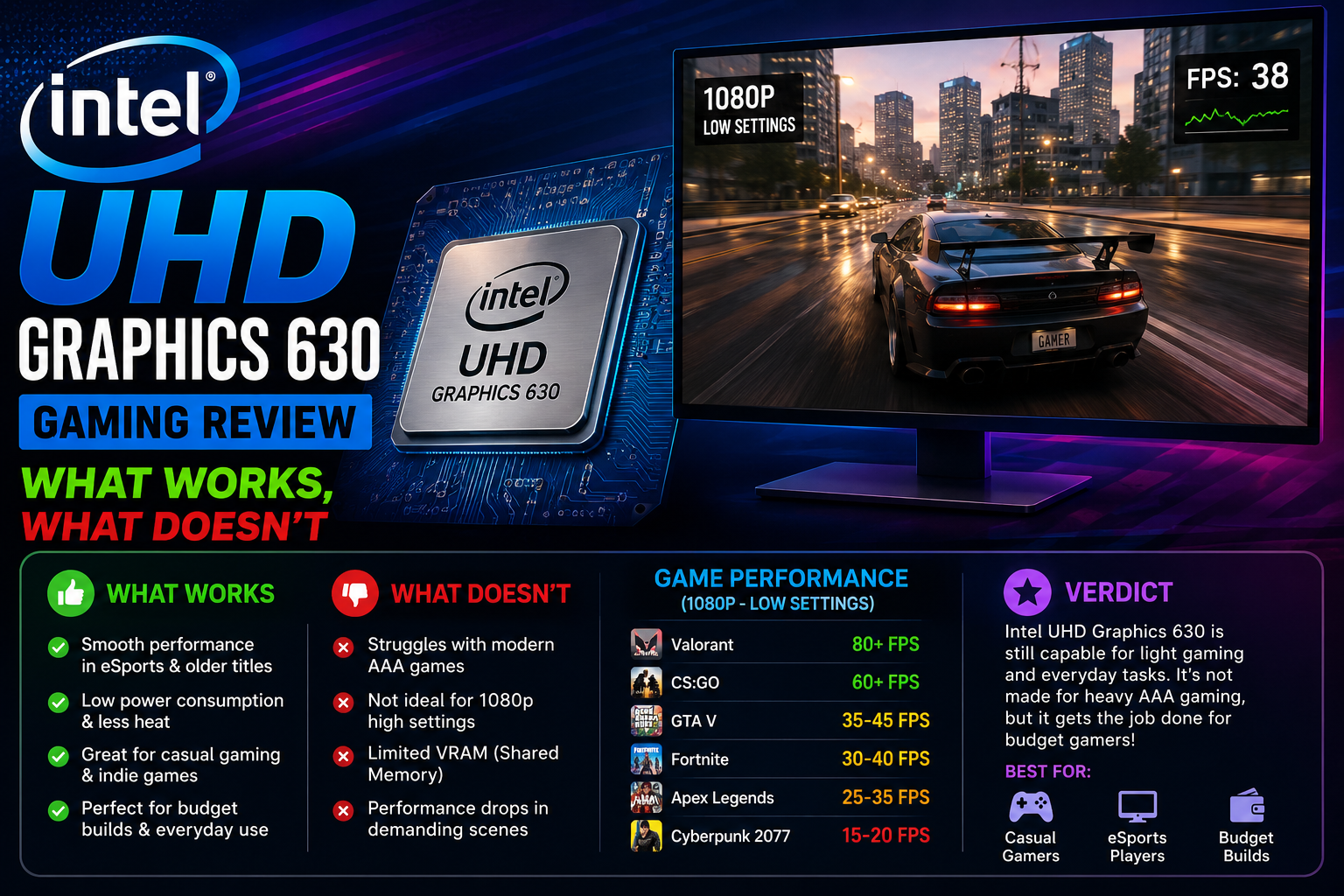
Valorant: This is the perfect compromise. At 1080p on Low, I was getting an average of 74 FPS with occasional dips to 58 during intense firefights. At 720p on Low, it was a stable 95- 110 FPS. If you enjoy Valorant, the UHD 630 is very much playable; after all, Riot designed the game to run even on very low-end devices.
Minecraft (Java Edition) running on 1080p, Balanced settings, and 8 chunks render distance, the average was 55- 65 FPS. Change it to Fast graphics and 6 chunks, and you’ll easily get more than 70. Java Edition is, in fact, quite dependent on CPU, so the i5-8400 has a bigger impact here than the GPU does.
League of Legends Medium settings at 1080p: in-game 80, 90 FPS practically all the time, going down to about 60 FPS when the whole team is fighting, and there are heavy effects. Totally playable. This is actually the very purpose of integrated graphics.
CS: GO / CS2 CS: GO with very low settings at 1080p worked well in general, I got 68 FPS. CS2, on the other hand, was problematic; if I stayed at the same settings, the frame rate dropped to 28 or 35 FPS, and there was visible stuttering, especially in smokes. CS: GO, yes; CS2, probably not.
Rocket League at 720p with Performance mode on: 55, 70 FPS. At 1080p, it barely managed to stay above 40. You can enjoy the game at 720p, but at 1080p, it would be very annoying.
What Doesn’t Work
GTA V: This title is the one that everyone wants to know about. If you crank it down to 720p and switch off everything to the lowest settings, there will be an average of 24 to 30 FPS, but the frame rate will drop to the teens during busy street scenes.
Technically, it can be run; however, it is quite far from enjoyable. If you even consider 1080p on the lowest setting, the framerate is just bafflingly low at 16 or 22. This is not a gameable experience, more like a slideshow of a story.
Fortnite: At 720p on Performance Mode (the DX11 low-quality mode Fortnite specifically added for weak hardware): 22, 38 FPS, inconsistent. Playable moments followed by sub-20 dips during builds and explosions. If Fortnite is your game, this GPU will frustrate you.
The Witcher 3: I did this one mostly to find out what would happen. At 720p on Low: 11, 18 FPS. Unplayable. Do not waste time with it.
Cyberpunk 2077: The game would not open at default settings; it just crashed. At the absolute minimum config, I could force: 4, 7 FPS. This is a hard no.
Elden Ring At 720p Low: 9, 15 FPS. Unplayable. The UHD 630 does not have the capacity for running FromSoftware’s games.
How to Squeeze More FPS Out of the UHD 630
Do not just accept those numbers as final. Here are the three things that actually made a difference for me:
- Ensure that your RAM is running in dual-channel mode. If you are using two RAM sticks, check your motherboard manual to make sure you put them in the right slots for dual-channel. It’s a pretty simple thing to do. The integrated GPU performance is significantly improved when using dual-channel RAM because the iGPU bandwidth is effectively doubled. After changing from a single 16 GB stick to two 8 GB ones, I got around 15 20% more FPS in most games.
- Change VRAM allocation in the BIOS. Most motherboards allow you to allocate 512 MB or 1 GB to the iGPU in the BIOS settings. If your system has 16 GB + RAM, go for 1GB. It gave me more stability in games like Minecraft and CS: GO.
- Take advantage of the Intel Graphics Command Center. Inside the app, change your power plan to “High Performance”. Intel limits the GPU clock to save power by default. Making it run at max boost (1, 200 MHz) gave me 8-12 FPS additionally in Valorant.
Also Read- Lenovo Legion 5 Series Review: Every Model Explained, So You Can Stop Guessing
Who Should Upgrade, and Who Is Fine
You’re fine staying on UHD 630 if:
- You’re most of the time playing esports games, e.g., Valorant, LoL, CS: GO, and Rocket League.
- You play mostly old games from 2015 or earlier.
- Your primary use for the PC is work, with a bit of casual or light gaming on the side.
You need to upgrade if:
- You want to play any games released after 2020 at a decent frame rate.
- Games like GTA V, Fortnite, or other open-world AAA titles are what you want to play.
- You are editing videos, and it’s a mystery to you why Premiere Pro preview playback keeps stuttering (the UHD 630 does have QuickSync, which helps with export, but timeline playback on complex edits is really painful).
Getting your hands on a used GTX 1650 or RX 6500 XT, both available at less than $100 used price in 2026, will make a huge difference to this computer. That’s really the upgrade path that you should consider if you want to play games other than esports.
Final Verdict
Intel UHD Graphics 630 is pretty much a no-go for gaming. It is rather a graphics chip allowing you to play games only occasionally under proper conditions. At 720p to 1080p, at low settings for esports games, it is indeed very usable. However, for any game with high graphical demand released after 2019, it hardly has any power left.
Therefore, what I suggest is: understand which games you’ll be playing, have a dose of realism when it comes to your expectations, and implement the gaming tips shared above to extract the maximum FPS from your system. If your game list includes more than just Valorant and Minecraft, it is time to start putting money aside for a dedicated card. Even the cheapest one will make a huge difference.
FAQs
Are Intel UHD Graphics 630 good for gaming?
Good enough for esports only — Valorant, LoL, and CS: GO run fine. Anything modern and graphically demanding is unplayable.
How much VRAM does Intel UHD Graphics 630 have?
No dedicated VRAM. It borrows 128MB–1.7GB from system RAM, depending on BIOS settings and total RAM installed.
Can Intel UHD Graphics 630 run GTA V?
Barely. At 720p, lowest settings, it averages 24–30 FPS with frequent drops into the teens. Not a playable experience.
What is Intel UHD Graphics 630 equivalent to?
Roughly an NVIDIA GT 710. A GTX 1650 outperforms it by 300–400% — even budget dedicated cards leave it far behind.